Every Way Apple's On-Device Model Can Fail, and How to Handle Each One
Nine errors, measured. The safety filter blocks ordinary Unix documentation, one failure costs ten seconds and hands back nothing, and chunking loses three quarters of the details.
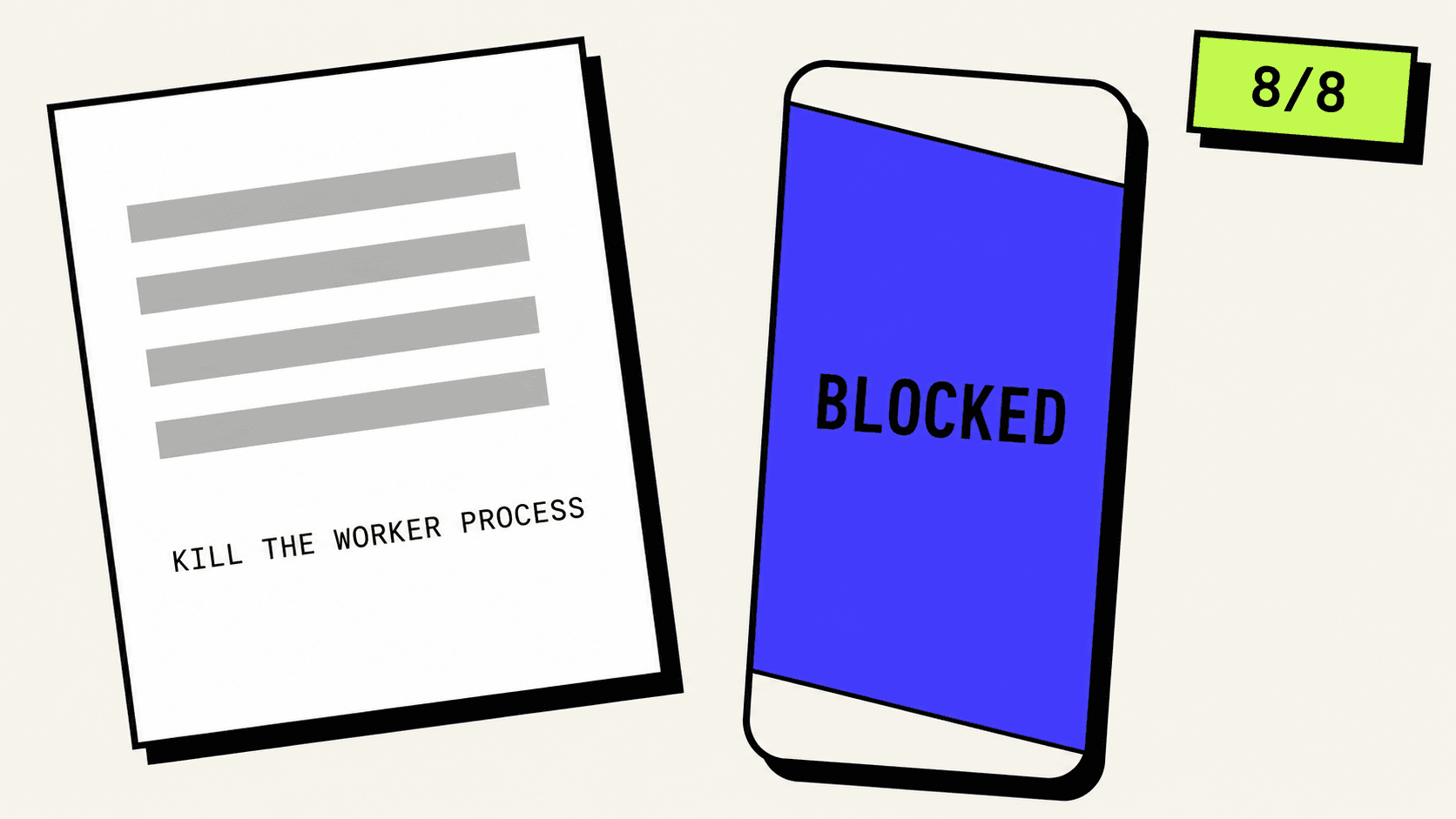
Here is a sentence that Apple's on-device model refuses to read:
If the worker stops responding you have to kill the child process.
Eight attempts out of eight, rejected. Not a bad summary, not an empty answer. A thrown error, in about a sixth of a second, before the model ever saw the text.
Change one word, to "kill the subprocess", and it goes through every time.
That is one of nine ways this framework can fail. Most of them you can see coming and prevent, rather than catch afterwards. This post walks through all nine, with what each one costs, and then builds the piece the first two parts kept promising: handling text that does not fit in the window at all.
It is part three of a series. Part one built the summariser and measured what it costs, part two swapped its prose output for a typed value. You can start here, though. Everything gets re-explained.
Measured on an iPhone 15 Pro Max, iOS 26, stable Xcode 26.6. No beta.
What a guardrail is
A guardrail is a safety filter, and Apple puts one between your app and the model.
It is worth being precise about where it sits, because that turns out to matter. There are actually two checks, one on the way in and one on the way out. The inbound one reads the text you are sending and can reject it before the model runs at all. The outbound one reads what the model produced and can reject that instead, after all the work is done. Either one throws the same error, so from your code they look identical.
They are not identical, and you can tell them apart with a stopwatch. On the phone a real summary of a short passage takes about 1.6 seconds. A rejection takes 0.15. If the failure comes back fifty times faster than the model can possibly work, nothing was generated, and the filter turned your text away at the door.
kill  + child process    blocked 8/8   0.16 s
stop  + child process    blocked 8/8   0.11 s
kill  + worker process   blocked 8/8   0.12 s
kill  + subprocess        passed 8/8   1.64 s
spawn + child process     passed 8/8   1.57 s
Every one of those is the same sentence, one word swapped. "You have to kill the child process before the parent can exit cleanly."
Two things have to be true together for it to be blocked. There is a verb about ending something, and there is a noun that could be a person. kill on its own is fine, as long as the thing being killed is a subprocess. child process on its own is fine, as long as you are spawning it. Put them together and you have written a sentence that, stripped of context, reads like something else entirely.
I want to be careful about what I am claiming. The six measurements are the finding. The explanation, that the filter is reading child and worker as people, is my reading of them, and I have no visibility into how Apple's classifier works. What I can say is that swapping child for subprocess reliably flips the result, and that worker behaves like child.
If you write about processes, threads, memory or crashes, this will happen to you. It costs nothing, because the model never runs. It also tells you nothing.
The same run on the Mac gave the same block rates and, more interestingly, the same block times. Generation is about five times faster on the phone, but a rejection takes 0.15 seconds on both, because on neither one is anything being generated.
The setting almost nobody mentions
There is a second guardrail configuration, and it is one initialiser argument away.
let model = SystemLanguageModel(guardrails: .permissiveContentTransformations)
let session = LanguageModelSession(model: model, instructions: "...")
SystemLanguageModel.Guardrails has exactly two values, .default and .permissiveContentTransformations. Every case above that the default guardrail blocked, this one allowed. Not some, all of them, across every variant I tried.
The name is the argument for it. A content transformation is what a summariser does: the text is not a user asking the model something, it is a document being reshaped. The strict filter is tuned for the first situation and this app is the second one.
That does not make it a free switch. You are relaxing a safety filter, and if your app summarises whatever a user pastes then you are relaxing it over content you have never seen. My own view, and this is a judgement rather than a measurement: do not make that swap silently on the user's behalf. The app in this post asks first, and there is a screenshot of it asking further down.
Worth knowing about too: Apple has a reporting channel for exactly this situation.
let attachment = session.logFeedbackAttachment(
    sentiment: .negative,
    issues: [.init(category: .triggeredGuardrailUnexpectedly,
                   explanation: "Ordinary process-management documentation.")]
)
LanguageModelFeedback.Issue.Category has a case named triggeredGuardrailUnexpectedly. The false positive is anticipated in the API surface, which suggests Apple knows this happens. The call returns Data for you to file rather than sending anything itself.
Nine ways to fail
LanguageModelSession.GenerationError has nine cases. Most sample code handles three.
you can see these coming
  exceededContextWindowSize
  unsupportedLanguageOrLocale
  concurrentRequests
  unsupportedGuide
  decodingFailure
  assetsUnavailable

you cannot
  guardrailViolation
  refusal
  rateLimited
The first group all have a cheap check you can run first. Count the tokens before you send them. Call supportsLocale(_:) before you assume the language is handled. Keep one request in flight. The last two in that group are your own bugs and belong in a test rather than in a user-facing error.
The second group you cannot predict, so the app has to be built to absorb them.
Eight of the nine carry a single associated value, a Context, and the whole of a Context is one debugDescription string. That string is a debug aid. It says things like "May contain unsafe content", which is not something to put in front of a person.
So the first piece of code is a type that turns these into something a user can act on.
//  SummariseFailure.swift

import Foundation
import FoundationModels

/// Every way a request to the on-device model can fail, turned into something worth showing a
/// person.
///
/// `GenerationError` has nine cases. Parts one and two of this app handled three and five of them
/// respectively, which is what most sample code does. The four nobody covers are
/// `assetsUnavailable`, `unsupportedLanguageOrLocale`, `rateLimited` and `concurrentRequests`,
/// and they are ordinary app-level failures rather than exotica.
///
/// Eight of the nine carry only a `Context`, whose entire payload is a `debugDescription` string.
/// That is a debug aid, not user-facing copy, which is why this type exists.
enum SummariseFailure: Equatable {
    /// The text is longer than the window, or the answer grew past the end of it.
    case tooLong
    /// Apple's safety filter blocked the input or the model's answer.
    case blocked
    /// The model itself declined. The only case that can explain itself.
    case declined
    /// The model's answer could not be made into our type.
    case couldNotDecode
    /// A constraint we asked for is not supported.
    case unsupportedConstraint
    /// The model does not support this language.
    case unsupportedLanguage
    /// The model's files are not on the device.
    case notDownloaded
    /// Too many requests, too quickly.
    case rateLimited
    /// A request was already in flight on this session.
    case alreadyRunning
    /// Something this build does not recognise.
    case unknown(String)

    init(_ error: any Error) {
        guard let generation = error as? LanguageModelSession.GenerationError else {
            self = .unknown(error.localizedDescription)
            return
        }
        switch generation {
        case .exceededContextWindowSize:   self = .tooLong
        case .guardrailViolation:          self = .blocked
        case .refusal:                     self = .declined
        case .decodingFailure:             self = .couldNotDecode
        case .unsupportedGuide:            self = .unsupportedConstraint
        case .unsupportedLanguageOrLocale: self = .unsupportedLanguage
        case .assetsUnavailable:           self = .notDownloaded
        case .rateLimited:                 self = .rateLimited
        case .concurrentRequests:          self = .alreadyRunning
        @unknown default:                  self = .unknown(generation.localizedDescription)
        }
    }

    var title: String {
        switch self {
        case .tooLong:               return "That text is too long"
        case .blocked:               return "The safety filter blocked this"
        case .declined:              return "The model declined"
        case .couldNotDecode:        return "The answer came back malformed"
        case .unsupportedConstraint: return "Unsupported constraint"
        case .unsupportedLanguage:   return "Unsupported language"
        case .notDownloaded:         return "The model isn't on this device yet"
        case .rateLimited:           return "Too many requests"
        case .alreadyRunning:        return "Already summarising"
        case .unknown:               return "Something went wrong"
        }
    }

    var detail: String {
        switch self {
        case .tooLong:
            return "This app should have split it up before asking. That's a bug, not your text."
        case .blocked:
            return "Apple's filter rejected this before the model saw it. Ordinary technical "
                 + "writing can trigger it: phrases like \"kill the child process\" read as "
                 + "something else out of context."
        case .declined:
            return "The model chose not to answer this one."
        case .couldNotDecode:
            return "The model's answer didn't fit the shape this app asked for."
        case .unsupportedConstraint:
            return "This app asked for a constraint the model doesn't support. That's a bug here."
        case .unsupportedLanguage:
            return "The on-device model doesn't support this language yet."
        case .notDownloaded:
            return "Apple Intelligence is on, but the model files aren't downloaded. "
                 + "Stay on Wi-Fi and try again later."
        case .rateLimited:
            return "The system is throttling requests. Wait a moment and try again."
        case .alreadyRunning:
            return "A summary is already in progress. One request at a time."
        case .unknown(let description):
            return description
        }
    }

    /// Whether asking again, unchanged, could plausibly succeed.
    ///
    /// Worth being honest about. A retry on `unsupportedLanguage` will fail identically forever,
    /// and offering the button teaches people the app is broken.
    var retryMightHelp: Bool {
        switch self {
        case .blocked, .declined, .couldNotDecode, .rateLimited, .alreadyRunning:
            return true
        case .tooLong, .unsupportedConstraint, .unsupportedLanguage, .notDownloaded, .unknown:
            return false
        }
    }

    /// Whether relaxing the guardrail is worth offering for this failure.
    ///
    /// `SystemLanguageModel(guardrails: .permissiveContentTransformations)` cleared every blocked
    /// case in testing, including the process-management text that the default setting refuses
    /// eight times out of eight.
    ///
    /// Deliberately an *offer* rather than an automatic retry. Downgrading a safety setting on
    /// someone's behalf without telling them is not a decision an app should make quietly.
    var relaxedFilterMightHelp: Bool {
        self == .blocked
    }
}
Most of that file is strings, but three decisions in it are worth explaining.
@unknown default is there because GenerationError is not a frozen enum. Apple can add a tenth case in a point release, and in the Swift 6 language mode an exhaustive switch without that line stops compiling the day they do. The list of ways this can fail is expected to grow.
retryMightHelp exists because a retry button that cannot work is worse than no button. Asking again after unsupportedLanguage will fail identically forever. Asking again after blocked genuinely might, because the outbound filter is probabilistic and a second attempt produces different output. Getting that distinction wrong teaches people the app is broken.
And relaxedFilterMightHelp is deliberately named as an offer rather than a retry. It drives a button, not an automatic second attempt.
Two requests at once
This one is quick, deterministic, and I have not seen it documented anywhere.
Fire two requests at the same session simultaneously and the second one throws immediately:
request A: ok         in 3.99 s
request B: concurrent in 0.00 s
Zero seconds. It is not queued. It is refused.
Which means the isWorking flag from part one, the one that greys out the button while a summary is running, is not a nicety. It is the thing preventing this error. A disabled button is not enough on its own either, because a fast double tap can get two taps in before the first state update lands, so the check belongs in the model layer:
guard !isWorking else { return }
isWorking = true
defer { isWorking = false }
The only error that explains itself
refusal is the odd one out, and it is odd in an interesting way.
It is the only case carrying two associated values instead of one, and the extra one is a Refusal struct:
public struct Refusal: Sendable {
    public var explanation: LanguageModelSession.Response<String> { get async throws }
    public var explanationStream: LanguageModelSession.ResponseStream<String> { get }
}
Look at the type of explanation. It is not a String. It is a Response<String>, it is async, and it throws. Asking the model why it refused you is another generation. It costs time, it can fail on its own, and there is a streaming variant because the explanation is long enough to be worth streaming.
There is a trap in reading it. explanation is a nonisolated property returning a non-Sendable value, so the obvious line does not compile from a view model:
error: non-Sendable type
'LanguageModelSession.Response<String>' of
nonisolated property 'explanation' cannot be
sent to main actor-isolated context
Consume it off the main actor and hand back the string, which is Sendable:
let text = try await Task.detached {
    try await refusal.explanation.content
}.value
Now the honest part. I could not get the model to produce a `refusal` at all. Five deliberate attempts, including a request I fully expected to be turned down, and four came back with an ordinary answer while the fifth threw guardrailViolation in 0.19 seconds instead.
So the refusal you actually meet is the guardrail. refusal is rare enough that I could not provoke it on purpose. Which also means I have no number for what explanation costs, and I am not going to invent one.
rateLimited went the same way. Twenty-five requests back to back, in under two minutes, and not one was throttled. The case exists. I could not make it fire.
The failure that costs ten seconds
Now the error everyone does hit.
The context window is the total amount of text the model can hold in mind at once, counted in tokens. A token is roughly a word-piece, so a token count is not a character count and not a word count, and you cannot look at a string and know what it will cost. This model's window is 4,096 tokens, which is about one long article.
The part that catches people out is that your text and the model's answer share that budget. It is not 4,096 for your input plus room for a reply. Every word the model writes back comes out of the same 4,096.
Go past it and you get exceededContextWindowSize. But that error has two completely different personalities, and the difference matters more than the error does:
prompt already too long   threw in 1.31 s
answer runs off the end   threw in 9.09 s
both fit                 worked in 8.36 s
If your text is too long on its own, you are rejected almost immediately. The framework can see the problem without doing any work.
If your text fits but the answer grows past the end of the window, the model generates for as long as a successful summary would take, and then throws. And you get nothing back. No partial answer, no salvage. On this phone that is about nine seconds of somebody watching a spinner to be told it failed.
That inverts what you would guess. The cheap failure is the one you could easily have predicted. The expensive one arrives after the user has already spent their time.
There is a seatbelt for it, and it is one parameter:
GenerationOptions(maximumResponseTokens: 220)Here is the thing I got wrong about that parameter for a while, because it reads like a reservation. It is not. It is a ceiling. The window is spent on tokens the model actually generates, not on the number you passed. Ask a model to summarise real prose and it writes a few sentences and stops, nowhere near any limit you set. Set the ceiling and you have simply made it impossible to run off the end, at no cost in the common case.
I found that out by accident, and the accident is instructive. My first test used the word "word" repeated four thousand times as filler, and with input like that the model never stops on its own, so it ran until it hit either the ceiling or the wall. That produced a beautiful clean boundary, and none of it generalised. Rerun with actual sentences and the boundary vanished entirely, because the model was finishing long before the limit.
The same filler also tripped the guardrail, which is how I found the whole first half of this article.
One more number worth having. Every deliberate overflow reported dying at 4,089 or 4,090 tokens against a stated window of 4,096. The model stops about six tokens short. Not enough to matter often, enough to matter at the boundary.
Pricing the window before you use it
The pre-flight check is the whole argument of this post. A tokenCount call is fast and local. Nine seconds of the user's time is not.
tokenCount(for:) has five overloads, and they are the tool for this:
tokenCount(for prompt: some PromptRepresentable) async throws -> Int
tokenCount(for instructions: Instructions)       async throws -> Int
tokenCount(for tools: [any Tool])                async throws -> Int
tokenCount(for schema: GenerationSchema)         async throws -> Int
tokenCount(for transcriptEntries: some Collection<Transcript.Entry>) async throws -> Int
Before the user's text is considered at all, four things are already spoken for.
The instructions are the standing brief you give the session, separate from the text you are asking about. They are sent with every request, so they cost their tokens every time.
The schema is the description of the shape you want back. In part two we defined a Summary struct and marked it @Generable, and what that macro does is generate a machine-readable description of the struct and hand it to the model so it knows what to produce. That description is prompt text. It costs tokens.
The session has its own fixed cost of 22 tokens, which is a thing an earlier post in this series worked out by overflowing the window on purpose and reading the number out of the error message.
And the answer needs room, per the section above.
//  WindowBudget.swift

import Foundation
import FoundationModels

/// Works out how much of the model's context window is actually left for the user's text.
///
/// The context window is the total number of tokens the model can hold at once, and the thing
/// that catches people out is that **your text and the model's answer come out of the same
/// budget**. It is not 4,096 for you plus room for a reply.
///
/// Four things are spoken for before a single word of the user's input arrives:
///
///   - the session's own fixed cost, 22 tokens
///   - the instructions, which are sent with every request
///   - the schema, the description of the struct we want back, which the framework writes into
///     the prompt for us
///   - whatever the answer is allowed to grow to
///
/// Measuring this up front is the difference between a failure that costs nothing and one that
/// costs the user ten seconds of waiting and returns nothing at all.
struct WindowBudget {

    /// The session's fixed cost, over and above what `tokenCount(for:)` reports for the text.
    ///
    /// `tokenCount(for: "")` returns 8, but a session actually charges 22. Those are two
    /// different overheads and the one you can measure is not the one you are billed for.
    static let sessionCost = 22

    /// The model stops a few tokens short of the advertised window.
    ///
    /// Every deliberate overflow reports dying at 4,089 or 4,090 against a stated 4,096, across
    /// a wide range of answer ceilings and prompt sizes. Rounded up to 8 so the budget is
    /// pessimistic rather than optimistic.
    static let ceilingReserve = 8

    /// The whole window, as the model reports it.
    let contextSize: Int
    /// What the instructions cost, in content tokens.
    let instructions: Int
    /// What the schema costs.
    let schema: Int
    /// The ceiling we will put on the answer.
    let answer: Int

    /// Everything that is committed before the user's text is considered.
    var spokenFor: Int {
        Self.sessionCost + Self.ceilingReserve + instructions + schema + answer
    }

    /// How many tokens of the user's text will actually fit in one request.
    var availableForInput: Int {
        max(0, contextSize - spokenFor)
    }

    /// Prices the window for a given configuration.
    ///
    /// Note which `tokenCount` overload does what. There are five of them and they do not agree
    /// with each other: the same instruction string prices at 26 through the `Instructions`
    /// overload and 19 through the prompt overload. We use the prompt overload and subtract the
    /// 8-token scaffolding, because that is the form article 04's arithmetic was derived in.
    ///
    /// The schema figure is deliberately taken from the API rather than from our own measurement.
    /// `tokenCount(for:)` reports 138 where a session is actually charged 119, so the API
    /// overstates it by 19, and an overstatement is exactly what you want in a budget.
    static func measure(
        model: SystemLanguageModel = .default,
        instructions instructionText: String,
        schema: GenerationSchema,
        answerCeiling: Int
    ) async throws -> WindowBudget {
        let scaffolding = try await model.tokenCount(for: "")
        let instructionsTotal = try await model.tokenCount(for: instructionText)
        let schemaCost = try await model.tokenCount(for: schema)

        return WindowBudget(
            contextSize: model.contextSize,
            instructions: max(0, instructionsTotal - scaffolding),
            schema: schemaCost,
            answer: answerCeiling
        )
    }

    /// How many tokens the given text will contribute, with the scaffolding removed.
    static func contentTokens(
        of text: String,
        model: SystemLanguageModel = .default
    ) async throws -> Int {
        let scaffolding = try await model.tokenCount(for: "")
        let total = try await model.tokenCount(for: text)
        return max(0, total - scaffolding)
    }
}
Two lines in there look like superstition and are not.
tokenCount(for: "") returns 8, and both functions subtract it. Counting an empty string does not return zero because tokenCount never measures a string in isolation. It measures what that string will cost as a prompt, wrapped in the chat scaffolding the model expects, and that wrapper is 8 tokens whatever you hand it. Subtract it and you get the text's own contribution, which is the number you can add up.
ceilingReserve is the six-token shortfall from the last section, rounded up to eight so the budget is pessimistic rather than optimistic.
Run it on the app's real configuration and here is the answer:
contextSize        4096
session cost         22
ceiling reserve       8
instructions         11
schema              138
answer ceiling      220
-----------------------
spoken for          399
left for your text 3697
About a tenth of the window is gone before your document arrives.

One note on that schema figure, because it is a nice illustration of why you measure things. The API says the schema costs 138 tokens. Measured against what a session is actually charged, by overflowing the window deliberately and reading the number out of the error, it costs 119. The counting API overstates it by 19.
That is the same shape as a finding from earlier in this series, where tokenCount reports 8 tokens of overhead while a session charges 22. Two numbers, both real, measuring different things. For a budget I use the API's larger figure, because a budget that overestimates is a budget that works.
Splitting text that does not fit
Now the part both earlier posts promised.
Chunking means cutting a document into pieces that each fit the window, summarising each piece, then combining those summaries into one. The obvious approach, and the one every tutorial shows.
The awkward part is deciding where to cut. Accurate token counts come from tokenCount(for:), which is an async call into the model, and calling it once per candidate sentence is not cheap:
tokenCount per sentence  0.019 s per call
300 sentences            5.8 s to plan splits
estimate then verify     0.10 s, 4 calls
Fifty-eight times faster. Estimate while packing, then verify each finished chunk once.
But estimating means guessing how many characters make a token, and my first guess was badly wrong. I used a fixed 3.5 characters per token, which was 55% too pessimistic on ordinary English prose. The chunks came out around 2,385 tokens against a budget of 3,683, so a third of the window went unused on every pass, which means more passes than necessary. And as the next section shows, more passes costs you real information.
The fix is to stop guessing. Measure the density of this text with one extra call:
private func calibrate(on text: String) async throws -> Double {
    let sample = String(text.prefix(4_000))
    guard !sample.isEmpty else { return Self.fallbackCharactersPerToken }
    let tokens = try await WindowBudget.contentTokens(of: sample, model: model)
    guard tokens > 0 else { return Self.fallbackCharactersPerToken }
    return Double(sample.count) / Double(tokens)
}
One call, and the estimate is now specific to the document in front of you rather than to English in general. On the sample document that came out at 5.39 characters per token, against the 3.5 I had assumed.
Do not fill the window
Then I measured the thing I thought was obvious, and it was the wrong way round.
The natural way to chunk is to fill each piece to the budget and start a new one when it is full. That gives you the fewest passes, and fewer passes sounds better: less time, less power, fewer calls.
I compared it against packing the same text into equal-sized chunks instead, and against slicing blindly at character positions with no regard for sentences at all. Same document, same twelve planted facts, arms interleaved, six trials each.
                    chunks   recall
fill the budget          3      35%
equal sizes              4      65%
blind slices             5      68%
Filling the window is the worst thing you can do, by a factor of nearly two.
The reason is obvious once the numbers are in front of you. I did not see it coming. Every chunk, whatever its size, gets summarised into the same small note. A chunk holding 3,690 tokens has to throw away about 94% of itself to fit. One holding 2,185 throws away much less. Filling the window optimises pass count, and pass count is not the thing that matters.
The other half of that table is worth noticing too. Equal-sized chunks and blind character slices score the same, within noise, and the blind arm cuts sentences in half. So sentence boundaries are not what is buying the recall. Even sizing is. I kept the sentence splitting anyway, because a note taken from a passage that starts mid-clause reads badly even when it scores the same, but I would not have guessed it was worth nothing.
There is a real trade here and it is worth stating. More chunks means more passes means more time. On this document it is four passes instead of three for roughly double the retention, and that is a trade I would take. It is also a knob, not a law: if you are summarising something where the gist matters and the specifics do not, fill the window and go faster.
Here is the whole chunker.
//  Chunker.swift

import Foundation
import FoundationModels

/// Splits text too long for the context window into pieces that fit, without cutting sentences
/// in half.
///
/// The awkward part is that the only accurate way to count tokens is `tokenCount(for:)`, and that
/// is an `async` call into the model. Calling it once per candidate sentence while packing would
/// mean hundreds of round trips to decide where to put a full stop.
///
/// So this estimates first and verifies afterwards: pack by a cheap character estimate, then
/// measure each finished chunk once and split any that came out over budget. The estimate only
/// has to be roughly right, because the verification pass catches the cases where it is not.
struct Chunker {

    /// Fallback density, used only if the calibration sample comes back empty.
    private static let fallbackCharactersPerToken = 4.0

    /// How much of one chunk to actually use.
    ///
    /// The estimate is approximate, so packing right up to the limit means the verification pass
    /// has to split chunks constantly. Leaving a margin makes the common case a single clean
    /// measurement per chunk.
    private static let safetyFactor = 0.9

    /// The most content tokens a single chunk may contain.
    let budget: Int
    let model: SystemLanguageModel

    init(budget: Int, model: SystemLanguageModel = .default) {
        self.budget = budget
        self.model = model
    }

    /// Splits `text` into chunks that each fit the budget.
    func chunks(of text: String) async throws -> [String] {
        let sentences = Self.sentences(in: text)
        let density = try await calibrate(on: text)
        var packed = pack(sentences, charactersPerToken: density)
        packed = try await verify(packed, charactersPerToken: density)
        return packed
    }

    /// Measures how many characters of *this* text make a token, rather than assuming.
    ///
    /// One `tokenCount` call on a sample. A fixed guess was out by 55% on ordinary English
    /// prose, and being wrong in the pessimistic direction is not free: it makes every chunk
    /// smaller than it needs to be, which means more passes, and more passes means more of the
    /// document's detail is lost on the way through.
    private func calibrate(on text: String) async throws -> Double {
        let sample = String(text.prefix(4_000))
        guard !sample.isEmpty else { return Self.fallbackCharactersPerToken }
        let tokens = try await WindowBudget.contentTokens(of: sample, model: model)
        guard tokens > 0 else { return Self.fallbackCharactersPerToken }
        return Double(sample.count) / Double(tokens)
    }

    /// Breaks text on sentence boundaries, which `enumerateSubstrings` does properly for the
    /// user's locale rather than by looking for full stops.
    private static func sentences(in text: String) -> [String] {
        var result: [String] = []
        text.enumerateSubstrings(in: text.startIndex..., options: .bySentences) { substring, _, _, _ in
            if let substring, !substring.trimmingCharacters(in: .whitespacesAndNewlines).isEmpty {
                result.append(substring)
            }
        }
        // A block of text with no sentence punctuation at all comes back empty, so fall back to
        // treating the whole thing as one sentence and let the verification pass deal with it.
        return result.isEmpty ? [text] : result
    }

    private func estimate(_ text: String, charactersPerToken: Double) -> Int {
        Int(Double(text.count) / charactersPerToken)
    }

    /// Packs sentences into chunks of roughly equal size.
    ///
    /// The obvious approach is to fill each chunk to the budget and start a new one when it is
    /// full, which minimises the number of passes. Measured, that is by some distance the worst
    /// thing you can do: filling the window gave 35% recall of planted facts where equal-sized
    /// chunks gave 65%.
    ///
    /// The reason is that every chunk gets summarised into the same small note. A chunk holding
    /// 3,700 tokens has to lose almost all of itself to fit; one holding 2,200 loses much less.
    /// Filling the window optimises the thing that does not matter (pass count) at the expense of
    /// the thing that does (how much survives).
    ///
    /// So: work out the fewest chunks that fit, then aim for that many chunks of equal size.
    private func pack(_ sentences: [String], charactersPerToken: Double) -> [String] {
        let workingBudget = Int(Double(budget) * Self.safetyFactor)
        let total = sentences.reduce(0) { $0 + estimate($1, charactersPerToken: charactersPerToken) }
        let count = max(1, Int((Double(total) / Double(workingBudget)).rounded(.up)))
        let target = max(1, total / count)

        var chunks: [String] = []
        var current = ""
        var currentEstimate = 0

        for sentence in sentences {
            let sentenceEstimate = estimate(sentence, charactersPerToken: charactersPerToken)
            // Start a new chunk once this one has reached its share, unless this is the last
            // chunk, which absorbs whatever rounding left over.
            if currentEstimate + sentenceEstimate > target,
               !current.isEmpty,
               chunks.count < count - 1 {
                chunks.append(current)
                current = sentence
                currentEstimate = sentenceEstimate
            } else {
                current += sentence
                currentEstimate += sentenceEstimate
            }
        }
        if !current.isEmpty { chunks.append(current) }
        return chunks
    }

    /// Measures each chunk for real and splits any that the estimate got wrong.
    ///
    /// One `tokenCount` call per chunk, not per sentence, which is the whole point of estimating
    /// during packing.
    private func verify(_ chunks: [String], charactersPerToken: Double) async throws -> [String] {
        var verified: [String] = []

        for chunk in chunks {
            let actual = try await WindowBudget.contentTokens(of: chunk, model: model)
            if actual <= budget {
                verified.append(chunk)
            } else {
                verified.append(contentsOf: try await halve(chunk,
                                                            measured: actual,
                                                            charactersPerToken: charactersPerToken))
            }
        }
        return verified
    }

    /// Splits an over-budget chunk in half repeatedly until every piece fits.
    ///
    /// Halving rather than re-estimating because the estimate has already been shown wrong for
    /// this particular text, so trusting it a second time would be optimistic.
    private func halve(_ chunk: String,
                       measured: Int,
                       charactersPerToken: Double) async throws -> [String] {
        guard measured > budget else { return [chunk] }

        let sentences = Self.sentences(in: chunk)
        guard sentences.count > 1 else {
            // A single sentence bigger than the whole budget. Nothing clever to do: cut it by
            // character count and accept the seam.
            return splitByCharacters(chunk, charactersPerToken: charactersPerToken)
        }

        let midpoint = sentences.count / 2
        let first = sentences[..<midpoint].joined()
        let second = sentences[midpoint...].joined()

        var result: [String] = []
        for half in [first, second] where !half.isEmpty {
            let halfTokens = try await WindowBudget.contentTokens(of: half, model: model)
            result.append(contentsOf: try await halve(half,
                                                      measured: halfTokens,
                                                      charactersPerToken: charactersPerToken))
        }
        return result
    }

    private func splitByCharacters(_ text: String, charactersPerToken: Double) -> [String] {
        let maximumCharacters = Int(Double(budget) * charactersPerToken * Self.safetyFactor)
        guard maximumCharacters > 0, text.count > maximumCharacters else { return [text] }

        var pieces: [String] = []
        var index = text.startIndex
        while index < text.endIndex {
            let end = text.index(index, offsetBy: maximumCharacters, limitedBy: text.endIndex)
                ?? text.endIndex
            pieces.append(String(text[index..<end]))
            index = end
        }
        return pieces
    }
}
enumerateSubstrings with .bySentences does the sentence splitting properly for the user's locale, which is the reason not to go looking for full stops yourself.
The safetyFactor of 0.9 exists because the estimate is an estimate. Packing right up to the budget means the verify pass finds an overflow constantly and starts splitting, and a split chunk is an uneven chunk. Leaving a tenth spare makes one clean measurement per chunk the normal case.
halve recurses rather than re-estimating, because on that particular chunk the estimate has already been proven wrong once. splitByCharacters is the last resort for a single sentence larger than the entire budget, and it will cut mid-word. That is ugly and it is also the only option left.
What chunking costs
This is the section I would most like you to take away, because it is the one nobody puts a number on.
To measure it, I planted twelve checkable facts through a long document, each one a distinctive token that can be matched exactly: a name like Halvorsen, a figure like 1,247, a place like Pier 14. Then I chunked the document, summarised each chunk, combined the summaries, and counted how many of the twelve survived to the end. That fraction is recall, a term borrowed from information retrieval: of the things that were in the source, how many made it out.
after the chunk notes      56%
after the combining pass   25%
That is with everything above already fixed: calibrated estimates, equal-sized chunks, the note-taking framing. It is the best configuration I found, and the combining pass still throws away more than half of what the notes had managed to keep.
And the instructions for both passes said, in as many words, keep every specific name, number and place you are given.
That is part two's lesson arriving again from a different direction. An instruction is a request. The model is free to decline it and frequently does.
So the obvious next move was to stop asking and start requiring: make the intermediate notes a typed value with a field whose entire job is to hold the specifics. Part two showed that typing the output fixed the model handing back its input, so it seemed reasonable that typing would fix this too.
It made it worse.
                   notes   combined
prose                58%        19%
typed ChunkNotes     27%        10%
Less than half the recall, with both arms interleaved inside the same run so it is not a warm-up artifact.
Which bounds the technique from part two, and that is worth saying plainly because it would be very easy to over-generalise. Types constrain shape. Shape is not memory. A .count(6) array gives the model exactly six slots and no obligation to spend them on the things you cared about, while free prose can carry more.
I tried the wording too. Framing the first pass as "take notes on one passage" rather than "summarise this text" is worth about fourteen points at the notes stage. It buys nothing at the end:
                       notes   combined
"summarise this"         42%        15%
"take notes on this"     56%        12%
Put every run together and one number holds across all of them:
                       notes  combined  lost
greedy, "summarise"      33%       10%   70%
greedy, "take notes"     58%       19%   67%
typed notes              27%       10%   63%
equal, "take notes"      56%       25%   55%
The first column moves a lot. Everything I tried changed it, some by a factor of two. The last column barely moves. The combining pass costs you between half and three quarters of whatever the notes managed to keep, in every configuration I tested.
The variance underneath those averages is worth admitting to. In the best configuration the four individual trials came out at 58%, 50%, 42% and 75% at the notes stage, and 8%, 50%, 0% and 42% after combining. One run in four lost everything. These are averages over small samples on one document, and I would treat the ordering as solid and the exact percentages as soft.
So the recommendation is not a prompt trick. It is a design change: if the specifics matter, do not collapse the notes.
The app shows the per-passage notes as the primary result and treats the combined summary as a convenience underneath them. Recall in those notes is roughly four times better, and they are the more faithful answer to "what does this document say".
Putting it together
The Summariser does the pre-flight, picks a path, and keeps the notes.
//  Summariser.swift

import Foundation
import FoundationModels
import Observation

/// Notes taken from one chunk of a long document.
struct ChunkNote: Identifiable {
    let id: Int
    /// One-based, for showing "passage 2 of 4".
    var number: Int { id + 1 }
    var text: String?
    var failure: SummariseFailure?
}

@Observable
final class Summariser {

    /// What the pre-flight check worked out, before any generation happened.
    struct Plan {
        let inputTokens: Int
        let availablePerPass: Int
        let passes: Int
        var fitsInOnePass: Bool { passes <= 1 }
    }

    /// Notes from each passage, kept rather than thrown away.
    ///
    /// This is the app's most important design decision and it came out of a measurement.
    /// Collapsing these into one final summary loses roughly three quarters of the specific
    /// names, numbers and places: recall measured about 33-58% at this stage and 10-19% after
    /// the combining pass, whatever the prompt said. So the notes are the primary result and
    /// the combined summary below is a convenience.
    private(set) var notes: [ChunkNote] = []

    /// The optional combined summary. Secondary to `notes`, deliberately.
    private(set) var summary: Summary.PartiallyGenerated?

    private(set) var plan: Plan?
    private(set) var timeToFirstToken: Duration?
    private(set) var isWorking = false
    private(set) var failure: SummariseFailure?

    /// How much room the answer is allowed. This is a ceiling, not a reservation: the model uses
    /// only what it needs, so setting it costs nothing when the answer was going to be short.
    ///
    /// It is also the seatbelt. A prompt that fits can still overflow if the answer runs off the
    /// end of the window, and that failure takes about as long as a successful summary and hands
    /// back nothing at all. Capping the answer makes it impossible.
    private static let answerCeiling = 220

    /// Framing matters more than it should. "Take notes on one passage" retained noticeably more
    /// specifics than "summarise this text" on the same input, so the wording here is deliberate.
    private static let noteInstructions = """
        You take notes on one passage of a longer document. \
        Keep every specific name, number, place and date you are given.
        """

    private static let combineInstructions = """
        You combine notes from several passages into one summary. \
        Keep every specific name, number, place and date you are given.
        """

    private static let singlePassInstructions = """
        You summarise text that someone has just shared with you.
        """

    private static func makeSession(
        instructions: String,
        permissive: Bool = false
    ) -> LanguageModelSession {
        let model = permissive
            ? SystemLanguageModel(guardrails: .permissiveContentTransformations)
            : SystemLanguageModel.default
        return LanguageModelSession(model: model, instructions: instructions)
    }

    /// The session the next request will use, warmed in advance.
    @ObservationIgnored
    private var next: LanguageModelSession?

    /// Call this when the text field gains focus. The model goes cold after a minute or so of
    /// inactivity, and paying that cost while someone is still typing is free.
    func prepare() {
        guard next == nil else { return }
        let session = Self.makeSession(instructions: Self.singlePassInstructions)
        session.prewarm()
        next = session
    }

    /// Whether the last request relaxed the safety filter.
    ///
    /// Surfaced so the UI can say so. Quietly downgrading a safety setting on the user's behalf
    /// and never mentioning it is not a thing to ship.
    private(set) var usedRelaxedFilter = false

    // MARK: - The main entry point

    /// - Parameter relaxFilter: run with `.permissiveContentTransformations` instead of the
    ///   default guardrail. Only ever set from an explicit user action, never automatically.
    func summarise(_ text: String, relaxFilter: Bool = false) async {
        let trimmed = text.trimmingCharacters(in: .whitespacesAndNewlines)
        guard !trimmed.isEmpty else { return }

        // One request at a time. A session throws `concurrentRequests` immediately if a second
        // request arrives while the first is in flight, so this guard is load-bearing rather
        // than cosmetic - the button being disabled is not enough on its own.
        guard !isWorking else { return }

        isWorking = true
        defer { isWorking = false }

        failure = nil
        summary = nil
        notes = []
        plan = nil
        timeToFirstToken = nil
        usedRelaxedFilter = relaxFilter

        do {
            let budget = try await WindowBudget.measure(
                instructions: Self.noteInstructions,
                schema: Summary.generationSchema,
                answerCeiling: Self.answerCeiling
            )
            let inputTokens = try await WindowBudget.contentTokens(of: trimmed)
            let available = budget.availableForInput

            // Ceiling division: 3,800 tokens into 3,700-token passes is two passes, not one.
            let passes = max(1, Int((Double(inputTokens) / Double(available)).rounded(.up)))
            plan = Plan(inputTokens: inputTokens, availablePerPass: available, passes: passes)

            if passes <= 1 {
                await summariseInOnePass(trimmed, relaxFilter: relaxFilter)
            } else {
                await summariseInChunks(trimmed, budget: available, relaxFilter: relaxFilter)
            }
        } catch {
            failure = SummariseFailure(error)
        }

        prepare()
    }

    // MARK: - Short enough to do directly

    private func summariseInOnePass(_ text: String, relaxFilter: Bool) async {
        let clock = ContinuousClock()
        let start = clock.now
        // The prewarmed session always uses the default guardrail, so it can only be reused on
        // an ordinary run.
        let session = relaxFilter
            ? Self.makeSession(instructions: Self.singlePassInstructions, permissive: true)
            : (next ?? Self.makeSession(instructions: Self.singlePassInstructions))
        if !relaxFilter { next = nil }

        do {
            let stream = session.streamResponse(
                to: text,
                generating: Summary.self,
                options: GenerationOptions(maximumResponseTokens: Self.answerCeiling)
            )
            for try await snapshot in stream {
                if timeToFirstToken == nil,
                   let headline = snapshot.content.headline,
                   !headline.trimmingCharacters(in: .whitespacesAndNewlines).isEmpty {
                    timeToFirstToken = clock.now - start
                }
                summary = snapshot.content
            }
        } catch {
            failure = SummariseFailure(error)
        }
    }

    // MARK: - Too long, so chunk it

    private func summariseInChunks(_ text: String, budget: Int, relaxFilter: Bool) async {
        do {
            let chunker = Chunker(budget: budget)
            let pieces = try await chunker.chunks(of: text)

            plan = Plan(
                inputTokens: plan?.inputTokens ?? 0,
                availablePerPass: budget,
                passes: pieces.count
            )
            notes = pieces.indices.map { ChunkNote(id: $0, text: nil, failure: nil) }

            for (index, piece) in pieces.enumerated() {
                notes[index].text = await note(for: piece, at: index, relaxFilter: relaxFilter)
            }

            // Surface a passage-level refusal even when the others succeeded, so the offer to
            // relax the filter appears rather than the failure being silently swallowed.
            if !relaxFilter, notes.contains(where: { $0.failure == .blocked }) {
                failure = .blocked
            }

            // One chunk being refused should not lose the other three. Given how readily the
            // guardrail fires on ordinary technical writing, this is likely rather than exotic.
            let written = notes.compactMap(\.text)
            guard !written.isEmpty else {
                failure = notes.compactMap(\.failure).first ?? .unknown("No passage could be read.")
                return
            }

            await combine(written)
        } catch {
            failure = SummariseFailure(error)
        }
    }

    /// Notes on one chunk, in prose.
    ///
    /// Prose rather than a typed value, which is the opposite of what part two concluded and is
    /// deliberate. Typing the output stopped the model handing back its input, but a typed notes
    /// field retained *fewer* specifics than free prose. Types constrain shape, and shape is not
    /// memory.
    private func note(for chunk: String, at index: Int, relaxFilter: Bool) async -> String? {
        let session = Self.makeSession(
            instructions: Self.noteInstructions,
            permissive: relaxFilter
        )
        do {
            let response = try await session.respond(
                to: chunk,
                options: GenerationOptions(maximumResponseTokens: Self.answerCeiling)
            )
            notes[index].failure = nil
            return response.content
        } catch {
            notes[index].failure = SummariseFailure(error)
            return nil
        }
    }

    private func combine(_ written: [String]) async {
        let clock = ContinuousClock()
        let start = clock.now
        let session = Self.makeSession(instructions: Self.combineInstructions)
        let joined = written.joined(separator: "\n\n")

        do {
            let stream = session.streamResponse(
                to: joined,
                generating: Summary.self,
                options: GenerationOptions(maximumResponseTokens: Self.answerCeiling)
            )
            for try await snapshot in stream {
                if timeToFirstToken == nil,
                   let headline = snapshot.content.headline,
                   !headline.trimmingCharacters(in: .whitespacesAndNewlines).isEmpty {
                    timeToFirstToken = clock.now - start
                }
                summary = snapshot.content
            }
        } catch {
            // The notes survive. Losing the combined summary is a much smaller loss than losing
            // everything, and it is the more useful half anyway.
            failure = SummariseFailure(error)
        }
    }
}
Several things in there are doing more than they look like.
Each request builds its own session, and this is not fussiness. A session remembers every exchange and replays the whole conversation on the next request, so a long-lived one gets slower with every tap and quietly eats the window you just budgeted. Part two measured that at three to six times slower by the sixth call.
prepare() calls prewarm() on a session held ready for next time, and it is wired to the text field gaining focus rather than to app launch. The model goes cold after a minute or so of not being used, and warming it while somebody is typing is free. Warming it at launch spends power on a user who may never tap anything.
prewarm() warms one specific session object rather than the model in general, which is why there is a next property holding that object rather than a boolean saying "warmed". Taking it sets next = nil straight away, because a session that has answered once has a transcript and is no longer the clean one you wanted. Dropping the reference the moment it is used makes reuse impossible rather than just discouraged.
One blocked passage no longer loses the others. notes[index].failure records the problem against that passage and the loop keeps going, because with a guardrail this eager, one refusal in four is not a rare event.
The if !relaxFilter, notes.contains(where: { $0.failure == .blocked }) line surfaces a passage-level block as a whole-run failure, purely so the offer to relax the filter appears. Without it, one silently missing passage looks like the app simply lost some of your document.
The view is the same shape as part two's, with the notes list added. Rather than reprinting all of it, the parts that changed are the plan line, the notes, and the failure box with its two buttons. The whole file is in the repo.
Two small things in it that were not obvious. The TextEditor needs a fixed height rather than a minimum, because it grows to fit its content and pasting a whole article pushes every result far below the fold. And the relaxed-filter run puts a visible marker on screen, because an app that quietly downgrades a safety setting and never mentions it is not a thing to ship.


What you have
An app that knows whether your text will fit before it asks, splits it when it will not, keeps what it learned from each piece, and has something useful to say about all nine ways the request can fail.
Five numbers worth keeping:
window available to you   3,697 of 4,096
schema, API vs charged        138 vs 119
overflow after generating   9.1 s, nothing
"kill the child process"    8 of 8, 0.16 s
recall after combining                25%
The code is at github.com/palKaran/summarise-anything-part-3.
The guardrail result is the one I most want checking, because I have six one-word swaps and no idea how far the pattern goes. Take a paragraph of your own documentation, one with kill, abort, terminate or child in it, run it through, and tell me the sentence and whether it was blocked. A sentence and a yes or no. If it turns out that half the technical writing on the internet trips this filter, that is worth knowing collectively.
Part four ships this as a share extension, so you can summarise whatever you are reading without leaving the app you are in. Extensions run under a much tighter memory ceiling than apps do, which is where an on-device language model stops being convenient and starts being an engineering problem.
🎉 Enjoyed this article? Your support means the world to me!
🎬 Subscribe on YouTube for video versions of these posts: https://www.youtube.com/@swift-pal
💼 Let's connect on LinkedIn for more professional insights: https://www.linkedin.com/in/karan-pal
☕ If this saved you some time, you can buy me a coffee: https://coff.ee/karanpaledx
Happy coding! 🚀
New articles, straight to your inbox.
No spam, no filler — just new writing on iOS, the web, and AI when it ships. Unsubscribe anytime.
Keep reading
Your CPU Has More Cores Than Your Job Can Use
Some work splits cleanly across hundreds of cores. Other work is a chain of steps where every new step has to wait for the last one to finish.
ReadYour Password Isn’t as Random as You Think
Crack-time calculators measure the size of a theoretical password space—not how people actually choose passwords or how attackers search them.
Read