Apple's On-Device Model Keeps Handing Back Your Own Text
A typed return value nearly eliminates it. Measuring what that costs turned up two more things, including a latency number I had been publishing wrong.
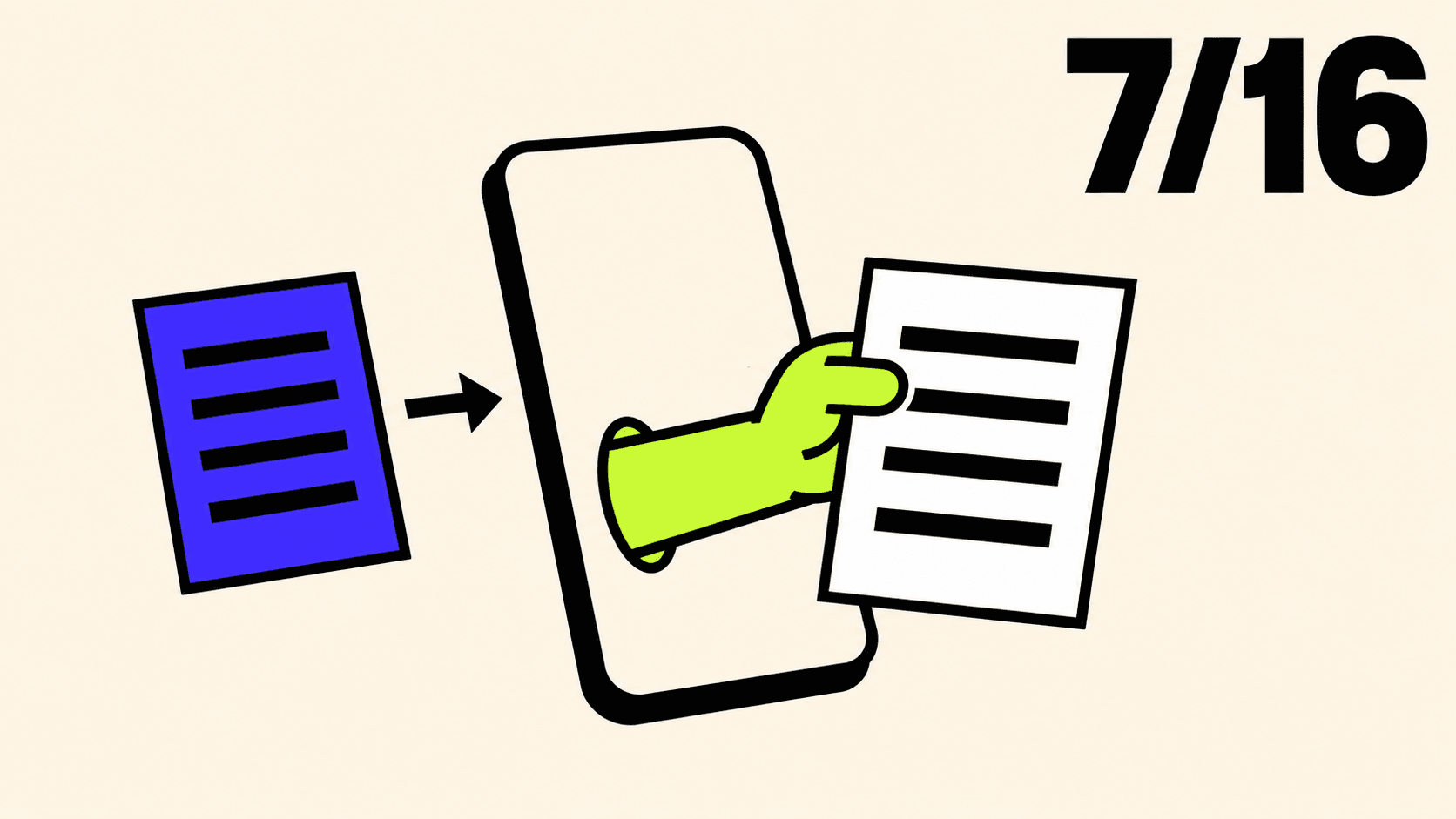
Seven times out of sixteen, asked for a summary, it returned the input almost word for word.
That is the app from part one, a summariser running entirely on the phone with no network and no API key. Part one measured the problem and could not explain it, so it named the next experiment rather than guessing: the sampling controls, which live on a settings type called GenerationOptions and govern how the model picks each word it writes.
I have now run that experiment. Sampling makes no difference at all. What fixes it is the return type.
This post swaps the wall of prose for a typed value, measures what that costs, and along the way finds two things in part one's app that were quietly making it slower than the numbers I published. The long-text problem, where you paste a whole article and get exceededContextWindowSize, is part three. I know I said it would be here. It grew.
Everything below was measured on an iPhone 15 Pro Max, on iOS 26, with stable Xcode 26.6.
The type
Two words run through the rest of this post, so here they are up front.
Prose is what part one did. You ask for a summary and the model hands back a plain String, free-form, whatever shape it feels like. If you want the headline separately from the bullet points you get to write string-chopping code, and you get to hope the model did not open with "Here is a summary of the text you provided."
Typed is what this post does instead. The model hands back a Swift struct with named fields, so summary.headline and summary.points are already separate values and there is nothing to parse.
Everything below is a comparison between those two, on the same input, on the same phone.
Instead of asking for text, describe what you want.
//  Summary.swift

import FoundationModels

@Generable(description: "A short summary of a piece of text")
struct Summary {
    @Guide(description: "A headline of at most eight words")
    var headline: String

    @Guide(description: "The main points, one short sentence each", .count(3))
    var points: [String]
}
Fourteen lines, and most of what matters is in the strings.
@Generable generates a machine-readable description of this struct, called a schema, and hands it to the model. A schema is just a written description of the shape you want: one text field called headline, one list called points holding three items. The framework builds it from your Swift type and pastes it into the prompt for you, so the model is told what to produce rather than left to guess.
The part that makes this more than tidiness is what happens next. As the model picks each word, its choices are restricted to ones that keep the answer fitting that shape. It is not being asked politely for a headline and three points. It is being prevented from producing anything else.
@Guide attaches a description to a single property. Those descriptions are not comments. They are sent to the model, they are the only thing telling it what headline is supposed to contain, and writing a vague one is the same category of mistake as writing a vague prompt.
The .count(3) is a different kind of thing. It is a constraint rather than a description, and it serialises into the schema as minItems: 3, maxItems: 3. Across every run in this post, in every configuration I tried, points came back with exactly three elements. Forty-eight for forty-eight. It held even in the case further down where the model had no idea what the fields meant, which tells you the count is enforced while the text is being generated rather than requested politely up front.
Other guides exist. Strings take .anyOf and .pattern with a regex, numbers take .minimum, .maximum and .range, arrays take .minimumCount and .maximumCount as well as the exact .count.
Streaming something that is not finished yet
Part one streamed a String, and every snapshot carried the whole answer so far. A struct streams differently, because at any moment some of the fields exist and some do not.
That is what Summary.PartiallyGenerated is. The macro generates it alongside your type, and it is your struct with every property made optional. headline arrives, then the first point, then the second. Until each one lands it is nil.
//  Summariser.swift

import Foundation
import FoundationModels
import Observation

@Observable
final class Summariser {
    /// The summary so far. Every field is optional until the model has filled it in.
    private(set) var summary: Summary.PartiallyGenerated?
    /// How long it took before the first characters appeared.
    private(set) var timeToFirstToken: Duration?
    private(set) var isWorking = false
    private(set) var failure: String?

    /// A session remembers every exchange, and sends all of it again on the next request.
    /// Summarising is a one-shot job with nothing worth remembering, so each call gets its own.
    private static func makeSession() -> LanguageModelSession {
        LanguageModelSession(instructions: """
            You summarise text that someone has just shared with you.
            """)
    }

    /// The session the next request will use, warmed in advance.
    @ObservationIgnored
    private var next: LanguageModelSession?

    /// Call this when the user starts typing. The model goes cold after a minute or so of
    /// inactivity, and paying that cost while they are still writing is free.
    func prepare() {
        guard next == nil else { return }
        let session = Self.makeSession()
        session.prewarm()
        next = session
    }

    func summarise(_ text: String) async {
        guard !text.trimmingCharacters(in: .whitespacesAndNewlines).isEmpty else { return }

        isWorking = true
        failure = nil
        summary = nil
        timeToFirstToken = nil

        let clock = ContinuousClock()
        let start = clock.now

        let session = next ?? Self.makeSession()
        next = nil

        do {
            for try await snapshot in session.streamResponse(to: text, generating: Summary.self) {
                if timeToFirstToken == nil,
                   let headline = snapshot.content.headline,
                   !headline.trimmingCharacters(in: .whitespacesAndNewlines).isEmpty {
                    timeToFirstToken = clock.now - start
                }
                summary = snapshot.content
            }
        } catch {
            failure = Self.message(for: error)
        }

        isWorking = false
        prepare()
    }

    private static func message(for error: any Error) -> String {
        guard let generation = error as? LanguageModelSession.GenerationError else {
            return error.localizedDescription
        }
        switch generation {
        case .exceededContextWindowSize:
            return "That text is longer than the model's context window. Try a shorter passage."
        case .guardrailViolation:
            return "The safety filter blocked this text."
        case .refusal:
            return "The model declined to summarise this text."
        case .decodingFailure:
            return "The model's answer did not fit the shape we asked for."
        case .unsupportedGuide:
            return "One of the constraints on the summary is not supported."
        default:
            return generation.localizedDescription
        }
    }
}
The session handling is the part that looks over-engineered, so take that first.
A `LanguageModelSession` is a conversation, not a function call. That is the thing to hold on to. It looks like something you would build once and keep, the way you would keep a URLSession, and it is not. It remembers. Every request you make is added to its transcript, and the next request sends that whole transcript again:
request 1 sends   [document A]
request 2 sends   [document A, summary A, document B]
request 3 sends   [document A, summary A, document B, summary B, document C]
So the prompt grows with every tap, which makes each request slower than the last and eats the 4,096-token window you need for the actual document. Summarising is a one-shot job. Document B has nothing to do with document A, so there is nothing worth remembering between them, and makeSession() builds a clean one every time. There are numbers for what reuse costs near the end of this post, and they are worse than I expected.
That explains why the session is thrown away. prepare() and next explain why one is kept.
prewarm() warms one specific session object, not the model in general, so to get any benefit you have to use that exact object. next is where it waits: a clean, warmed session ready for whoever taps next. When a request starts, it takes that object and immediately sets next = nil, and that line is doing real work. A session that has answered once has a transcript now, so it is no longer clean, and dropping the reference the instant it is used makes reusing it impossible rather than merely discouraged. When the request finishes, prepare() builds a fresh one and warms it while the user is reading the answer they just got.
The guard next == nil else { return } is there because prepare() is called from two places, the text field gaining focus and the end of summarise. Without it, tapping in and out of the text field would build a new session every time.
The call itself is one line. streamResponse(to:generating:) instead of streamResponse(to:), and the snapshots now carry a partly-built Summary rather than a string.
The time-to-first-token check got fussier, and the fussiness is load-bearing. It waits for a headline that exists and is not blank after trimming. The first snapshot usually carries a fragment of the headline, something like SwiftUI's Navigation, and starting the clock there is right. But a snapshot can also arrive with the field present and empty, and if you accept that you have measured how long it took the framework to allocate a struct rather than how long the user waited to see a word.
decodingFailure and unsupportedGuide are new in the error switch. The first fires when the model's answer cannot be made into your type, the second when a guide you asked for is not supported. Neither fired once in the hundred-odd calls behind this post. They are two lines, and the alternative is a crash you cannot explain.
Notice also what is gone. Part one's instructions ran three lines and said, in effect, at most three short sentences, no bullet points, no headings, and no preamble such as "Here is a summary". All of that is deleted. The type says it now, and unlike the instructions, the type gets obeyed. More on that shortly.
The view
//  ContentView.swift

import SwiftUI

struct ContentView: View {
    @State private var status: ModelStatus?
    @State private var summariser = Summariser()
    @State private var input = ""
    @FocusState private var editing: Bool

    var body: some View {
        NavigationStack {
            Group {
                switch status {
                case .ready: summariseForm
                case .some(let unavailable): unavailableNotice(unavailable)
                case .none: ProgressView()
                }
            }
            .padding()
            .navigationTitle("Summarise Anything")
        }
        .task { status = ModelStatus.current }
    }

    private var summariseForm: some View {
        VStack(alignment: .leading, spacing: 16) {
            Text("Paste something worth shortening.")
                .font(.subheadline)
                .foregroundStyle(.secondary)

            TextEditor(text: $input)
                .font(.body)
                .frame(minHeight: 160)
                .overlay(RoundedRectangle(cornerRadius: 8).stroke(.quaternary))
                .focused($editing)
                .onChange(of: editing) { _, isEditing in
                    if isEditing { summariser.prepare() }
                }
                .toolbar {
                    ToolbarItemGroup(placement: .keyboard) {
                        Spacer()
                        Button("Done") { editing = false }
                    }
                }

            Button {
                Task { await summariser.summarise(input) }
            } label: {
                if summariser.isWorking {
                    ProgressView()
                } else {
                    Text("Summarise")
                }
            }
            .buttonStyle(.borderedProminent)
            .disabled(input.isEmpty || summariser.isWorking)

            if let failure = summariser.failure {
                Text(failure)
                    .font(.callout)
                    .foregroundStyle(.red)
            }

            if let summary = summariser.summary {
                summaryView(summary)
            }

            if let ttft = summariser.timeToFirstToken {
                Text("First token after \(Self.milliseconds(ttft))")
                    .font(.caption.monospaced())
                    .foregroundStyle(.secondary)
            }

            Spacer()
        }
    }

    /// The value arrives a field at a time, so every field is optional and simply not drawn
    /// until it is there. No placeholders, no flicker.
    private func summaryView(_ summary: Summary.PartiallyGenerated) -> some View {
        VStack(alignment: .leading, spacing: 10) {
            if let headline = summary.headline {
                Text(headline)
                    .font(.headline)
                    .textSelection(.enabled)
            }

            if let points = summary.points {
                ForEach(Array(points.enumerated()), id: \.offset) { _, point in
                    Label(point, systemImage: "circle.fill")
                        .labelStyle(BulletLabelStyle())
                        .font(.body)
                        .textSelection(.enabled)
                }
            }
        }
    }

    private func unavailableNotice(_ status: ModelStatus) -> some View {
        VStack(spacing: 12) {
            Text(status.title)
                .font(.headline)
            Text(status.detail)
                .font(.subheadline)
                .foregroundStyle(.secondary)
                .multilineTextAlignment(.center)
        }
        .frame(maxWidth: .infinity, maxHeight: .infinity)
    }

    private static func milliseconds(_ duration: Duration) -> String {
        let ms = Double(duration.components.seconds) * 1000
               + Double(duration.components.attoseconds) / 1_000_000_000_000_000
        return String(format: "%.0f ms", ms)
    }
}

/// A bullet that stays put while the sentence beside it wraps.
private struct BulletLabelStyle: LabelStyle {
    func makeBody(configuration: Configuration) -> some View {
        HStack(alignment: .firstTextBaseline, spacing: 8) {
            configuration.icon
                .font(.system(size: 5))
                .foregroundStyle(.secondary)
            configuration.title
        }
    }
}

#Preview {
    ContentView()
}
ModelAvailability.swift and SummariseAnythingApp.swift are untouched from part one. If you are following along from there, leave them alone.
The interesting function is summaryView. Every field is wrapped in if let and simply not drawn until it exists, which is the whole strategy for rendering a value that is still being built. No placeholder rows, no skeleton shimmer, no "loading..." strings that get replaced. A field appears when it has something in it.
Placeholders would have been the obvious move and they are worse. A row that says "loading" and then becomes a sentence is two layout passes and a visible flicker, for information the user did not need.
ForEach over Array(points.enumerated()) keyed by offset is doing something slightly ugly, so it deserves a sentence. The points are plain strings with no identity, and two of them could legitimately be identical, so keying by the value itself would collapse them. The index is the only stable identity available.
BulletLabelStyle exists because the default Label puts its icon on the vertical centre of a wrapped multi-line string, which looks wrong the moment a point runs to two lines. Aligning to .firstTextBaseline puts the bullet next to the first line, where a bullet goes.
The one line worth pausing on is .onChange(of: editing). When the text field gains focus, the app warms up the model, because loading it takes time and somebody who has just tapped into a text view is about to spend a few seconds typing anyway. That time is free, so the app spends it. There are numbers for how much it buys at the end of this post.
It stopped copying
Part one's finding was that the model sometimes returns your input, lightly reworded, instead of a summary. I checked by seeing whether a phrase that appears only in the source survived verbatim into the output.
Same check, same input, same instructions, sixteen runs each, on the phone. Prose is part one's version returning a String; typed is this post's version returning a Summary.
             runs   copied
prose          16      7
typed          16      1
Seven out of sixteen. Part one told you about one in three, from a sample of eight, and the truth on a bigger sample is worse than that. If you read part one, that number is the correction.
The typed column is the point. Across every typed run in the whole session, including thirty-two more in the sampling experiment below, one came back copied. Roughly two percent.
I cannot prove the mechanism, but the shape of it seems clear enough. Copying the input is a perfectly valid prose answer. It is not a valid Summary, because nothing about a block of source text is shaped like an eight-word headline and three short points. Asking for a structure removes the failure from the set of answers the model is allowed to give.
Part one shipped advice to detect a copy and retry. That advice is still correct and it is now a seatbelt for a two percent case rather than a forty-four percent one.

The instruction is a request, the type is a constraint
While reading the sixteen prose outputs, two of them opened like this:
Sure, here is a summary of the text:
The instructions said, in as many words, no preamble such as "Here is a summary". The model did it anyway, twice out of sixteen.
A typed headline cannot do this. There is nowhere to put a preamble. The field is eight words of headline or it is nothing, and the difference between an instruction and a type is that one of them is a suggestion.
This is the argument for structured output in one paragraph, and it is worth more than the tidiness. You are not asking nicely any more.
What the schema costs
The schema is text, the model has to read it, and it comes out of the same 4,096-token budget your input is spending. So it is fair to ask what it costs.
Measuring it directly is awkward, because the framework injects the schema for you and never shows you the prompt it built. So I used the trick from An Empty String Costs 8 Tokens: overflow the window deliberately, and read the charged token count out of the error. Same input every time, 47,428 characters of an old draft, so the only thing changing is the schema.
prose                12,663 tokens
typed                12,782 tokens
difference              +119
A hundred and nineteen tokens, for a struct with one string and one array of three strings. That is 2.9 percent of everything the model can hold.
The prose figure is a nice consistency check, incidentally. That earlier post worked out that what you are charged is the content plus twenty-two, and 12,641 plus 22 is 12,663 exactly.
You can also get at it from the other side. GenerationSchema conforms to Codable, so you can encode it and look:
let schema = Summary.generationSchema
let data = try JSONEncoder().encode(schema)
print(String(decoding: data, as: UTF8.self))
print(try await model.tokenCount(for: String(decoding: data, as: UTF8.self)))
It is JSON Schema, with your descriptions in it verbatim, plus an Apple-specific x-order key that preserves your property order. Encoded compactly it is 113 tokens. The charged figure was 119, so there is a little wrapping around it, six tokens or so of whatever the framework says to introduce it.
Which means the size of your schema is under your control, and long @Guide descriptions are not free. They are prompt text. On a 4,096-token budget, a deeply nested type with a paragraph of description on every field could eat a serious fraction of the window before the user's text arrives.
Turning it off is free, and it ruins everything
There is a flag. includeSchemaInPrompt defaults to true, and setting it to false gets you all 119 tokens back:
typed, schema off 12,663 tokensIdentical to prose. The saving is real and total.
Then I ran eight summaries each way to see what it costs in quality.
                    junk field   copied
schema in prompt       0 / 8      0 / 8
schema off             7 / 8      2 / 8
A junk field is one with no word characters in it at all. Seven runs out of eight had one. I saw an empty string, a lone comma, and several points that arrived with a stray markdown bullet stuck on the front.
What did not change is the shape. Every single run returned three points and parsed cleanly, both ways, and nothing threw. That is because the model's word-by-word choices are constrained to fit your type while it generates, so a Summary comes back whether or not it has any idea what a summary is.
The distinction is worth stating plainly, because it took me a while to see it. The constraint is free and it guarantees structure. The 119 tokens buy meaning. Turn them off and you still always get a Summary, you just stop getting a summary.
And nothing tells you. No error, no warning, types all satisfied, and a bullet point in your UI with a comma in it. Part one's copying bug failed silently for the same reason: code that runs is not code that worked.
Leave the flag alone.
Sampling was not the answer
Part one ended by naming GenerationOptions as the next thing to test on the copying, so here is that test.
GenerationOptions is the settings object you pass alongside a request. The prompt is what to work on, the schema is what shape to return, and this is how to generate. It has three properties. sampling decides how the next word gets picked out of the model's ranked list of candidates. temperature decides how adventurous that picking is, with low values staying near the safest word and high values letting unlikely ones through. maximumResponseTokens puts a ceiling on the length of the answer, which matters more than it sounds like, because the answer is spending the same 4,096 tokens the input is.
Pass nothing and you get GenerationOptions(), which is what part one used without saying so.
The sampling modes are worth knowing apart. .greedy always takes the top-ranked candidate, so it never varies between runs. .random(top: 50) picks from the fifty best. .random(probabilityThreshold: 0.9) picks from everything above a probability bar, which is a different way of drawing the same kind of line.
Eight typed runs per mode, one variable changed at a time:
greedy                 0 / 8 copied
top 50                 0 / 8 copied
threshold 0.9          0 / 8 copied
temperature 2.0        0 / 8 copied
Nothing. No mode copied, including a temperature of 2.0, which I expected to produce garbage and which produced clean three-point summaries. The type had already fixed the problem, so there was nothing left for sampling to fix.
Which makes this a negative result, and negative results are most of what measurement is for. The sampling controls were the reasonable place to look, they were worth a morning, and they turned out to matter for something else entirely. A post that only reports the experiments that worked is a sales page.
Seeds, if you need the same answer twice
Part one found that asking the same session twice gives you byte-identical output, while a fresh session gives you something different. That was inconvenient, because a retry button has to build a new session, which means retries can never be reproducible.
There is a way out, and it is a parameter:
let options = GenerationOptions(sampling: .random(top: 50, seed: 42))A seed is a starting point in the long fixed sequence of pseudo-random numbers that drives the "pick a word from the candidates" step. Same seed, same sequence of picks, same output. Four fresh sessions with seed: 42 gave me one distinct answer out of four runs.
The number itself means nothing. Forty-two is a joke that predates all of us and it is what half of GitHub uses. Any UInt64 works, none is better than another, and the only rules are to reuse the same one when you want the same result and to write down which one you used. Deriving it from the clock defeats the entire purpose.
Do not put this in the app. A user hitting retry wants a different answer, and a seeded retry hands them the same one. Seeds are for your tests, your benchmarks and your screenshots.
The session I forgot to throw away
Here is where this stopped being a post about types.
I took two screenshots of the working app, one tap apart, and the summaries were identical. Not similar. Identical. And the first-token times were 1402 ms and 1477 ms, against the 400 ms I had measured in the test harness that morning.
The cause was part one's own code, which I had carried forward without thinking about it. The Summariser held a single session in a lazy var for the life of the object. Part one correctly worked out that a retry needs a new session. The app never made one, for anything.
A session remembers. Every request replays the entire conversation so far, so the prompt grows with each tap. Six calls, same input:
              one session   fresh each time
call 1           1.525 s         0.442 s
call 2           1.317 s         0.451 s
call 3           1.462 s         0.457 s
call 4           1.886 s         0.447 s
call 5           1.232 s         0.467 s
call 6           2.716 s         0.453 s
Three to six times slower, getting worse as it goes, and by the sixth call the transcript held thirteen entries. The shared session also produced two distinct answers across those six runs, which is exactly why my two screenshots matched.
Hence Self.makeSession() per request. Summarising has no memory worth keeping, and a session that remembers is a session that charges you for remembering.
The number I published was a benchmark number
Fixing that did not fix the screenshots. The app still reported around 1000 ms where the harness reported 420 ms, with the same code on the same phone.
So I went through the differences one at a time, which is the only method I trust after having manufactured a false finding in part one by changing three things at once. The input length was identical, 703 characters against 700. Running the call on the main actor made no difference, 0.44 seconds either way. Going through the app's real Summariser class made no difference, 0.43 seconds. Letting SwiftUI observe and re-render made no difference either. I benchmarked inside the running app, with the real view watching, and got 0.415 to 0.429 back to back.
Back to back. That was the thing I had not varied.
My harness ran its calls in a tight loop. A person taps, reads the summary, thinks, and taps again a minute later. So I measured with a gap in front of the call:
idle before the call    first token
cold launch                1.402 s
back to back               0.415 s
after 5 seconds            0.591 s
after 15 seconds           0.845 s
after 30 seconds           1.013 s
after 60 seconds           1.140 s
after 90 seconds           1.047 s
The model goes cold when nobody is using it, and it starts going cold within seconds.
This is the part with consequences beyond this app. Every time-to-first-token figure I have seen published for Apple's on-device model, including the 0.38 seconds in part one of this series, comes out of a loop. Loops keep the model warm. Your users will not, and the number they actually get is closer to 1.1 seconds, which is nearly three times what the benchmark says.
The benchmark number and the user's number are two different numbers, and I published the wrong one.
Warming it up
There is a method for this and I had walked past it twice.
session.prewarm()It returns immediately and starts loading the model in the background. After a 60-second idle:
no prewarm                 1.370 s
prewarm, then call         0.782 s
prewarm, wait 2s, call     0.532 s
Most of the penalty gone, and nearly all of it if the model gets a couple of seconds. Which is the whole reason prepare() is wired to the text field gaining focus rather than to the button. Someone who has just tapped into a text view is about to spend at least a few seconds pasting or typing, and that time is free. By the time they hit Summarise the model is ready.
summarise calls prepare() again when it finishes, so the session for the next tap is already warming while the user reads the current answer.
The one thing to be careful about is where you put it. Prewarming on app launch would warm the model for a user who may never tap anything, and this is a language model, not a spinner. Warm it when there is evidence the person intends to use it.
What you have
An app that returns a value instead of a paragraph, gets three points every time, stopped handing users their own text back, and is roughly twice as fast for a real person than the version in part one, entirely because of two lines that have nothing to do with types.
Four numbers worth keeping:
schema in the prompt        119 tokens
copying, prose vs typed     7/16 vs 1/16
one session reused          3-6x slower
60 seconds idle             2.7x slower
The code is at github.com/palKaran/summarise-anything-part-2.
Every number here comes from one phone, and the idle curve is the one I most want checking. If you build this, open it, tap Summarise, wait a full minute, and tap it again, then tell me your chip and the two first-token times. Two numbers and a chip name. I have an A17 Pro going from 0.42 to 1.14 seconds, and I have no idea whether that curve is the model, the silicon, or the way this particular phone manages power.
Part three is the three separate ways this model can refuse you, only one of which explains itself, and what to do when the text you want summarised does not fit in 4,096 tokens.
🎉 Enjoyed this article? Your support means the world to me!
🎬 Subscribe on YouTube for video versions of these posts: https://www.youtube.com/@swift-pal
💼 Let's connect on LinkedIn for more professional insights: https://www.linkedin.com/in/karan-pal
☕ If this saved you some time, you can buy me a coffee: https://coff.ee/karanpaledx
Happy coding! 🚀
New articles, straight to your inbox.
No spam, no filler — just new writing on iOS, the web, and AI when it ships. Unsubscribe anytime.
Keep reading
Your CPU Has More Cores Than Your Job Can Use
Some work splits cleanly across hundreds of cores. Other work is a chain of steps where every new step has to wait for the last one to finish.
ReadYour Password Isn’t as Random as You Think
Crack-time calculators measure the size of a theoretical password space—not how people actually choose passwords or how attackers search them.
Read