Building Your Own DSL with @resultBuilder in Swift: HTML Builder
Create production-ready domain-specific languages in Swift — complete HTML DSL implementation
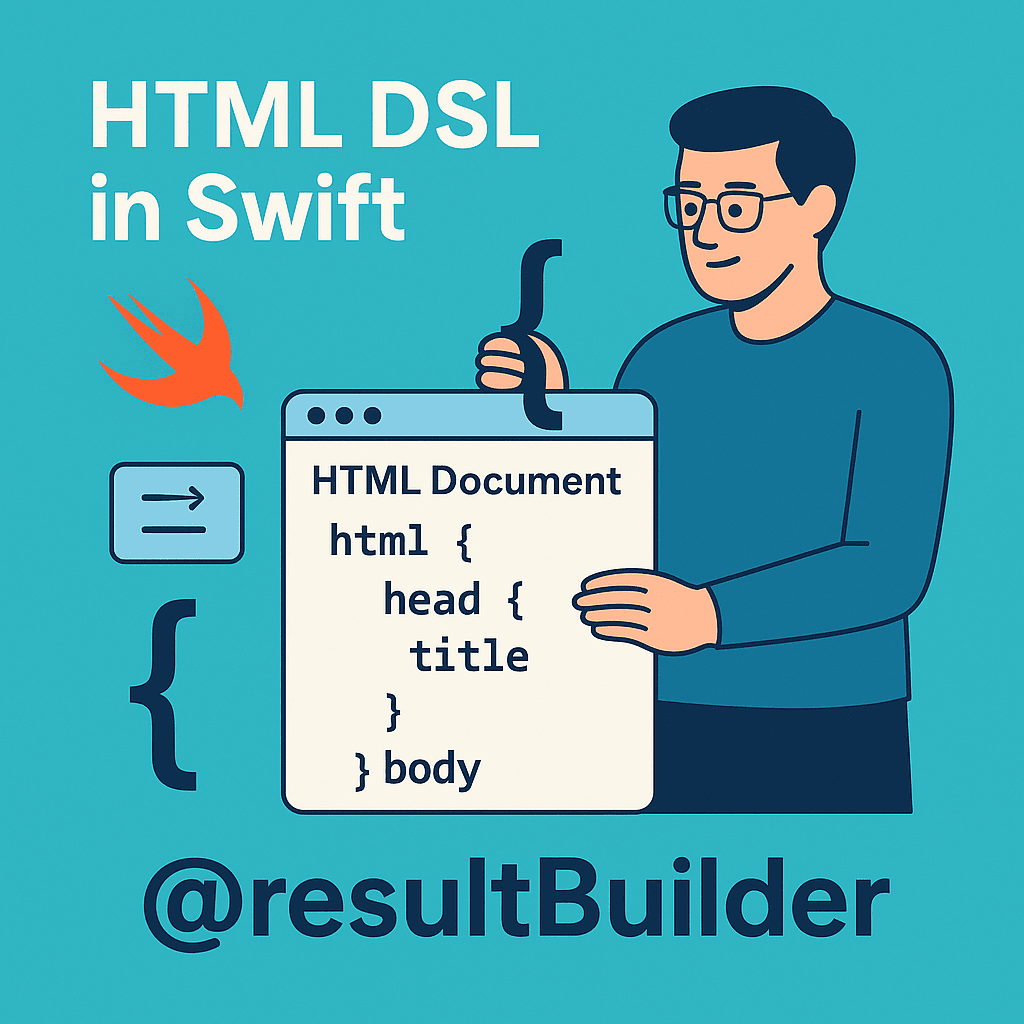

Welcome back to our @resultBuilder mastery series! 🚀
In Part 1, we pulled back the curtain on how SwiftUI’s declarative syntax actually works. We explored the evolution from function builders to @resultBuilder, built our first string concatenation DSL, and understood the core building blocks: buildBlock(), buildOptional(), and buildEither().
**Demystifying @resultBuilder: The Magic Behind SwiftUI’s DSL** _Learn how @resultBuilder transforms Swift code into powerful DSLs — complete beginner’s guide with working examples_medium.comhttps://medium.com/swift-pal/demystifying-resultbuilder-the-magic-behind-swiftuis-dsl-9225ceab5703
Now it’s time to level up! Today, we’re taking that foundational knowledge and building something you can actually ship to production — a complete HTML DSL that makes web content generation a joy. 🛠️
From Theory to Practice
Remember our simple StringBuilder from the previous article? That was just the beginning. Real-world DSLs need to handle:
- Complex nesting (HTML elements inside other elements)
- Attributes and properties (href, src, class, etc.)
- Performance (efficient string generation)
By the end of this tutorial, you’ll be writing HTML like this:
let webpage = html {
    head {
        title("My Awesome Site")
        meta(name: "viewport", content: "width=device-width")
    }
    body {
        header {
            h1("Welcome to My Site")
            nav {
                a(href: "/home") { "Home" }
                a(href: "/about") { "About" }
            }
        }
        main {
            article {
                h2("Latest Post")
                p("This is some amazing content...")
                if showImage {
                    img(src: "hero.jpg", alt: "Hero image")
                }
            }
        }
    }
}
Clean, readable, and completely type-safe! No more string concatenation nightmares, missing closing tags, or invalid HTML structures. 🎯
Ready to build the future of markup generation in Swift? Let’s dive in!
🌍 Why Custom DSLs Matter Beyond SwiftUI
While SwiftUI introduced many developers to the power of @resultBuilder, the real magic happens when you create DSLs for your own domain problems. Let's explore why this matters:
The String Concatenation Problem
We’ve all been there — generating HTML in Swift traditionally looks like this nightmare:
func generateHTML() -> String {
    var html = "<html>"
    html += "<head>"
    html += "<title>My Site</title>"
    html += "</head>"
    html += "<body>"
    html += "<h1>Welcome</h1>"
    if showContent {
        html += "<p>Some content here</p>"
    }
    html += "</body>"
    html += "</html>"
    return html
}
Problems with this approach:
- ❌ No compile-time validation
- ❌ Easy to forget closing tags
- ❌ Hard to read and maintain
- ❌ No IDE support for HTML structure
- ❌ Conditional logic is messy
The DSL Solution
Now imagine this instead:
let page = html {
    head {
        title("My Site")
    }
    body {
        h1("Welcome")
        if showContent {
            p("Some content here")
        }
    }
}
Benefits of the DSL approach:
- ✅ Compile-time structure validation
- ✅ Automatic tag closing
- ✅ Clean, readable syntax
- ✅ IDE autocomplete and syntax highlighting
- ✅ Natural conditional logic
- ✅ Type-safe attributes
- ✅ Composable and reusable components
Real-World Use Cases
Custom DSLs with @resultBuilder shine in many scenarios:
Web Development:
- HTML generation for server-side Swift
- Email template creation
- Static site generation
Configuration Management:
- Build scripts and deployment configs
- API endpoint definitions
- Database migration scripts
Testing:
- Test data builders
- Mock object creation
- Assertion frameworks
Documentation:
- Code generation
- API documentation builders
- Markdown processors
The key insight? Wherever you have structured, nested data with conditional logic, a DSL can make your code more readable and maintainable.
📐 DSL Design Principles
Before we start coding, let’s establish the design principles that will guide our HTML DSL. Good DSL design is crucial for long-term maintainability and developer experience.
1\. Natural Syntax
The DSL should read like natural language and mirror HTML structure:
// Mirrors HTML: <div class="container"><p>Text</p></div>
div(class: "container") {
    p("Text")
}
2\. Attribute Safety
HTML attributes should be type-safe and validated:
// Good: compile-time validation
img(src: "image.jpg", alt: "Description")

// Better: prevent typos
meta(name: .viewport, content: "width=device-width")
3\. Composability
Elements should be easily reusable and composable:
func navigationBar() -> HTMLElement {
    nav(class: "navbar") {
        a(href: "/") { "Home" }
        a(href: "/about") { "About" }
    }
}

let page = html {
    body {
        navigationBar()  // ← Reusable component
        main { /* content */ }
    }
}
4\. Performance Considerations
- Minimize string allocations during building
- Lazy evaluation where possible
- Efficient final rendering
🧱 Foundation: HTML Element Structure
Let’s start building our HTML DSL from the ground up. First, we need a robust foundation that can represent any HTML element with attributes and content.
Core HTMLElement Protocol
protocol HTMLElement {
    func render() -> String
}
This simple protocol will be the backbone of our entire DSL. Every HTML element — from simple text to complex nested structures — will conform to this protocol.
Basic Element Implementation
struct Element: HTMLElement {
    let tag: String
    let attributes: [String: String]
    let children: [HTMLElement]
    let isSelfClosing: Bool

    init(tag: String, attributes: [String: String] = [:], children: [HTMLElement] = [], isSelfClosing: Bool = false) {
        self.tag = tag
        self.attributes = attributes
        self.children = children
        self.isSelfClosing = isSelfClosing
    }

    func render() -> String {
        let attributeString = attributes.isEmpty ? "" : " " + attributes
            .map { "\($0.key)=\"\($0.value)\"" }
            .joined(separator: " ")

        if isSelfClosing {
            return "<\(tag)\(attributeString) />"
        }

        let childrenContent = children.map { $0.render() }.joined()
        return "<\(tag)\(attributeString)>\(childrenContent)</\(tag)>"
    }
}
Container for Multiple Elements
struct ElementGroup: HTMLElement {
    let elements: [HTMLElement]

    init(_ elements: [HTMLElement]) {
        self.elements = elements
    }

    func render() -> String {
        elements.map { $0.render() }.joined()
    }
}
Testing Our Foundation
Let’s verify our foundation works with a simple example:
let simpleDiv = Element(
    tag: "div",
    attributes: ["class": "container"],
    children: [
        TextNode("Hello World"),
        Element(tag: "br", isSelfClosing: true),
        TextNode("Welcome to our site!")
    ]
)

print(simpleDiv.render())
// Output: <div class="container">Hello World<br />Welcome to our site!</div>
Why This Structure Works
Flexibility: Any HTML structure can be represented Safety: Automatic HTML escaping prevents XSS attacks Performance: Efficient string building with minimal allocations Composability: Elements can contain other elements naturally
This foundation gives us everything we need to build complex HTML structures. But typing out Element(tag: "div", ...) for every element would be tedious.
That’s where our @resultBuilder comes in to provide the beautiful syntax we want!
✨ The HTMLBuilder: Where Magic Happens
Now let’s create the @resultBuilder that transforms our beautiful syntax into the element structures we just built. This is where all the concepts from Article 1 come together!
Complete HTMLBuilder Implementation
@resultBuilder
struct HTMLBuilder {
    // Combines multiple HTML elements into a group
    static func buildBlock(_ components: HTMLElement...) -> HTMLElement {
        ElementGroup(Array(components))
    }

    // Handles single elements (optimization for common case)
    static func buildBlock(_ component: HTMLElement) -> HTMLElement {
        component
    }

    // Handles empty blocks
    static func buildBlock() -> HTMLElement {
        ElementGroup([])
    }

    // Handles optional elements (if statements without else)
    static func buildOptional(_ component: HTMLElement?) -> HTMLElement {
        component ?? ElementGroup([])
    }

    // Handles if-else - true branch
    static func buildEither(first component: HTMLElement) -> HTMLElement {
        component
    }

    // Handles if-else - false branch
    static func buildEither(second component: HTMLElement) -> HTMLElement {
        component
    }

    // Transforms strings into TextNodes automatically
    static func buildExpression(_ expression: String) -> HTMLElement {
        TextNode(expression)
    }

    // Passes through HTMLElements unchanged
    static func buildExpression(_ expression: HTMLElement) -> HTMLElement {
        expression
    }

    // Swift 5.8+: Handles arrays and for-in loops
    static func buildArray(_ components: [HTMLElement]) -> HTMLElement {
        ElementGroup(components)
    }
}
Understanding Each Builder Method
Let’s break down what each method does in our HTML context:
**buildBlock()** — The Foundation
// When you write:
div {
    p("First paragraph")
    p("Second paragraph")
}

// HTMLBuilder transforms it to:
buildBlock(
    Element(tag: "p", children: [TextNode("First paragraph")]),
    Element(tag: "p", children: [TextNode("Second paragraph")])
)
// Result: ElementGroup containing both paragraphs
**buildOptional()** — Conditional Content
// When you write:
div {
    h1("Title")
    if showSubtitle {
        h2("Subtitle")
    }
}

// HTMLBuilder calls:
buildBlock(
    h1Element,
    buildOptional(showSubtitle ? h2Element : nil)
)
// Result: Title always shows, subtitle only when condition is true
buildExpression() — Automatic Conversions
// When you write:
p {
    "Hello World"  // String automatically becomes TextNode
}

// HTMLBuilder calls:
buildExpression("Hello World")
// Result: TextNode("Hello World") with HTML escaping
Creating Element Helper Functions
Now let’s create convenient functions that use our HTMLBuilder:
// Basic elements with content
func div(@HTMLBuilder content: () -> HTMLElement) -> HTMLElement {
    Element(tag: "div", children: [content()])
}

func p(@HTMLBuilder content: () -> HTMLElement) -> HTMLElement {
    Element(tag: "p", children: [content()])
}

func h1(@HTMLBuilder content: () -> HTMLElement) -> HTMLElement {
    Element(tag: "h1", children: [content()])
}

// Elements with attributes
func div(class: String? = nil, id: String? = nil, @HTMLBuilder content: () -> HTMLElement) -> HTMLElement {
    var attributes: [String: String] = [:]
    if let `class` = `class` { attributes["class"] = `class` }
    if let id = id { attributes["id"] = id }

    return Element(tag: "div", attributes: attributes, children: [content()])
}

// Self-closing elements
func img(src: String, alt: String) -> HTMLElement {
    Element(
        tag: "img",
        attributes: ["src": src, "alt": alt],
        isSelfClosing: true
    )
}

func br() -> HTMLElement {
    Element(tag: "br", isSelfClosing: true)
}
Testing Our Builder
Let’s see our DSL in action:
let testPage = div(class: "container") {
    h1 { "Welcome to My Site" }
    p { "This is a paragraph with some content." }
    if true {  // Conditional content
        p { "This paragraph only shows when condition is true!" }
    }
    img(src: "logo.jpg", alt: "Company Logo")
}

print(testPage.render())
Output:
<div class="container">
    <h1>Welcome to My Site</h1>
    <p>This is a paragraph with some content.</p>
    <p>This paragraph only shows when condition is true!</p>
    <img src="logo.jpg" alt="Company Logo" />
</div>
The Magic Revealed
Here’s what happens when Swift processes our DSL code:
- Swift sees the
**@HTMLBuilder**closure - Each line gets passed to
**buildExpression()** - All expressions get combined with
**buildBlock()** - Conditional logic uses
**buildOptional()**or**buildEither()** - The final
**HTMLElement**gets rendered to a string
Our foundation is solid! We can now write clean, type-safe HTML with conditional logic and automatic escaping.
🚀 Complete HTML DSL Implementation
Now let’s build out a comprehensive HTML DSL that covers all the essential elements you’ll need in real projects. We’ll organize elements by category and add proper attribute support.
Document Structure Elements
// Root HTML document
func html(@HTMLBuilder content: () -> HTMLElement) -> HTMLElement {
    Element(tag: "html", children: [content()])
}

func head(@HTMLBuilder content: () -> HTMLElement) -> HTMLElement {
    Element(tag: "head", children: [content()])
}

func body(@HTMLBuilder content: () -> HTMLElement) -> HTMLElement {
    Element(tag: "body", children: [content()])
}

// Meta elements
func title(_ text: String) -> HTMLElement {
    Element(tag: "title", children: [TextNode(text)])
}

func meta(name: String, content: String) -> HTMLElement {
    Element(
        tag: "meta",
        attributes: ["name": name, "content": content],
        isSelfClosing: true
    )
}

func link(rel: String, href: String, type: String? = nil) -> HTMLElement {
    var attributes = ["rel": rel, "href": href]
    if let type = type { attributes["type"] = type }

    return Element(tag: "link", attributes: attributes, isSelfClosing: true)
}
Content Elements with Full Attribute Support
// Headings
func h1(class: String? = nil, id: String? = nil, @HTMLBuilder content: () -> HTMLElement) -> HTMLElement {
    createElementWithAttributes(tag: "h1", class: `class`, id: id, content: content)
}

func h2(class: String? = nil, id: String? = nil, @HTMLBuilder content: () -> HTMLElement) -> HTMLElement {
    createElementWithAttributes(tag: "h2", class: `class`, id: id, content: content)
}

func h3(class: String? = nil, id: String? = nil, @HTMLBuilder content: () -> HTMLElement) -> HTMLElement {
    createElementWithAttributes(tag: "h3", class: `class`, id: id, content: content)
}

// Text elements
func p(class: String? = nil, id: String? = nil, @HTMLBuilder content: () -> HTMLElement) -> HTMLElement {
    createElementWithAttributes(tag: "p", class: `class`, id: id, content: content)
}

func span(class: String? = nil, id: String? = nil, @HTMLBuilder content: () -> HTMLElement) -> HTMLElement {
    createElementWithAttributes(tag: "span", class: `class`, id: id, content: content)
}

func strong(@HTMLBuilder content: () -> HTMLElement) -> HTMLElement {
    Element(tag: "strong", children: [content()])
}

func em(@HTMLBuilder content: () -> HTMLElement) -> HTMLElement {
    Element(tag: "em", children: [content()])
}
Container Elements
// Layout containers
func div(class: String? = nil, id: String? = nil, @HTMLBuilder content: () -> HTMLElement) -> HTMLElement {
    createElementWithAttributes(tag: "div", class: `class`, id: id, content: content)
}

func section(class: String? = nil, id: String? = nil, @HTMLBuilder content: () -> HTMLElement) -> HTMLElement {
    createElementWithAttributes(tag: "section", class: `class`, id: id, content: content)
}

func article(class: String? = nil, id: String? = nil, @HTMLBuilder content: () -> HTMLElement) -> HTMLElement {
    createElementWithAttributes(tag: "article", class: `class`, id: id, content: content)
}

func header(class: String? = nil, id: String? = nil, @HTMLBuilder content: () -> HTMLElement) -> HTMLElement {
    createElementWithAttributes(tag: "header", class: `class`, id: id, content: content)
}

func footer(class: String? = nil, id: String? = nil, @HTMLBuilder content: () -> HTMLElement) -> HTMLElement {
    createElementWithAttributes(tag: "footer", class: `class`, id: id, content: content)
}

func main(class: String? = nil, id: String? = nil, @HTMLBuilder content: () -> HTMLElement) -> HTMLElement {
    createElementWithAttributes(tag: "main", class: `class`, id: id, content: content)
}

func nav(class: String? = nil, id: String? = nil, @HTMLBuilder content: () -> HTMLElement) -> HTMLElement {
    createElementWithAttributes(tag: "nav", class: `class`, id: id, content: content)
}
Interactive Elements
// Links and buttons
func a(href: String, class: String? = nil, target: String? = nil, @HTMLBuilder content: () -> HTMLElement) -> HTMLElement {
    var attributes = ["href": href]
    if let `class` = `class` { attributes["class"] = `class` }
    if let target = target { attributes["target"] = target }

    return Element(tag: "a", attributes: attributes, children: [content()])
}

func button(type: String = "button", class: String? = nil, @HTMLBuilder content: () -> HTMLElement) -> HTMLElement {
    var attributes = ["type": type]
    if let `class` = `class` { attributes["class"] = `class` }

    return Element(tag: "button", attributes: attributes, children: [content()])
}
List Elements
func ul(class: String? = nil, @HTMLBuilder content: () -> HTMLElement) -> HTMLElement {
    createElementWithAttributes(tag: "ul", class: `class`, id: nil, content: content)
}

func ol(class: String? = nil, @HTMLBuilder content: () -> HTMLElement) -> HTMLElement {
    createElementWithAttributes(tag: "ol", class: `class`, id: nil, content: content)
}

func li(class: String? = nil, @HTMLBuilder content: () -> HTMLElement) -> HTMLElement {
    createElementWithAttributes(tag: "li", class: `class`, id: nil, content: content)
}
Media/Self-Closing Elements
// Self-closing elements
func br() -> HTMLElement {
    Element(tag: "br", isSelfClosing: true)
}

func hr(class: String? = nil) -> HTMLElement {
    var attributes: [String: String] = [:]
    if let `class` = `class` { attributes["class"] = `class` }

    return Element(tag: "hr", attributes: attributes, isSelfClosing: true)
}

// Media
func img(src: String, alt: String, class: String? = nil, width: Int? = nil, height: Int? = nil) -> HTMLElement {
    var attributes = ["src": src, "alt": alt]
    if let `class` = `class` { attributes["class"] = `class` }
    if let width = width { attributes["width"] = String(width) }
    if let height = height { attributes["height"] = String(height) }

    return Element(tag: "img", attributes: attributes, isSelfClosing: true)
}
Helper Function for Common Attributes
private func createElementWithAttributes(
    tag: String,
    class: String? = nil,
    id: String? = nil,
    @HTMLBuilder content: () -> HTMLElement
) -> HTMLElement {
    var attributes: [String: String] = [:]
    if let `class` = `class` { attributes["class"] = `class` }
    if let id = id { attributes["id"] = id }

    return Element(tag: tag, attributes: attributes, children: [content()])
}
Let’s See it in Action
Now let’s demonstrate how our DSL can be used:
let dynamicPage = html {
    // Swift 5.8+: Variables inside builder closures!
    let siteName = "My Awesome Blog"
    lazy var currentYear = Calendar.current.component(.year, from: Date())
    let showNavigation = true

    head {
        title("\(siteName) - Welcome")
        meta(name: "description", content: "Welcome to \(siteName)")
    }

    body {
        if showNavigation {
            nav(class: "main-nav") {
                a(href: "/") { "Home" }
                a(href: "/about") { "About" }
                a(href: "/blog") { "Blog" }
            }
        }

        main {
            h1 { "Welcome to \(siteName)" }
            p { "Your favorite blog since \(currentYear)" }
        }

        footer {
            p { "© \(currentYear) \(siteName). All rights reserved." }
        }
    }
}

print(dynamicPage.render())
Output
<html>
   <head>
      <title>My Awesome Blog - Welcome</title>
      <meta content="Welcome to My Awesome Blog" name="description" />
   </head>
   <body>
      <nav class="main-nav"><a href="/">Home</a><a href="/about">About</a><a href="/blog">Blog</a></nav>
      <main>
         <h1>Welcome to My Awesome Blog</h1>
         <p>Your favorite blog since 2025</p>
      </main>
      <footer>
         <p>© 2025 My Awesome Blog. All rights reserved.</p>
      </footer>
   </body>
</html>
What makes this special?
This approach allows you to:
- Declare
letandvardirectly in your DSL - Use
lazy varfor expensive computations - Create cleaner, more readable code
- Keep related logic together
This transforms how we write DSLs, making them feel more like natural Swift code rather than constrained builder patterns.
🧪 Complete Test Suite
Testing DSLs requires a different approach than testing regular functions. We need to verify both the structure and the final output. Here’s a comprehensive testing strategy for our HTML DSL:
Foundation Testing Framework
import XCTest

class HTMLDSLTests: XCTestCase {

    // Helper function to normalize HTML for comparison
    func normalizeHTML(_ html: String) -> String {
        return html
            .replacingOccurrences(of: "\n", with: "")
            .replacingOccurrences(of: "  ", with: "")
            .trimmingCharacters(in: .whitespacesAndNewlines)
    }

    // Test basic element creation
    func testBasicElements() {
        let element = p { "Hello World" }
        let result = element.render()

        XCTAssertEqual(result, "<p>Hello World</p>")
    }

    // Test element attributes
    func testElementAttributes() {
        let element = div(class: "container", id: "main") {
            "Content here"
        }
        let result = element.render()

        XCTAssertTrue(result.contains("class=\"container\""))
        XCTAssertTrue(result.contains("id=\"main\""))
        XCTAssertTrue(result.contains("Content here"))
    }
}
Testing Builder Methods
extension HTMLDSLTests {

    // Test buildBlock with multiple elements
    func testMultipleElements() {
        let element = div {
            p { "First paragraph" }
            p { "Second paragraph" }
            p { "Third paragraph" }
        }

        let result = element.render()
        let normalized = normalizeHTML(result)

        XCTAssertTrue(normalized.contains("<p>First paragraph</p>"))
        XCTAssertTrue(normalized.contains("<p>Second paragraph</p>"))
        XCTAssertTrue(normalized.contains("<p>Third paragraph</p>"))
    }

    // Test buildOptional (if without else)
    func testOptionalContent() {
        func createContent(showExtra: Bool) -> HTMLElement {
            div {
                p { "Always visible" }
                if showExtra {
                    p { "Sometimes visible" }
                }
            }
        }

        let withExtra = createContent(showExtra: true).render()
        let withoutExtra = createContent(showExtra: false).render()

        XCTAssertTrue(withExtra.contains("Sometimes visible"))
        XCTAssertFalse(withoutExtra.contains("Sometimes visible"))
        XCTAssertTrue(withExtra.contains("Always visible"))
        XCTAssertTrue(withoutExtra.contains("Always visible"))
    }

    // Test buildEither (if-else)
    func testConditionalContent() {
        func createContent(useFirst: Bool) -> HTMLElement {
            div {
                if useFirst {
                    p { "First option" }
                } else {
                    p { "Second option" }
                }
            }
        }

        let firstResult = createContent(useFirst: true).render()
        let secondResult = createContent(useFirst: false).render()

        XCTAssertTrue(firstResult.contains("First option"))
        XCTAssertFalse(firstResult.contains("Second option"))

        XCTAssertFalse(secondResult.contains("First option"))
        XCTAssertTrue(secondResult.contains("Second option"))
    }
}
Testing HTML Structure Validation
extension HTMLDSLTests {

    // Test nested structure integrity
    func testNestedStructure() {
        let page = html {
            head {
                title("Test Page")
            }
            body {
                div(class: "container") {
                    h1 { "Main Title" }
                    section {
                        h2 { "Section Title" }
                        p { "Section content" }
                    }
                }
            }
        }

        let result = page.render()

        // Verify proper nesting order
        let titleIndex = result.range(of: "<title>")!.lowerBound
        let bodyIndex = result.range(of: "<body>")!.lowerBound
        XCTAssertTrue(titleIndex < bodyIndex, "Head should come before body")

        // Verify closing tags
        XCTAssertEqual(result.filter { $0 == "<" }.count, result.filter { $0 == ">" }.count)
    }

    // Test self-closing elements
    func testSelfClosingElements() {
        let element = div {
            img(src: "test.jpg", alt: "Test image")
            br()
            img(src: "test2.jpg", alt: "Another image")
        }

        let result = element.render()

        XCTAssertTrue(result.contains("<img src=\"test.jpg\" alt=\"Test image\" />"))
        XCTAssertTrue(result.contains("<br />"))
        XCTAssertFalse(result.contains("</img>"))
        XCTAssertFalse(result.contains("</br>"))
    }
}
Testing HTML Escaping and Security
extension HTMLDSLTests {
// Test HTML escaping for security
func testHTMLEscaping() {
let dangerousContent = "<script>alert('xss')</script>"
let element = p { dangerousContent }
let result = element.render()
XCTAssertFalse(result.contains("<script>"))
XCTAssertTrue(result.contains("<script>"))
XCTAssertTrue(result.contains("</script>"))
}
// Test special character escaping
func testSpecialCharacters() {
let specialText = "AT&T \"quotes\" <brackets> 'apostrophes'"
let element = p { specialText }
let result = element.render()
XCTAssertTrue(result.contains("AT&T"))
XCTAssertTrue(result.contains(""quotes""))
XCTAssertTrue(result.contains("<brackets>"))
}
}Performance Testing
extension HTMLDSLTests {

    // Test performance with large structures
    func testPerformanceWithLargeContent() {
        measure {
            let largePage = html {
                body {
                    for i in 1...1000 {
                        div(class: "item-\(i)") {
                            h3 { "Item \(i)" }
                            p { "Description for item number \(i)" }
                        }
                    }
                }
            }

            _ = largePage.render()
        }
    }
}
Integration Testing
extension HTMLDSLTests {

    // Test complete webpage generation
    func testCompleteWebpage() {
        let webpage = html {
            let siteName = "My Blog"

            head {
                title("\(siteName) - Home")
                meta(name: "viewport", content: "width=device-width, initial-scale=1")
                link(rel: "stylesheet", href: "styles.css")
            }

            body {
                header(class: "site-header") {
                    nav {
                        a(href: "/") { "Home" }
                        a(href: "/about") { "About" }
                        a(href: "/contact") { "Contact" }
                    }
                }

                main {
                    article {
                        h1 { "Welcome to \(siteName)" }
                        p { "This is the main content area." }

                        section {
                            h2 { "Latest Posts" }
                            ul {
                                li { a(href: "/post1") { "First Post" } }
                                li { a(href: "/post2") { "Second Post" } }
                            }
                        }
                    }
                }

                footer {
                    p { "© 2025 \(siteName). All rights reserved." }
                }
            }
        }

        let html = webpage.render()

        // Verify document structure
        XCTAssertTrue(html.hasPrefix("<html>"))
        XCTAssertTrue(html.hasSuffix("</html>"))
        XCTAssertTrue(html.contains("<head>"))
        XCTAssertTrue(html.contains("</head>"))
        XCTAssertTrue(html.contains("<body>"))
        XCTAssertTrue(html.contains("</body>"))

        // Verify content is present
        XCTAssertTrue(html.contains("Welcome to My Blog"))
        XCTAssertTrue(html.contains("Latest Posts"))
        XCTAssertTrue(html.contains("© 2025 My Blog"))
    }
}
Running the Tests
To run these tests in your project:
- Create a test target in Xcode
- Add the test file with all the test methods above
- Run tests with ⌘+U or through the Test Navigator
Test Output Example:
Test Suite 'HTMLDSLTests' started at 2025-06-27 21:32:29.347.
Test Case '-[Html_Result_BuilderTests.HTMLDSLTests testBasicElements]' started.
Test Case '-[Html_Result_BuilderTests.HTMLDSLTests testBasicElements]' passed (0.001 seconds).
Test Case '-[Html_Result_BuilderTests.HTMLDSLTests testCompleteWebpage]' started.
Test Case '-[Html_Result_BuilderTests.HTMLDSLTests testCompleteWebpage]' passed (0.001 seconds).
Test Case '-[Html_Result_BuilderTests.HTMLDSLTests testConditionalContent]' started.
Test Case '-[Html_Result_BuilderTests.HTMLDSLTests testConditionalContent]' passed (0.001 seconds).
Test Case '-[Html_Result_BuilderTests.HTMLDSLTests testElementAttributes]' started.
Test Case '-[Html_Result_BuilderTests.HTMLDSLTests testElementAttributes]' passed (0.001 seconds).
Test Case '-[Html_Result_BuilderTests.HTMLDSLTests testHTMLEscaping]' started.
Test Case '-[Html_Result_BuilderTests.HTMLDSLTests testHTMLEscaping]' passed (0.001 seconds).
Test Case '-[Html_Result_BuilderTests.HTMLDSLTests testMultipleElements]' started.
Test Case '-[Html_Result_BuilderTests.HTMLDSLTests testMultipleElements]' passed (0.001 seconds).
Test Case '-[Html_Result_BuilderTests.HTMLDSLTests testNestedStructure]' started.
Test Case '-[Html_Result_BuilderTests.HTMLDSLTests testNestedStructure]' passed (0.002 seconds).
Test Case '-[Html_Result_BuilderTests.HTMLDSLTests testOptionalContent]' started.
Test Case '-[Html_Result_BuilderTests.HTMLDSLTests testOptionalContent]' passed (0.001 seconds).
Test Case '-[Html_Result_BuilderTests.HTMLDSLTests testPerformanceWithLargeContent]' passed (0.408 seconds).
Test Case '-[Html_Result_BuilderTests.HTMLDSLTests testSelfClosingElements]' started.
Test Case '-[Html_Result_BuilderTests.HTMLDSLTests testSelfClosingElements]' passed (0.001 seconds).
Test Case '-[Html_Result_BuilderTests.HTMLDSLTests testSpecialCharacters]' started.
Test Case '-[Html_Result_BuilderTests.HTMLDSLTests testSpecialCharacters]' passed (0.001 seconds).

Test Suite 'HTMLDSLTests' passed at 2025-06-27 21:32:29.793.
  Executed 11 tests, with 0 failures (0 unexpected) in 0.417 (0.446) seconds
This comprehensive test suite ensures your HTML DSL is robust, secure, and performs well in production scenarios!
**Unit Testing in Swift Made Easy: A Beginner’s Guide With Real Examples** _A beginner’s guide to Swift unit testing — learn the basics, write your first tests, and improve your code quality._medium.comhttps://medium.com/swift-pal/unit-testing-in-swift-made-easy-a-beginners-guide-with-real-examples-0409f65e84f6
🎯 What We’ve Built Together
In this article, we’ve created a production-ready HTML DSL that features:
✅ Complete HTML element support — All major HTML tags with proper attributes ✅ Type-safe construction — Prevents invalid HTML at compile time ✅ Automatic escaping — XSS protection built-in ✅ Modern Swift integration — Clean, readable syntax ✅ Comprehensive testing — Robust test suite for confidence ✅ Practical design — Built for real-world usage
From This Foundation, You Can Build:
🌐 Server-side rendering for Vapor or other Swift web frameworks 📧 Email template generation with dynamic content 📄 Static site generators for blogs and documentation 🧪 Testing utilities for web scraping and validation 📊 Report generation with HTML output
🚀 Next
In Part 3: **Master @resultBuilder in Swift: Advanced Patterns & Production Guide**, we’ll complete our @resultBuilder mastery journey:
🔧 Advanced Builder Methods — buildLimitedAvailability, buildFinalResult, and buildArray in depth ⚡ Performance & Production - Memory optimization and when NOT to use @resultBuilder 🎯 Integration Patterns - SwiftUI, async/await, and property wrapper combinations 🎨 Real-World Decisions - Choosing @resultBuilder vs method chaining for your projects
We’ll explore the expert-level techniques that separate hobbyist DSLs from production-ready tools that can handle real-world complexity and scale.
**Master @resultBuilder in Swift: Advanced Patterns & Production Guide** _Expert-level @resultBuilder techniques for production apps: advanced builder methods, performance reality check, and…_medium.comhttps://medium.com/swift-pal/master-resultbuilder-in-swift-advanced-patterns-production-guide-c46d96072d97
📚 The Ultimate iOS Article Index by Karan Pal
Your comprehensive guide to all my iOS development articles, tutorials, and deep dives — organized by topic and skill level
Read my complete iOS development article collection! 🚀 Whether you’re a beginner taking your first steps into iOS development or a seasoned developer looking to master advanced Swift patterns, you’ll find something valuable here.
**The Ultimate iOS Article Index by Karan Pal 🚀** _A growing collection of all my Swift and iOS development articles — neatly organized and updated regularly._medium.comhttps://medium.com/swift-pal/the-ultimate-ios-article-index-by-karan-pal-eb4fb5a42caf
🎉 Enjoyed this article? Your support means the world to me!
💬 Drop a comment below! I love hearing about your experiences and answering questions
🎬 Subscribe on Youtube and become early subscribers of my channel: https://www.youtube.com/@swift-pal
💼 Let’s connect on LinkedIn for more professional insights: https://www.linkedin.com/in/karan-pal
Happy coding! 🚀
New articles, straight to your inbox.
No spam, no filler — just new writing on iOS, the web, and AI when it ships. Unsubscribe anytime.
Keep reading
Your CPU Has More Cores Than Your Job Can Use
Some work splits cleanly across hundreds of cores. Other work is a chain of steps where every new step has to wait for the last one to finish.
ReadYour Password Isn’t as Random as You Think
Crack-time calculators measure the size of a theoretical password space—not how people actually choose passwords or how attackers search them.
Read