SwiftUI Navigation with Enums: Advanced Deep Linking and Navigation History
Build type-safe navigation that handles complex app flows, URL routing, and smart back navigation using modern SwiftUI patterns
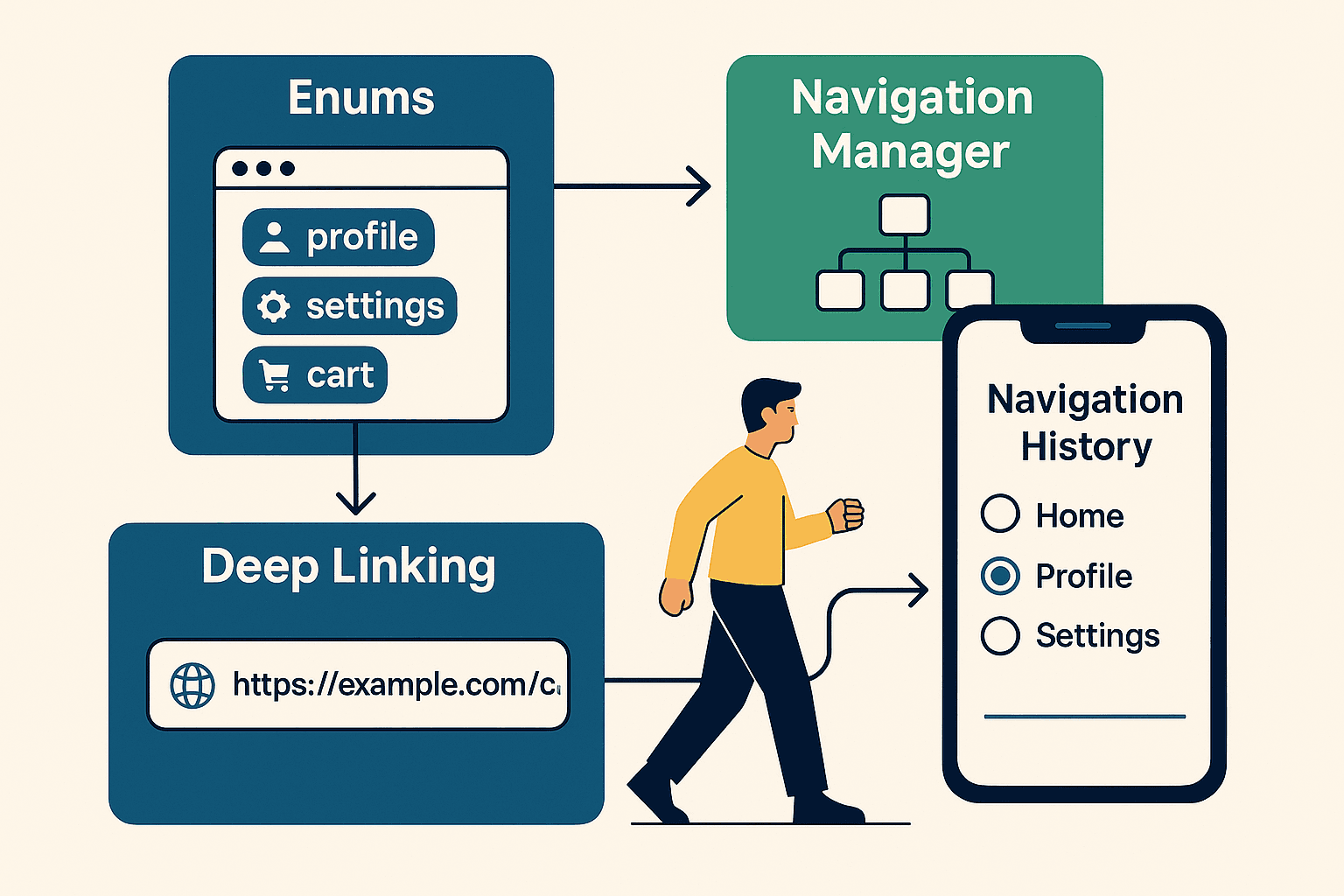

🧭 Introduction: From Basic Navigation to Production-Ready Architecture
If you’ve read my previous guide on SwiftUI navigation basics, you probably walked away thinking “okay, NavigationStack is nice, but how do I actually build navigation for a real app?” You know — the kind where users can share links to specific screens, where “back” doesn’t always mean “previous screen,” and where you can navigate from anywhere to anywhere without breaking everything.
**SwiftUI Navigation: NavigationStack, Deep Linking, and TabView Explained** _🧭 This guide demystifies SwiftUI’s navigation system — from TabView setups to deep linking and advanced…_medium.comhttps://medium.com/swift-pal/swiftui-navigation-navigationstack-deep-linking-and-tabview-explained-0f905bbb20d4
Here’s the thing: Apple gave us NavigationStack and called it a day. But they didn’t give us the architecture patterns we actually need for complex apps. No built-in way to jump to screen B from screen D. No native URL-to-screen mapping. No smart back navigation that skips irrelevant screens.
So we build it ourselves. And honestly? Once you see how enum-driven navigation works, you’ll wonder why Apple doesn’t just include this pattern in their tutorials.
What You’ll Learn in This Guide
By the end of this article, you’ll know how to:
- Build type-safe navigation using enums that prevent impossible app states
- Track navigation history and implement smart “back to X” functionality
- Convert URLs to navigation paths and vice versa for seamless deep linking
- Jump to any screen from anywhere without breaking your navigation stack
- Handle edge cases like authentication, malformed URLs, and restricted content
We’ll use modern SwiftUI patterns throughout — @Observable instead of the old ObservableObject, clean architecture that separates concerns, and real-world examples you can actually ship.
Fair warning: This isn’t beginner content. If you’re new to SwiftUI navigation, start with the basics first. But if you’ve been wrestling with complex navigation flows and deep linking headaches, this guide will save you hours of debugging.
Let’s dive in! 🚀
🎯 Why Enum-Driven Navigation Matters
Most SwiftUI developers start navigation the same way I did — scattered NavigationLink destinations hardcoded throughout views, string-based identifiers, and a growing sense of dread every time someone mentions "deep linking."
Here’s what that typically looks like:
struct ContentView: View {
    var body: some View {
        NavigationStack {
            VStack {
                NavigationLink("Go to Profile", value: "profile")
                NavigationLink("Go to Settings", value: "settings")
                NavigationLink("Go to Cart", value: "cart")
            }
            .navigationDestination(for: String.self) { destination in
                switch destination {
                case "profile": ProfileView()
                case "settings": SettingsView()
                case "cart": CartView()
                default: Text("Unknown destination")
                }
            }
        }
    }
}
This works… until it doesn’t. What happens when you need to pass data to ProfileView? What about navigating programmatically? And God help you when someone asks, “Can users share a link that opens directly to their cart?”
The Enum Solution (Breaking It Down)
Here’s the same navigation logic using an enum-driven approach, but let me walk you through each piece:
Step 1: Define Your App’s Destinations
enum AppDestination: Hashable {
    case profile(userID: String)
    case settings
    case cart
    case productDetail(Product)
    case orderHistory(userID: String, page: Int = 1)
}
What’s happening here?
**case profile(userID: String)**: This destination carries data. No more "how do I pass the user ID?" headaches.**case settings**: Simple destination with no associated data.**case orderHistory(userID: String, page: Int = 1)**: Multiple parameters, with a default value for pagination.**Hashable**conformance: Required for NavigationPath to work properly.
Step 2: Build the Navigation Manager
@Observable
class NavigationManager {
    var path = NavigationPath()
    private var destinations: [AppDestination] = []

    func navigate(to destination: AppDestination) {
        destinations.append(destination)
        path.append(destination)
    }

    func goBack() {
        guard !destinations.isEmpty else { return }
        destinations.removeLast()
        path.removeLast()
    }

    func clearNavigation() {
        destinations.removeAll()
        path = NavigationPath()
    }
}
Key insights here:
- Dual tracking: We maintain both SwiftUI’s
NavigationPathAND our owndestinationsarray - Why dual tracking? Because
NavigationPathis a black box — we can't peek inside or manipulate specific items
Step 3: Wire It Up in Your Views
struct ContentView: View {
    @State private var navigationManager = NavigationManager()

    var body: some View {
        NavigationStack(path: $navigationManager.path) {
            VStack {
                Button("Go to Profile") {
                    navigationManager.navigate(to: .profile(userID: "user123"))
                }

                Button("Go to Settings") {
                    navigationManager.navigate(to: .settings)
                }

                Button("View Product") {
                    let product = Product(id: "prod456", name: "iPhone")
                    navigationManager.navigate(to: .productDetail(product))
                }
            }
            .navigationDestination(for: AppDestination.self) { destination in
                destinationView(for: destination)
            }
        }
        .environment(navigationManager)
    }

    @ViewBuilder
    private func destinationView(for destination: AppDestination) -> some View {
        switch destination {
        case .profile(let userID):
            ProfileView(userID: userID)
        case .settings:
            SettingsView()
        case .cart:
            CartView()
        case .productDetail(let product):
            ProductDetailView(product: product)
        case .orderHistory(let userID, let page):
            OrderHistoryView(userID: userID, initialPage: page)
        }
    }
}
The magic moments:
- Type-safe data passing:
ProfileView(userID: userID)— the enum carries the data! - No string matching: Switch directly on enum cases
- Environment injection: Other views can access
navigationManagerfor programmatic navigation
Why This Architecture Wins
Compile-time safety: Try to navigate to a destination that doesn’t exist, and Xcode will tell you immediately. No more runtime crashes from typos in string literals.
Data passing made simple: Need to show a specific user’s profile? AppDestination.profile(userID: "123") carries the data right along with the destination. No more awkward @EnvironmentObject passing or global state management.
Programmatic navigation everywhere: Any view in your app can now trigger navigation:
struct SomeRandomView: View {
    @Environment(NavigationManager.self) private var navigationManager

    var body: some View {
        Button("Go to Settings") {
            navigationManager.navigate(to: .settings)
        }
    }
}Testability: Want to verify your navigation logic? Just check the enum cases in your tests:
func testNavigationToProfile() {
    let manager = NavigationManager()
    manager.navigate(to: .profile(userID: "test123"))

    XCTAssertEqual(manager.destinations.last, .profile(userID: "test123"))
}
The best part? This foundation makes everything else we’re about to build — smart back navigation, deep linking, URL generation — almost trivial. When your navigation destinations are strongly typed, half the complexity just melts away.
Next up: Let’s see how this enum approach unlocks navigation history tracking that actually works. 📚
📚 Navigation History: Smart Back Navigation That Actually Works
Remember that scenario we talked about earlier? You have screens A → B → C → D, and you want to navigate directly back to B from D. With traditional SwiftUI navigation, you’re stuck with “go back one screen at a time” or “nuke everything and start fresh.”
But here’s where our enum-driven approach starts to shine. Since we’re tracking our own navigation history, we can implement intelligent back navigation that users actually want.
The Problem with Default Back Navigation
Let’s say you’re building an e-commerce app:
User journey: Home → Search Results → Product Detail → Reviews → wants to go back to Search Results
With standard NavigationStack, your only options are:
- Back to Reviews (one step)
- Back to Home (clear everything)
But what the user actually wants is “back to where I was browsing products.” That’s Search Results, not Reviews.
Building Smart Navigation History
Here’s how we extend our NavigationManager to handle this:
@Observable
class NavigationManager {
    var path = NavigationPath()
    private var destinations: [AppDestination] = []

    // Current navigation state
    var currentDestination: AppDestination? {
        destinations.last
    }

    var navigationHistory: [AppDestination] {
        destinations
    }

    func navigate(to destination: AppDestination) {
        destinations.append(destination)
        path.append(destination)
    }

    func goBack() {
        guard !destinations.isEmpty else { return }
        destinations.removeLast()
        path.removeLast()
    }

    // The magic: Navigate back to a specific destination
    func goBackTo(_ targetDestination: AppDestination) {
        guard let targetIndex = destinations.lastIndex(of: targetDestination) else {
            // Target not in history, navigate fresh
            navigate(to: targetDestination)
            return
        }

        // Calculate how many screens to pop
        let itemsToRemove = destinations.count - targetIndex - 1

        // Remove from both our tracking and NavigationPath
        destinations.removeLast(itemsToRemove)
        path.removeLast(itemsToRemove)
    }

    // Helper: Check if a destination exists in current navigation stack
    func canGoBackTo(_ destination: AppDestination) -> Bool {
        destinations.contains(destination)
    }
}
Smart Back Buttons in Action
Now you can build context-aware back navigation:
struct ProductDetailView: View {
    let product: Product
    @Environment(NavigationManager.self) private var navigationManager

    var body: some View {
        VStack {
            // Product details here...

            HStack {
                // Smart back button
                if navigationManager.canGoBackTo(.searchResults(query: "")) {
                    Button("← Back to Search") {
                        navigationManager.goBackTo(.searchResults(query: product.category))
                    }
                }

                // Regular back
                Button("← Back") {
                    navigationManager.goBack()
                }
            }
        }
    }
}
Advanced Navigation Patterns
Breadcrumb Navigation
Want to show users exactly where they are? Easy:
struct NavigationBreadcrumbs: View {
    @Environment(NavigationManager.self) private var navigationManager

    var body: some View {
        HStack {
            ForEach(Array(navigationManager.navigationHistory.enumerated()), id: \.offset) { index, destination in
                Button(action: {
                    navigationManager.goBackTo(destination)
                }) {
                    Text(destination.displayName)
                        .foregroundColor(index == navigationManager.navigationHistory.count - 1 ? .primary : .blue)
                }

                if index < navigationManager.navigationHistory.count - 1 {
                    Image(systemName: "chevron.right")
                        .foregroundColor(.secondary)
                }
            }
        }
    }
}

extension AppDestination {
    var displayName: String {
        switch self {
        case .home: return "Home"
        case .searchResults: return "Search"
        case .productDetail: return "Product"
        case .cart: return "Cart"
        case .profile: return "Profile"
        }
    }
}
Conditional Back Navigation
Sometimes you want to skip irrelevant screens. Here’s a pattern for “intelligent” back navigation:
extension NavigationManager {
    func goBackToMeaningfulScreen() {
        // Skip loading screens, intermediate steps, etc.
        let meaningfulDestinations: [AppDestination] = [.home, .searchResults(query: ""), .profile(userID: "")]

        for destination in destinations.reversed() {
            if meaningfulDestinations.contains(where: { $0.isEquivalent(to: destination) }) {
                goBackTo(destination)
                return
            }
        }

        // Fallback to regular back
        goBack()
    }
}

extension AppDestination {
    func isEquivalent(to other: AppDestination) -> Bool {
        switch (self, other) {
        case (.home, .home): return true
        case (.searchResults, .searchResults): return true
        case (.profile, .profile): return true
        default: return false
        }
    }
}
Real-World Example: E-commerce Flow
Here’s how this looks in practice:
// User navigates: Home → Search → Product → Reviews → User Profile
navigationManager.navigate(to: .home)
navigationManager.navigate(to: .searchResults(query: "iPhone"))
navigationManager.navigate(to: .productDetail(product))
navigationManager.navigate(to: .reviewDetail(reviewID: "123"))
navigationManager.navigate(to: .profile(userID: "reviewer456"))

// From Profile, user wants to continue shopping
// Instead of: Back → Back → Back to get to Search
// We do: Smart back to search
navigationManager.goBackTo(.searchResults(query: "iPhone"))

// Navigation stack is now: Home → Search
// User continues shopping from where they left off
The beauty of this approach? Users never get lost. They can always jump back to any screen they’ve been to, and you can implement smart defaults based on your app’s specific user flows.
Up next: We’ll take this foundation and add deep linking magic — converting URLs directly into these enum-based navigation paths. That’s where things get really interesting! 🔗
🔗 Deep Linking Magic: URL to Enum Navigation
Alright, here’s where enum-driven navigation really starts to pay dividends. You’ve got this beautiful type-safe navigation system, and now someone asks: “Can users share a link that opens directly to a specific product page?”
With string-based navigation, this question usually triggers an existential crisis. But with enums? It’s almost embarrassingly straightforward.
The Deep Linking Challenge
Let’s say you want to support URLs like:
myapp://home→ Home screenmyapp://search/iPhone→ Search results for "iPhone"myapp://product/iphone15pro/iPhone%2015%20Pro→ Specific productmyapp://profile/user123→ User profile
The traditional approach involves a lot of URL parsing, string matching, and crossing your fingers that you didn’t miss an edge case. But when your destinations are already enums, you’re halfway there.
Making AppDestination URL-Aware
First, let’s extend our enum to handle URL conversion:
extension AppDestination {
    // Convert URL to AppDestination
    init?(from url: URL) {
        guard let scheme = url.scheme, scheme == "myapp" else { return nil }

        let path = url.pathComponents.dropFirst() // Remove leading "/"

        switch path.first {
        case "home":
            self = .home

        case "search":
            guard path.count >= 2 else { return nil }
            let query = path[1].removingPercentEncoding ?? path[1]
            self = .searchResults(query: query)

        case "product":
            guard path.count >= 3 else { return nil }
            let productID = path[1]
            let name = path[2].removingPercentEncoding ?? path[2]
            self = .productDetail(productID: productID, name: name)

        case "profile":
            guard path.count >= 2 else { return nil }
            let userID = path[1]
            self = .profile(userID: userID)

        case "cart":
            self = .cart

        default:
            return nil
        }
    }

    // Convert AppDestination to URL (for sharing)
    var shareableURL: URL? {
        let baseURL = "myapp://"
        let urlString: String

        switch self {
        case .home:
            urlString = "\(baseURL)home"

        case .searchResults(let query):
            let encodedQuery = query.addingPercentEncoding(withAllowedCharacters: .urlPathAllowed) ?? query
            urlString = "\(baseURL)search/\(encodedQuery)"

        case .productDetail(let productID, let name):
            let encodedName = name.addingPercentEncoding(withAllowedCharacters: .urlPathAllowed) ?? name
            urlString = "\(baseURL)product/\(productID)/\(encodedName)"

        case .profile(let userID):
            urlString = "\(baseURL)profile/\(userID)"

        case .cart:
            urlString = "\(baseURL)cart"

        case .reviewDetail(let reviewID, let productName):
            let encodedName = productName.addingPercentEncoding(withAllowedCharacters: .urlPathAllowed) ?? productName
            urlString = "\(baseURL)review/\(reviewID)/\(encodedName)"
        }

        return URL(string: urlString)
    }
}
Extending NavigationManager for Deep Linking
Now let’s add deep linking capabilities to our NavigationManager:
extension NavigationManager {
    // Handle incoming URLs
    func handleDeepLink(url: URL) {
        guard let destination = AppDestination(from: url) else {
            print("❌ Failed to parse URL: \(url)")
            return
        }

        print("🔗 Deep link received: \(url)")
        print("🎯 Parsed as: \(destination.displayName)")

        // Navigate to the destination
        navigate(to: destination)
    }

    // Reconstruct navigation path from URL
    func handleDeepLinkWithPath(url: URL) {
        guard let destination = AppDestination(from: url) else {
            print("❌ Failed to parse URL: \(url)")
            return
        }

        print("🔗 Deep link with path reconstruction: \(url)")

        // Build logical navigation path
        let navigationPath = buildNavigationPath(to: destination)

        // Clear current navigation
        clearNavigation()

        // Navigate through the path
        for pathDestination in navigationPath {
            navigate(to: pathDestination)
        }
    }

    // Build logical navigation path to a destination
    private func buildNavigationPath(to destination: AppDestination) -> [AppDestination] {
        switch destination {
        case .home:
            return [.home]

        case .searchResults:
            return [.home, destination]

        case .productDetail(_, _):
            // For product details, we assume they came from search
            // In a real app, you might fetch this from your backend
            return [.home, .searchResults(query: ""), destination]

        case .reviewDetail(_, let productName):
            // Reviews come from product details
            let productDest = AppDestination.productDetail(productID: "unknown", name: productName)
            return [.home, .searchResults(query: ""), productDest, destination]

        case .profile:
            return [.home, destination]

        case .cart:
            return [.home, destination]
        }
    }

    // Generate shareable URL for current navigation state
    func getCurrentShareableURL() -> URL? {
        guard let currentDestination = currentDestination else { return nil }
        return currentDestination.shareableURL
    }
}
Wiring Up Deep Links in Your App
Here’s how you integrate this into your main app:
struct ContentView: View {
    @State private var navigationManager = NavigationManager()

    var body: some View {
        NavigationStack(path: $navigationManager.path) {
            VStack {
                // Some Code

                // Debug controls with deep link testing
                VStack(spacing: 8) {
                    Text("Debug Controls")
                        .font(.headline)

                    HStack {
                        Button("Clear Navigation") {
                            navigationManager.clearNavigation()
                        }
                        .buttonStyle(.bordered)
                        .controlSize(.small)

                        // Deep Link Test Button
                        Button("Test Deep Link") {
                            let testURL = URL(string: "myapp://product/iphone15pro/iPhone%2015%20Pro")!
                            navigationManager.handleDeepLinkWithPath(url: testURL)
                        }
                        .buttonStyle(.bordered)
                        .controlSize(.small)
                    }
                }
                .padding()
                .background(Color.yellow.opacity(0.1))
                .cornerRadius(10)
                .padding()
            }
            .navigationDestination(for: AppDestination.self) { destination in
                destinationView(for: destination)
            }
        }
        .environment(navigationManager)
        .onOpenURL { url in  // Handles Deep Linking
            navigationManager.handleDeepLinkWithPath(url: url)
        }
    }

    // ... rest of your view code
}
Real-World Deep Linking Scenarios
Scenario 1: Simple Navigation
User clicks myapp://profile/user123 → directly navigates to profile
Scenario 2: Complex Path Reconstruction
User clicks myapp://product/iphone15pro/iPhone%2015%20Pro → builds path:
- Home
- Search Results (generic)
- Product Detail (iPhone 15 Pro)
Scenario 3: Sharing Current State
User is viewing a product review → taps share → generates myapp://review/review123/iPhone%2015%20Pro
Advanced Deep Linking Patterns
Query Parameters Support
extension AppDestination {
    init?(from url: URL) {
        // ... existing path parsing ...

        // Handle query parameters
        let queryItems = URLComponents(url: url, resolvingAgainstBaseURL: false)?.queryItems

        switch path.first {
        case "search":
            guard path.count >= 2 else { return nil }
            let query = path[1].removingPercentEncoding ?? path[1]

            // Check for additional filters in query params
            let category = queryItems?.first(where: { $0.name == "category" })?.value
            let modifiedQuery = category != nil ? "\(query) in \(category!)" : query

            self = .searchResults(query: modifiedQuery)

        // ... other cases
        }
    }
}
Universal Links Integration
// In your App.swift
@main
struct MyApp: App {
    var body: some Scene {
        WindowGroup {
            ContentView()
                .onContinueUserActivity(NSUserActivityTypeBrowsingWeb) { userActivity in
                    guard let url = userActivity.webpageURL else { return }
                    // Handle universal links
                    handleUniversalLink(url)
                }
        }
    }

    private func handleUniversalLink(_ url: URL) {
        // Convert https://myapp.com/product/123 to myapp://product/123
        let appURL = convertToAppURL(url)
        // Handle with your navigation manager
    }
}
The beauty of this approach? Your enum cases become your API contract. Add a new destination type, and both URL parsing and navigation just work. No hunting through string constants or wondering if you forgot to handle a case.
Up next: We’ll tackle some real-world edge cases — what happens when someone deep links to restricted content, how to handle authentication-gated navigation, and debugging tips for when URLs don’t work as expected. 🛡️
🛡️ Real-World Edge Cases: When Deep Links Go Wrong
Here’s the stuff they don’t tell you in the tutorials — what happens when your beautiful enum-driven navigation meets the chaos of real users and real apps.
Authentication-Gated Navigation
The Problem: User clicks myapp://profile/user456 but they're not logged in. Do you show a login screen? Redirect to home? Store the deep link for later?
extension NavigationManager {
    func handleAuthenticatedDeepLink(url: URL, isLoggedIn: Bool) {
        guard let destination = AppDestination(from: url) else { return }

        if destination.requiresAuthentication && !isLoggedIn {
            // Store for after login
            UserDefaults.standard.set(url.absoluteString, forKey: "pendingDeepLink")
            navigate(to: .login)
        } else {
            handleDeepLinkWithPath(url: url)
        }
    }
}

extension AppDestination {
    var requiresAuthentication: Bool {
        switch self {
        case .profile, .cart, .orderHistory: return true
        case .home, .searchResults, .productDetail: return false
        }
    }
}
Permission-Based Content
The Reality: Not all users can see all content. Deep link to admin settings? Private profiles? Content behind paywalls?
extension NavigationManager {
    func handleRestrictedContent(destination: AppDestination, userPermissions: Set<String>) {
        if destination.hasAccess(for: userPermissions) {
            navigate(to: destination)
        } else {
            // Navigate to fallback with context
            navigate(to: .accessDenied(requestedContent: destination.displayName))
        }
    }
}
Malformed URLs and Graceful Failures
The Chaos: Users manually edit URLs, share broken links, or your URL scheme changes between app versions.
extension NavigationManager {
    func handleDeepLinkSafely(url: URL) {
        // Try parsing the URL
        guard let destination = AppDestination(from: url) else {
            print("🚨 Malformed URL: \(url)")
            // Don't crash - just go to a safe fallback
            navigate(to: .home)
            showToast("Link not found, redirected to home")
            return
        }

        // Validate destination makes sense
        if destination.isValid() {
            handleDeepLinkWithPath(url: url)
        } else {
            navigate(to: .home)
        }
    }
}

extension AppDestination {
    func isValid() -> Bool {
        switch self {
        case .productDetail(let id, _):
            return !id.isEmpty && id != "unknown"
        case .profile(let userID):
            return !userID.isEmpty && userID != "deleted"
        default:
            return true
        }
    }
}
Content That No Longer Exists
The Reality Check: Product was deleted, user deactivated their account, or content moved.
extension NavigationManager {
    func handleDeepLinkWithValidation(url: URL) async {
        guard let destination = AppDestination(from: url) else { return }

        // Validate content still exists
        let isValid = await validateDestination(destination)

        if isValid {
            handleDeepLinkWithPath(url: url)
        } else {
            // Navigate to logical fallback
            let fallback = destination.fallbackDestination()
            navigate(to: fallback)
            showToast("Content no longer available")
        }
    }

    private func validateDestination(_ destination: AppDestination) async -> Bool {
        switch destination {
        case .productDetail(let id, _):
            return await ProductService.exists(id: id)
        case .profile(let userID):
            return await UserService.isActive(userID: userID)
        default:
            return true
        }
    }
}

extension AppDestination {
    func fallbackDestination() -> AppDestination {
        switch self {
        case .productDetail: return .searchResults(query: "")
        case .profile: return .home
        case .reviewDetail: return .searchResults(query: "")
        default: return .home
        }
    }
}
Version Compatibility
The Gotcha: Your app updates, URL scheme changes, but old links are still floating around the internet.
extension AppDestination {
    init?(from url: URL) {
        // Handle legacy URLs
        if url.path.contains("/legacy/") {
            self.init(fromLegacyURL: url)
            return
        }

        // Current URL parsing...
    }

    private init?(fromLegacyURL url: URL) {
        // Convert old URL format to new destinations
        if url.path.contains("/oldProduct/") {
            // Extract old product ID and convert
            let oldID = url.lastPathComponent
            self = .productDetail(productID: "new_\(oldID)", name: "Legacy Product")
        } else {
            return nil
        }
    }
}
Network-Dependent Navigation
The Problem: Deep link works, but the content requires fresh data that might not load.
extension NavigationManager {
    func handleDeepLinkWithLoading(url: URL) {
        guard let destination = AppDestination(from: url) else { return }

        if destination.requiresNetworkData {
            // Show loading state immediately
            navigate(to: .loading(for: destination))

            // Load data in background
            Task {
                let success = await loadDataFor(destination)
                if success {
                    navigate(to: destination)
                } else {
                    navigate(to: destination.fallbackDestination())
                }
            }
        } else {
            navigate(to: destination)
        }
    }
}
The “Multiple Deep Links” Edge Case
The Chaos: User clicks a deep link while another deep link is still loading, or app was backgrounded during navigation.
@Observable
class NavigationManager {
    private var isHandlingDeepLink = false

    func handleDeepLink(url: URL) {
        // Prevent navigation chaos
        guard !isHandlingDeepLink else {
            print("🚦 Already handling a deep link, ignoring: \(url)")
            return
        }

        isHandlingDeepLink = true
        defer { isHandlingDeepLink = false }

        // Handle the deep link...
    }
}
Key Takeaways for Production Apps
- Always have fallbacks — never let a bad URL crash your navigation
- Validate content exists before navigating to it
- Handle authentication gracefully — store pending deep links for after login
- Version your URL schemes — support legacy URLs when possible
- Test edge cases — manually craft broken URLs and see what happens
The beauty of enum-driven navigation? Even with all these edge cases, your core navigation logic stays clean and type-safe. The complexity lives in the URL parsing and validation, not in your navigation state management.
🎯 Wrapping Up: Your Navigation Toolkit
And there you have it — enum-driven navigation that actually scales with real-world complexity.
We started with the basic problem: “How do I navigate to screen B from screen D?” And ended up with a complete navigation architecture that handles deep linking, smart back navigation, authentication, and all those edge cases that make you question your career choices at 2 AM.
What You’ve Built
Type-safe navigation with enums that prevent impossible app states and carry data seamlessly between screens.
Smart navigation history that lets users jump back to any meaningful screen, not just the previous one.
Deep linking that actually works — URLs convert directly to enum cases, and enum cases generate shareable URLs.
Production-ready error handling for authentication, missing content, malformed URLs, and version compatibility.
The Real Win
Here’s what I love about this approach: it grows with your app. Start simple with basic enum cases, then add associated values for data passing, then URL conversion, then smart back navigation. Each layer builds naturally on the last.
And when your PM inevitably asks for that “one small navigation change” that would normally require refactoring half your app? You just add an enum case and update your destination view. Done.
Key Patterns to Remember
- Dual tracking: NavigationPath for SwiftUI + your own array for smart navigation
- @Observable over ObservableObject: Modern SwiftUI deserves modern patterns
- Fallback destinations: Always have a safe place to land when things go wrong
- URL validation: Parse URLs defensively — users will find ways to break them
If you found this helpful and want to dive deeper into SwiftUI architecture patterns, you might enjoy my guide on MVVM in SwiftUI or my breakdown of modern state management approaches.
Now go build something amazing — and when your navigation “just works,” remember that’s not magic. That’s good architecture. 🚀
**MVVM in SwiftUI Explained: Build Scalable & Testable Apps with Clean Architecture** _Let’s unravel the mystery of MVVM and learn how to structure your SwiftUI apps with clean, testable architecture…_medium.comhttps://medium.com/swift-pal/mvvm-in-swiftui-explained-build-scalable-testable-apps-with-clean-architecture-2b36443ebfca
**Mastering SwiftUI State Management in 2025: @State, @Binding, @ObservedObject, @StateObject — Plus…** _Confused between @State, @Binding, @ObservedObject, @StateObject, @Observable and @Bindable in SwiftUI? You’re not…_medium.comhttps://medium.com/swift-pal/mastering-swiftui-state-management-state-vs-binding-vs-observedobject-vs-stateobject-2025-e1f751aa038d
🎉 Enjoyed this article? Your support means the world to me!
💬 Drop a comment below! I love hearing about your experiences and answering questions
🎬 Subscribe on Youtube and become early subscribers of my channel: https://www.youtube.com/@swift-pal
💼 Let’s connect on LinkedIn for more professional insights: https://www.linkedin.com/in/karan-pal
Happy coding! 🚀
New articles, straight to your inbox.
No spam, no filler — just new writing on iOS, the web, and AI when it ships. Unsubscribe anytime.
Keep reading
Your CPU Has More Cores Than Your Job Can Use
Some work splits cleanly across hundreds of cores. Other work is a chain of steps where every new step has to wait for the last one to finish.
ReadYour Password Isn’t as Random as You Think
Crack-time calculators measure the size of a theoretical password space—not how people actually choose passwords or how attackers search them.
Read