Building Redux from Scratch in SwiftUI: Production-Ready Implementation
Complete SwiftUI Redux tutorial with code examples and best practices
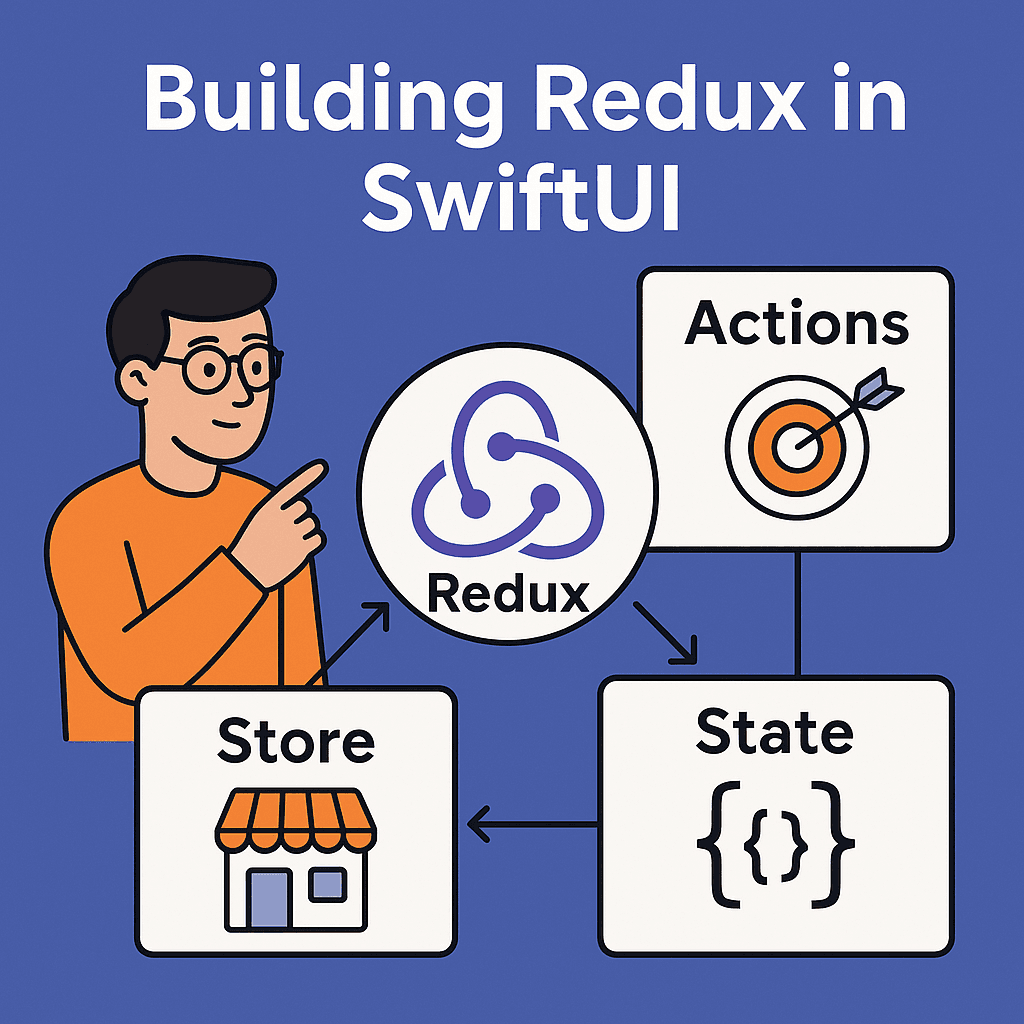

🚀 So You Want to Actually Build Redux in SwiftUI?
Alright, you made it through my Redux philosophy article and you’re still here. That tells me two things: either you’re really committed to solving your state management chaos, or you’re the type of developer who reads implementation tutorials for fun. Either way, I respect that.
**Understanding Redux for iOS: Beyond the Web Hype** _Mobile app state management: Redux fundamentals for iOS_medium.comhttps://medium.com/swift-pal/understanding-redux-for-ios-beyond-the-web-hype-1814ef8037ff
Look, I’ll be honest with you. After publishing that first article, I got a bunch of messages asking “Okay, but how do I actually build this thing?” Turns out explaining why Redux exists is way easier than showing how to make it play nice with SwiftUI’s opinionated architecture.
So here’s what we’re gonna do. We’re building a real shopping cart app from scratch. Not some toy counter that increments numbers (though we’ve all been there), but something that actually handles the messy stuff — user authentication, product catalogs, cart persistence, loading states, and all those edge cases that make you question your career choices.
By the end of this, you’ll have a production-ready Redux implementation that you can drop into your next project. Or, more likely, you’ll understand exactly why Apple’s @Observable and @State work just fine for most apps. Win-win.
Ready? Let’s start with the foundation.
🏗️ Building the Redux Foundation
Here’s where things get interesting. Most Redux tutorials start with some abstract store class that looks clean in demos but falls apart the moment you try to use it with SwiftUI’s lifecycle.
So let’s build this right from the start.
The Store: Your Single Source of Truth
import Foundation
import Combine
import SwiftUI

@MainActor
final class Store<State>: ObservableObject {
    @Published private(set) var state: State

    private let reducer: (State, any Action) -> State
    private var middleware: [Middleware<State>] = []

    init(
        initialState: State,
        reducer: @escaping (State, any Action) -> State,
        middleware: [Middleware<State>] = []
    ) {
        self.state = initialState
        self.reducer = reducer
        self.middleware = middleware
    }

    func dispatch(_ action: any Action) {
        // Apply middleware first
        let finalAction = middleware.reduce(action) { currentAction, middleware in
            middleware.process(action: currentAction, state: state, dispatch: dispatch)
        }

        // Update state with reducer
        state = reducer(state, finalAction)
    }
}
See that @MainActor? That's doing the heavy lifting here. It ensures all state updates happen on the main thread, which is exactly what SwiftUI expects. No more "Purple warning: modifying state from background thread" nonsense.
The @Published wrapper means SwiftUI views will automatically re-render when state changes. But here's the kicker — they'll only re-render if the specific state they're observing actually changed. SwiftUI's diffing algorithm is smart enough to handle this for us.
🎯 Actions: Your App’s Vocabulary
Now, here’s where a lot of Redux implementations go wrong. They either make actions too generic (everything’s a dictionary) or too specific (100 different action types for tiny variations).
After trying for a few days, I’ve found this sweet spot:
protocol Action {
    var type: String { get }
}

// Base action types that everything inherits from
protocol AppAction: Action {}
protocol UserAction: Action {}
protocol CartAction: Action {}
But here’s the real magic — making actions feel natural in Swift:
enum CartActions: CartAction {
    case addItem(productId: String, quantity: Int = 1)
    case removeItem(productId: String)
    case updateQuantity(productId: String, quantity: Int)
    case clearCart
    case loadCart
    case cartLoaded([CartItem])
    case cartError(CartError)

    var type: String {
        switch self {
        case .addItem: return "CART_ADD_ITEM"
        case .removeItem: return "CART_REMOVE_ITEM"
        case .updateQuantity: return "CART_UPDATE_QUANTITY"
        case .clearCart: return "CART_CLEAR"
        case .loadCart: return "CART_LOAD"
        case .cartLoaded: return "CART_LOADED"
        case .cartError: return "CART_ERROR"
        }
    }
}
The beauty here? Your dispatch calls read like English:
store.dispatch(CartActions.addItem(productId: "abc123", quantity: 2))And when you’re debugging, those type strings show up clearly in logs. Trust me, future you will thank present you for this.
State Architecture That Scales
Most tutorials show you a flat state object. That works great until your app grows beyond three screens. Here’s how to structure state so it doesn’t become a nightmare:
struct AppState: Equatable {
    var user: UserState
    var cart: CartState
    var products: ProductState
    var ui: UIState

    static let initial = AppState(
        user: UserState.initial,
        cart: CartState.initial,
        products: ProductState.initial,
        ui: UIState.initial
    )
}
Each slice handles its own domain:
struct CartState: Equatable {
    var items: [CartItem]
    var isLoading: Bool
    var error: CartError?
    var lastUpdated: Date?

    static let initial = CartState(
        items: [],
        isLoading: false,
        error: nil,
        lastUpdated: nil
    )
}
The key insight? Make everything Equatable. SwiftUI uses this to determine if views need re-rendering. Without it, every state change triggers every view update. With it, only the views that actually care about the changed data get updated.
⚙️ Reducers: Where the Magic Happens
Okay, so we’ve got actions flying around and state sitting there. Reducers are what connect the dots. And honestly? This is where your Redux implementation will either shine or completely fall apart.
Here’s the thing I wish someone told me when I started: reducers aren’t just switch statements. They’re the business logic of your app, wrapped in pure functions. Get this right, and your app becomes predictable. Get it wrong, and you’ll spend your weekends debugging state mutations that shouldn’t be possible.
func appReducer(state: AppState, action: any Action) -> AppState {
    var newState = state

    // Route actions to appropriate sub-reducers
    newState.user = userReducer(state: state.user, action: action)
    newState.cart = cartReducer(state: state.cart, action: action, userState: state.user)
    newState.products = productReducer(state: state.products, action: action)
    newState.ui = uiReducer(state: state.ui, action: action)

    return newState
}
See what’s happening here? Each reducer only cares about its slice of state, but they can read from other slices when needed. That cartReducer needs to know if the user is logged in before adding items? No problem.
Let’s dive into a real reducer:
func cartReducer(state: CartState, action: any Action, userState: UserState) -> CartState {
    var newState = state

    switch action {
    case let cartAction as CartActions:
        switch cartAction {
        case .addItem(let productId, let quantity):
            // Business rule: can't add to cart if not logged in
            guard userState.isLoggedIn else {
                newState.error = .requiresLogin
                return newState
            }

            // Check if item already exists
            if let existingIndex = newState.items.firstIndex(where: { $0.productId == productId }) {
                newState.items[existingIndex].quantity += quantity
            } else {
                let newItem = CartItem(productId: productId, quantity: quantity, addedAt: Date())
                newState.items.append(newItem)
            }

            newState.error = nil
            newState.lastUpdated = Date()

        case .removeItem(let productId):
            newState.items.removeAll { $0.productId == productId }
            newState.lastUpdated = Date()

        case .updateQuantity(let productId, let quantity):
            if quantity <= 0 {
                newState.items.removeAll { $0.productId == productId }
            } else if let index = newState.items.firstIndex(where: { $0.productId == productId }) {
                newState.items[index].quantity = quantity
            }
            newState.lastUpdated = Date()

        case .clearCart:
            newState.items = []
            newState.lastUpdated = Date()

        case .loadCart:
            newState.isLoading = true
            newState.error = nil

        case .cartLoaded(let items):
            newState.items = items
            newState.isLoading = false
            newState.error = nil
            newState.lastUpdated = Date()

        case .cartError(let error):
            newState.isLoading = false
            newState.error = error
        }

    // Handle user logout - clear cart
    case let userAction as UserActions:
        switch userAction {
        case .logoutSuccess:
            newState.items = []
            newState.error = nil
        default:
            break
        }

    default:
        break
    }

    return newState
}
Now here’s what I love about this approach. Look at that business logic — “can’t add to cart if not logged in.” In a traditional MVVM setup, where would this live? Probably scattered across view models, maybe duplicated in a few places.
With Redux, it’s right here in the reducer. One place. Always applied. No way for a view to accidentally bypass this rule.
And see how we handle the user logout? The cart reducer is listening for user actions and clearing itself when the user logs out. This is the kind of cross-domain logic that gets messy in other patterns but feels natural in Redux.
The golden rule: Never mutate the input state. Always create a new state. Swift’s copy-on-write semantics make this efficient, and it guarantees you can’t accidentally break the Redux contract.
🔌 The SwiftUI Bridge: Making Redux Play Nice
Alright, here’s where things get spicy. You’ve got this beautiful Redux setup, but now you need to actually use it in SwiftUI views. And this is where I think most developers will either give up or write code that technically works but makes everyone on the team want to quit.
The problem? SwiftUI wants to own your state. Redux wants to own your state. And they both have very different ideas about how that should work.
Here’s what I learned after fighting this battle for days: you need a bridge. Something that speaks both languages.
The ViewStore Pattern
import SwiftUI
import Combine

@MainActor
final class ViewStore<ViewState>: ObservableObject {
    @Published var state: ViewState

    private let store: Store<AppState>
    private var cancellable: AnyCancellable?

    init<GlobalState>(
        store: Store<GlobalState>,
        observe: @escaping (GlobalState) -> ViewState
    ) where GlobalState == AppState {
        self.store = store
        self.state = observe(store.state)

        self.cancellable = store.$state
            .map(observe)
            .removeDuplicates { $0 == $1 } // Only update if ViewState actually changed
            .assign(to: \.state, on: self)
    }

    func dispatch(_ action: any Action) {
        store.dispatch(action)
    }
}
This little beauty does something crucial — it extracts just the slice of state your view cares about and only updates when that specific slice changes.
See that .removeDuplicates()? That's the performance magic. Without it, every tiny state change anywhere in your app would cause every connected view to re-render. With it, views only update when their specific data actually changes.
Connecting Views the Smart Way
Here’s how you use it in practice:
struct ProductListView: View {
    @StateObject private var viewStore: ViewStore<ProductListViewState>

    init(store: Store<AppState>) {
        self._viewStore = StateObject(wrappedValue: ViewStore(
            store: store,
            observe: { appState in
                ProductListViewState(
                    products: appState.products.items,
                    isLoading: appState.products.isLoading,
                    canAddToCart: appState.user.isLoggedIn
                )
            }
        ))
    }

    var body: some View {
        Group {
            if viewStore.state.isLoading {
                ProgressView("Loading products...")
            } else {
                List(viewStore.state.products) { product in
                    ProductRow(product: product, canAddToCart: viewStore.state.canAddToCart)
                        .onTapGesture {
                            viewStore.dispatch(CartActions.addItem(productId: product.id))
                        }
                }
            }
        }
        .onAppear {
            viewStore.dispatch(ProductActions.loadProducts)
        }
    }
}

struct ProductListViewState: Equatable {
    let products: [Product]
    let isLoading: Bool
    let canAddToCart: Bool
}
Beautiful. This view only re-renders when products change, loading state changes, or the user’s login status changes. Cart updates? Search queries? Other random state changes? This view doesn’t care.
That removeDuplicates call is doing the heavy lifting. It's comparing the old ProductListViewState with the new one, and only publishes changes if something actually different happened.
Environment Integration
Now, passing stores around manually gets old fast. SwiftUI’s environment system is perfect for this:
struct StoreEnvironmentKey: EnvironmentKey {
    static let defaultValue: Store<AppState> = Store(
        initialState: AppState.initial,
        reducer: appReducer
    )
}

extension EnvironmentValues {
    var store: Store<AppState> {
        get { self[StoreEnvironmentKey.self] }
        set { self[StoreEnvironmentKey.self] = newValue }
    }
}
Now your app setup becomes clean:
@main
struct SwiftUIReduxApp: App {
    let store = Store(
        initialState: AppState.initial,
        reducer: appReducer,
        middleware: [
            LoggingMiddleware(),
            PersistenceMiddleware()
        ]
    )

    var body: some Scene {
        WindowGroup {
            ContentView()
                .environment(\.store, store)
        }
    }
}
And your views grab the store from environment:
struct ContentView: View {
    @Environment(\.store) private var store

    var body: some View {
        ProductListView(store: store)
    }
}
⚡ Middleware: The Secret Sauce
Okay, so far we’ve got actions, reducers, and views talking to each other. But here’s where Redux goes from “nice pattern” to “holy crap, this actually solved our problems.”
Middleware is where you handle all the messy real-world stuff that pure reducers can’t touch — API calls, logging, analytics, persistence, you name it. And the beautiful thing? It’s completely separate from your business logic.
The Middleware Protocol
protocol Middleware<State> {
    associatedtype State

    func process(
        action: any Action,
        state: State,
        dispatch: @escaping (any Action) -> Void
    ) -> any Action
}
Simple interface, but incredibly powerful. Middleware can:
- Transform actions before they hit reducers
- Dispatch new actions based on what just happened
- Perform side effects (API calls, logging, etc.)
- Even prevent actions from reaching reducers entirely
Let me show you some real middleware that we can use in production.
Logging Middleware (Your Debugging Best Friend)
struct LoggingMiddleware<State>: Middleware {
    private let isEnabled: Bool

    init(isEnabled: Bool = true) {
        self.isEnabled = isEnabled
    }

    func process(
        action: any Action,
        state: State,
        dispatch: @escaping (any Action) -> Void
    ) -> any Action {

        guard isEnabled else { return action }

        let timestamp = DateFormatter.logTimestamp.string(from: Date())
        print("🎬 [\(timestamp)] Action: \(action.type)")

        // Log payload for debugging (be careful with sensitive data)
        if let cartAction = action as? CartActions {
            switch cartAction {
            case .addItem(let productId, let quantity):
                print("   📦 Adding \(quantity)x product \(productId)")
            case .removeItem(let productId):
                print("   🗑️ Removing product \(productId)")
            default:
                break
            }
        }

        return action
    }
}
This might seem simple, but when you’re debugging a gnarly state issue at 2 AM, seeing exactly which actions fired in what order is pure gold.
Async Middleware (Where the Real Magic Happens)
Here’s where Redux really shines. Instead of scattering async/await calls across your views and view models, you centralize all async operations:
struct AsyncMiddleware<State>: Middleware {
    private let apiService: APIService
    private let persistenceService: PersistenceService

    init(apiService: APIService, persistenceService: PersistenceService) {
        self.apiService = apiService
        self.persistenceService = persistenceService
    }

    func process(
        action: any Action,
        state: State,
        dispatch: @escaping (any Action) -> Void
    ) -> any Action {

        // Handle async actions
        switch action {
        case ProductActions.loadProducts:
            Task {
                do {
                    let products = try await apiService.fetchProducts()
                    await MainActor.run {
                        dispatch(ProductActions.productsLoaded(products))
                    }
                } catch {
                    await MainActor.run {
                        dispatch(ProductActions.productsError(ProductError.networkError(error)))
                    }
                }
            }

        case let CartActions.addItem(productId, quantity):
            // Persist cart changes immediately
            if let appState = state as? AppState {
                Task {
                    var updatedCart = appState.cart
                    // Apply the same logic as reducer (or call reducer)
                    let newItem = CartItem(productId: productId, quantity: quantity, addedAt: Date())
                    updatedCart.items.append(newItem)

                    try? await persistenceService.saveCart(updatedCart.items)
                }
            }

        case UserActions.login(let email, let password):
            Task {
                do {
                    let user = try await apiService.login(email: email, password: password)
                    await MainActor.run {
                        dispatch(UserActions.loginSuccess(user))
                        // Load user's cart after successful login
                        dispatch(CartActions.loadCart)
                    }
                } catch {
                    await MainActor.run {
                        dispatch(UserActions.loginError(UserError.authenticationFailed))
                    }
                }
            }

        default:
            break
        }

        return action
    }
}
Look at what just happened. When a user logs in successfully, we automatically load their cart. When they add items to cart, we persist it immediately. All of this complex orchestration is handled in one place, not scattered across different views.
Persistence Middleware (Never Lose State Again)
struct PersistenceMiddleware<State>: Middleware {
    private let userDefaults = UserDefaults.standard

    func process(
        action: any Action,
        state: State,
        dispatch: @escaping (any Action) -> Void
    ) -> any Action {

        // Save specific state slices when they change
        switch action {
        case is CartActions:
            if let appState = state as? AppState {
                saveCartState(appState.cart)
            }

        case UserActions.loginSuccess:
            if let appState = state as? AppState {
                saveUserState(appState.user)
            }

        case UserActions.logoutSuccess:
            clearUserState()
            clearCartState()

        default:
            break
        }

        return action
    }

    private func saveCartState(_ cartState: CartState) {
        if let data = try? JSONEncoder().encode(cartState.items) {
            userDefaults.set(data, forKey: "cart_items")
        }
    }

    private func saveUserState(_ userState: UserState) {
        if let data = try? JSONEncoder().encode(userState) {
            userDefaults.set(data, forKey: "user_state")
        }
    }

    private func clearUserState() {
        userDefaults.removeObject(forKey: "user_state")
    }

    private func clearCartState() {
        userDefaults.removeObject(forKey: "cart_items")
    }
}
Now your app automatically persists state changes without any view needing to know about it. Users close the app mid-shopping? Their cart is still there when they come back.
The beauty of this middleware approach is that your business logic (reducers) stays pure and testable, while all the messy real-world stuff happens in middleware. Want to add analytics? New middleware. Need to sync with a backend? Middleware. Want to add undo/redo? You guessed it — middleware.
🛍️ Real-World Implementation: Complete Shopping Cart
Rather than overwhelm you with hundreds of lines of code in this article, I’ve built a complete, working Redux implementation that you can explore, run, and learn from. Let me show you the key pieces, then point you to the full implementation.
🎯 What We’re Building
A production-ready shopping cart app with:
- User authentication with realistic error scenarios
- Product catalog with search and filtering
- Shopping cart with persistence across app launches
- Real-time state updates across all tabs
- Comprehensive error handling for network failures
- Mock data system so you can test immediately
🏗️ The Architecture in Action
Here’s how the core pieces fit together in the real app:
Actions That Tell the Story
// User actions
UserActions.login(email: "user@example.com", password: "password123")
UserActions.loginSuccess(user)
UserActions.logoutSuccess

// Cart actions
CartActions.addItem(productId: "iphone-15", quantity: 1)
CartActions.updateQuantity(productId: "iphone-15", quantity: 2)
CartActions.initiateCheckout

// Product actions
ProductActions.loadProducts
ProductActions.searchProducts(query: "iPhone")
ProductActions.productsLoaded(products)
State That Reflects Reality
struct AppState: Equatable {
    var user: UserState      // Login status, user info, auth errors
    var cart: CartState      // Items, quantities, checkout status
    var products: ProductState // Catalog, search results, filters
    var ui: UIState         // Navigation, toasts, loading states
}
Middleware That Handles the Messy Stuff
// When user adds item to cart:
CartActions.addItem(productId: "123", quantity: 1)
    ↓
AsyncMiddleware → API call to backend
    ↓
PersistenceMiddleware → Save to UserDefaults
    ↓
AnalyticsMiddleware → Track "item_added" event
    ↓
CartReducer → Update local state
    ↓
UI automatically reflects changes
🎮 See It in Action
The complete implementation includes:
Realistic User Flows
- Try logging in with
locked@example.comto see error handling - Add products to cart and switch tabs to see real-time updates
- Close the app and reopen to see persistence working
- Test network failures and offline scenarios
Production Patterns
- Type-safe actions prevent runtime errors
- Pure reducers make testing straightforward
- Middleware separates side effects from business logic
- Mock system lets you develop without a backend
SwiftUI Integration Done Right
- No unnecessary re-renders thanks to selective state observation
- Proper error boundaries with user-friendly messages
- Loading states that actually feel responsive
- Navigation that plays nicely with Redux state
💻 Get the Complete Code
Everything we’ve discussed in this article is implemented in a working app you can run immediately:
🔗 **SwiftUI Redux Shopping Cart — Complete Implementation**
**GitHub - palKaran/SwiftUI-Redux-Shopping-Cart: A SwiftUI app example with Redux Pattern integration** _A SwiftUI app example with Redux Pattern integration - palKaran/SwiftUI-Redux-Shopping-Cart_github.comhttps://github.com/palKaran/SwiftUI-Redux-Shopping-Cart
What You’ll Find:
- ✅ 15+ SwiftUI views with full Redux integration
- ✅ Complete middleware system for async operations, logging, persistence, and analytics
- ✅ Mock data system with realistic products and user scenarios
- ✅ Error handling throughout the entire application
- ✅ Testing examples for reducers, middleware, and views
- ✅ Production patterns you can adapt to your own projects
Run It Yourself:
git clone https://github.com/palKaran/SwiftUI-Redux-Shopping-Cart.git
cd SwiftUI-Redux-Shopping-Cart
open "Shopping Cart.xcodeproj"
# Press ⌘+R and start exploring!
he repository includes detailed documentation, testing scenarios, and examples of both basic and advanced Redux patterns. You can immediately see concepts like state persistence, error recovery, and performance optimization in action.
🎯 Key Takeaways
Building this complete implementation taught me several important lessons:
Redux shines when complexity is real. For a simple counter app, it’s overkill. But when you need user authentication, cart persistence, error recovery, and analytics tracking all working together, Redux’s predictable patterns become invaluable.
SwiftUI integration requires thought. The ViewStore pattern we developed prevents unnecessary re-renders and keeps views focused on their specific slice of state. This matters when your app grows beyond toy examples.
Middleware is where the magic happens. Pure reducers handle business logic, but middleware handles the real world — API calls, persistence, logging, analytics. This separation makes everything testable and maintainable.
Mock data accelerates development. Being able to simulate network errors, user scenarios, and edge cases without building a backend first is incredibly valuable for both development and demonstration.
🎉 Enjoyed this article? Your support means the world to me!
💬 Drop a comment below! I love hearing about your experiences and answering questions
🎬 Subscribe on Youtube and become early subscribers of my channel: https://www.youtube.com/@swift-pal
💼 Let’s connect on LinkedIn for more professional insights: https://www.linkedin.com/in/karan-pal
Happy coding! 🚀
New articles, straight to your inbox.
No spam, no filler — just new writing on iOS, the web, and AI when it ships. Unsubscribe anytime.
Keep reading
Your CPU Has More Cores Than Your Job Can Use
Some work splits cleanly across hundreds of cores. Other work is a chain of steps where every new step has to wait for the last one to finish.
ReadYour Password Isn’t as Random as You Think
Crack-time calculators measure the size of a theoretical password space—not how people actually choose passwords or how attackers search them.
Read