Why Every iOS Developer Fails at DSA (And the Roadmap That Fixes Everything)
The complete Swift beginner’s guide that makes algorithms actually make sense
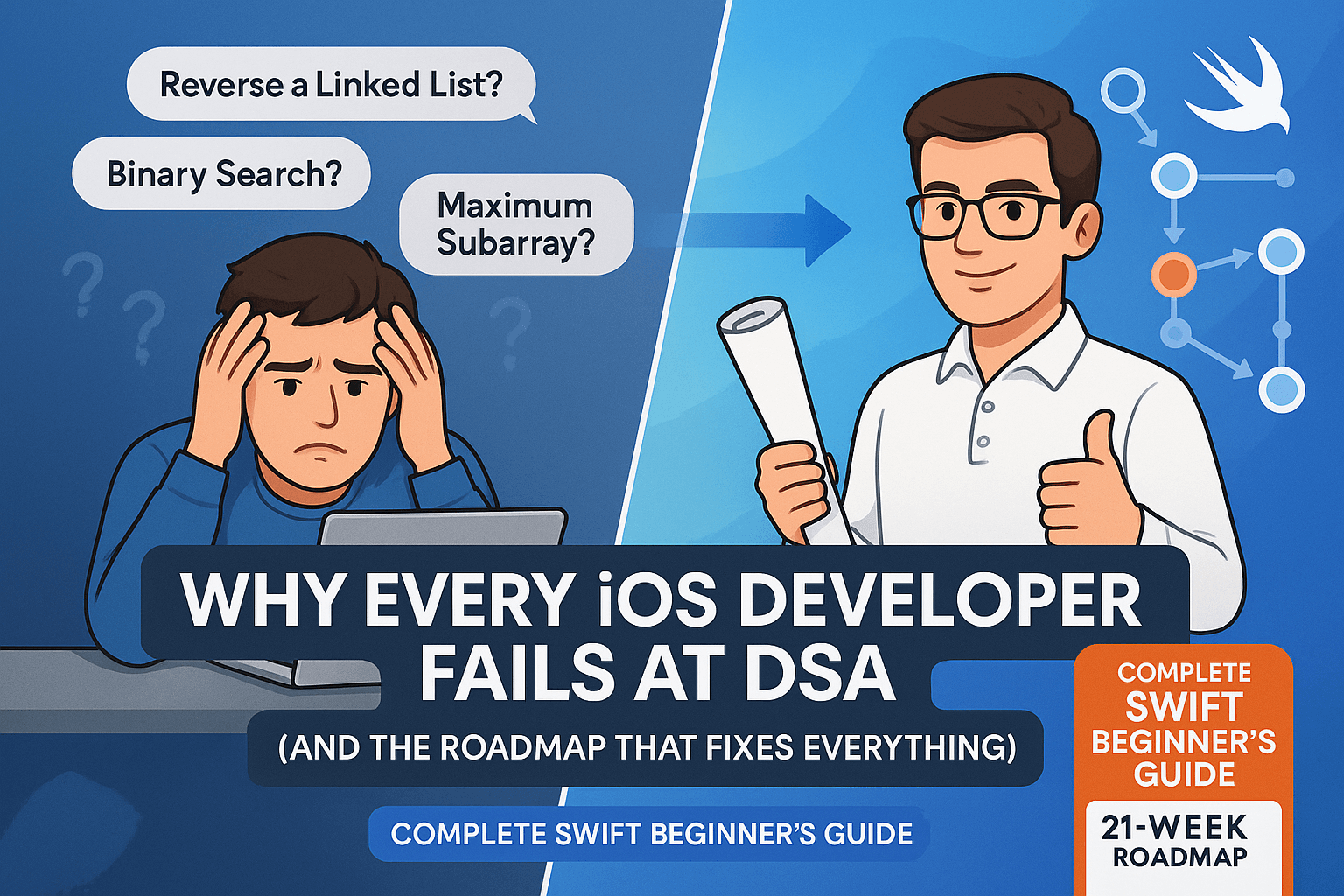
Data Structures & Algorithm in Swift

You can build a complex iOS app with Core Data, networking, custom UI animations, and push notifications. Your code is clean, your architecture is solid, and users love your apps. But then you sit down for a technical interview and…
“Can you reverse a linked list?”
Blank stare.
“How about finding the maximum subarray sum?”
Panic sets in.
“Okay, let’s start simple. Implement binary search.”
And somehow, despite being able to architect entire iOS applications, you find yourself completely lost.
Sound familiar? You’re not alone. I’ve watched brilliant iOS developers — people who ship apps to millions of users — absolutely bomb algorithm interviews because they never learned DSA “the right way” for Swift developers.
Here’s the brutal truth: most iOS developers fail at DSA not because they’re bad programmers, but because they’re learning it completely wrong. They’re trying to cram Java-style algorithm patterns into Swift thinking, memorizing solutions without understanding the underlying principles, and completely missing how these concepts actually apply to iOS development.
I’m going to show you the roadmap that fixes all of this — a step-by-step learning path designed specifically for Swift developers that connects DSA to real iOS development and actually makes algorithms stick.
📺 Coming soon to Swift Pal: A complete video series on mastering DSA as an iOS developer at _https://youtube.com/@swift-pal_
💥 Why Traditional DSA Learning Destroys iOS Developers
Let me show you exactly why the “standard” approach to learning algorithms is setting you up for failure as an iOS developer.
Problem #1: Generic Programming Examples Don’t Translate
Most DSA courses use Java or Python examples that look like this:
// Java - what most tutorials teach
public int[] twoSum(int[] nums, int target) {
    HashMap<Integer, Integer> map = new HashMap<>();
    for (int i = 0; i < nums.length; i++) {
        int complement = target - nums[i];
        if (map.containsKey(complement)) {
            return new int[] { map.get(complement), i };
        }
        map.put(nums[i], i);
    }
    return null; // This is where Swift developers get confused
}
Then you try to translate this to Swift and suddenly you’re dealing with optionals, value semantics, and memory management considerations that the tutorial never mentioned:
// Swift - what you actually need to write
func twoSum(_ nums: [Int], _ target: Int) -> [Int]? {
    var numToIndex: [Int: Int] = [:]

    for (index, num) in nums.enumerated() {
        let complement = target - num

        if let complementIndex = numToIndex[complement] {
            return [complementIndex, index]
        }

        numToIndex[num] = index
    }

    return nil // Swift handles this gracefully with optionals
}
The Java version uses null returns and exceptions. The Swift version uses optionals and value types. These aren’t just syntax differences — they’re completely different ways of thinking about data and error handling.
Problem #2: No Connection to Actual iOS Development
When was the last time you needed to implement a binary search tree in your iOS app? Probably never. So when a tutorial shows you BST operations, your brain immediately thinks “I’ll never use this” and checks out.
But here’s what they don’t tell you: you use BST concepts constantly in iOS development, just not directly.
// You think you'll never use binary search...
func binarySearch<T: Comparable>(_ array: [T], _ target: T) -> Int? {
    var left = 0
    var right = array.count - 1

    while left <= right {
        let mid = left + (right - left) / 2

        if array[mid] == target {
            return mid
        } else if array[mid] < target {
            left = mid + 1
        } else {
            right = mid - 1
        }
    }

    return nil
}

// But you use binary search thinking all the time:
extension UITableView {
    func scrollToNearestSection(for position: CGFloat) {
        let sections = (0..<numberOfSections).map { $0 }

        // Binary search for the section that contains this position
        var left = 0
        var right = sections.count - 1

        while left <= right {
            let mid = left + (right - left) / 2
            let sectionRect = rect(forSection: mid)

            if sectionRect.contains(CGPoint(x: 0, y: position)) {
                scrollToRow(at: IndexPath(row: 0, section: mid), at: .top, animated: true)
                return
            } else if sectionRect.maxY < position {
                left = mid + 1
            } else {
                right = mid - 1
            }
        }
    }
}
See? Same algorithm, but now it’s solving a real iOS problem — efficiently finding which table view section contains a scroll position.
Problem #3: Academic Approach vs Practical Problem-Solving
Traditional DSA courses teach algorithms in isolation:
“Here’s merge sort. It has O(n log n) complexity. Memorize the implementation.”
But iOS developers think in terms of solving user problems:
“The user wants to search through 10,000 contacts instantly. How do I make that feel responsive?”
// Academic approach: "Learn merge sort"
func mergeSort<T: Comparable>(_ array: [T]) -> [T] {
    guard array.count > 1 else { return array }

    let mid = array.count / 2
    let left = mergeSort(Array(array[..<mid]))
    let right = mergeSort(Array(array[mid...]))

    return merge(left, right)
}

// iOS developer approach: "Solve the contact search problem"
class ContactSearchManager {
    private var sortedContacts: [Contact] = []

    func updateContacts(_ contacts: [Contact]) {
        // Use merge sort for stable sorting of contacts
        sortedContacts = contacts.sorted { contact1, contact2 in
            // Custom comparison for iOS-specific sorting
            if contact1.isFavorite != contact2.isFavorite {
                return contact1.isFavorite && !contact2.isFavorite
            }
            return contact1.displayName.localizedCaseInsensitiveCompare(contact2.displayName) == .orderedAscending
        }
    }

    func searchContacts(query: String) -> [Contact] {
        // Binary search on sorted array for O(log n) performance
        return sortedContacts.filter { contact in
            contact.displayName.localizedCaseInsensitiveContains(query) ||
            contact.phoneNumbers.contains { $0.contains(query) }
        }
    }
}
Same algorithm, but now it’s solving a real problem with iOS-specific considerations like localized string comparison and user experience.
Problem #4: Ignoring Swift’s Unique Features
Most DSA tutorials completely ignore Swift’s powerful features that actually make algorithms easier and safer:
// Generic tutorials miss Swift's powerful type system
protocol Searchable {
    associatedtype Element: Comparable
    func search(for element: Element) -> Int?
}

struct SortedArray<T: Comparable>: Searchable {
    private var elements: [T]

    init(_ elements: [T]) {
        self.elements = elements.sorted()
    }

    // Swift's type system prevents runtime errors
    func search(for element: T) -> Int? {
        return binarySearch(in: elements, for: element)
    }

    // Value semantics make this safe by default
    mutating func insert(_ element: T) {
        let insertionIndex = findInsertionPoint(for: element)
        elements.insert(element, at: insertionIndex)
    }

    private func binarySearch(in array: [T], for target: T) -> Int? {
        var left = 0
        var right = array.count - 1

        while left <= right {
            let mid = left + (right - left) / 2

            if array[mid] == target {
                return mid
            } else if array[mid] < target {
                left = mid + 1
            } else {
                right = mid - 1
            }
        }

        return nil
    }

    private func findInsertionPoint(for element: T) -> Int {
        // Binary search variation for insertion point
        var left = 0
        var right = elements.count

        while left < right {
            let mid = left + (right - left) / 2

            if elements[mid] < element {
                left = mid + 1
            } else {
                right = mid
            }
        }

        return left
    }
}
This uses Swift’s protocols, generics, value semantics, and type safety in ways that make the algorithm both more powerful and safer than generic implementations.
🗺️ The Swift Developer’s DSA Roadmap
Here’s the roadmap that actually works for iOS developers — designed around how we think and what we actually need to know:
The 4-Phase Learning Path
Phase 1: Swift Fundamentals for DSA (2–3 weeks)
- Master value vs reference semantics in algorithm design
- Understand how optionals change algorithm implementations
- Learn Swift’s collections framework deeply
- Practice with iOS-relevant problems
Phase 2: Core Data Structures with iOS Context (4–6 weeks)
- Arrays and Strings (table view optimizations, text processing)
- Linked Lists (custom collections, undo/redo systems)
- Stacks and Queues (navigation controllers, async operations)
- Hash Tables (caching, fast lookups, Core Data relationships)
- Trees (hierarchical UI, file systems, recommendation engines)
Phase 3: Essential Algorithms with Real Examples (4–6 weeks)
- Sorting (UI responsiveness, data presentation)
- Searching (app search functionality, autocomplete)
- Recursion and Dynamic Programming (optimization problems)
- Graph algorithms (social networks, navigation, recommendations)
Phase 4: Advanced Topics + Interview Mastery (4–8 weeks)
- Advanced data structures for specific use cases
- System design foundations using DSA principles
- Interview pattern recognition and problem-solving frameworks
- Performance optimization in real iOS apps
Realistic Timeline Expectations
- Total time commitment: 14–21 weeks (3.5 to 5 months)
- Daily practice: 1–2 hours on weekdays, 3–4 hours on weekends
- Focus: Understanding > memorization
- Goal: Solve problems confidently, not just recite solutions
This isn’t a “learn DSA in 30 days” scam. Real mastery takes time, but this roadmap ensures every minute you spend connects to your iOS development skills.
📚 Phase 1: Swift-Specific Foundation (Weeks 1–3)
Before jumping into fancy algorithms, you need to master how Swift’s unique features affect algorithm design and implementation.
Week 1: Value vs Reference Semantics
Most algorithm tutorials assume everything is a reference type (like Java objects). But Swift’s value semantics completely change how you think about data manipulation:
// Understanding the difference is crucial for algorithm design
struct ValueTypeExample {
    var data: [Int]

    // This creates a copy - safe but potentially expensive
    func processedData() -> ValueTypeExample {
        var copy = self
        copy.data = copy.data.map { $0 * 2 }
        return copy
    }

    // This modifies in place - efficient but requires careful thinking
    mutating func processInPlace() {
        data = data.map { $0 * 2 }
    }
}

class ReferenceTypeExample {
    var data: [Int]

    init(data: [Int]) {
        self.data = data
    }

    // This modifies the original - efficient but can cause surprising side effects
    func processData() {
        data = data.map { $0 * 2 }
    }
}

// iOS-relevant example: Table view data source
struct ContactList {
    private(set) var contacts: [Contact]

    // Value semantics make this safe - you can't accidentally modify the original
    func filtered(by searchText: String) -> ContactList {
        let filteredContacts = contacts.filter { contact in
            contact.name.localizedCaseInsensitiveContains(searchText)
        }
        return ContactList(contacts: filteredContacts)
    }

    // Clearly marked as mutating - compiler prevents accidental modifications
    mutating func sort(by criteria: ContactSortCriteria) {
        switch criteria {
        case .name:
            contacts.sort { $0.name < $1.name }
        case .dateAdded:
            contacts.sort { $0.dateAdded < $1.dateAdded }
        case .favorite:
            contacts.sort { $0.isFavorite && !$1.isFavorite }
        }
    }
}
Practice Problems:
- Implement array rotation using value semantics
- Build a simple undo/redo system using struct copying
- Create a safe wrapper around mutable data structures
Week 2: Optionals and Error Handling
Swift’s optional system changes how you handle edge cases and errors in algorithms:
// Traditional approach (what tutorials teach)
func findElement(in array: [Int], target: Int) -> Int {
    for i in 0..<array.count {
        if array[i] == target {
            return i
        }
    }
    return -1  // Magic number indicates "not found" - error prone!
}

// Swift approach - optionals make intent clear
func findElement(in array: [Int], target: Int) -> Int? {
    for (index, element) in array.enumerated() {
        if element == target {
            return index
        }
    }
    return nil  // Clear, type-safe indication of "not found"
}

// Even better - using Result type for operations that can fail
enum SearchError: Error {
    case emptyArray
    case targetNotFound
}

func findElementSafely(in array: [Int], target: Int) -> Result<Int, SearchError> {
    guard !array.isEmpty else {
        return .failure(.emptyArray)
    }

    for (index, element) in array.enumerated() {
        if element == target {
            return .success(index)
        }
    }

    return .failure(.targetNotFound)
}

// iOS example - safe array access for table views
extension Array {
    subscript(safe index: Int) -> Element? {
        return indices.contains(index) ? self[index] : nil
    }
}

// Usage in table view
func tableView(_ tableView: UITableView, cellForRowAt indexPath: IndexPath) -> UITableViewCell {
    let cell = tableView.dequeueReusableCell(withIdentifier: "Cell", for: indexPath)

    // Safe access prevents crashes
    if let item = dataSource[safe: indexPath.row] {
        cell.textLabel?.text = item.title
    } else {
        cell.textLabel?.text = "Error: Invalid data"
    }

    return cell
}
Practice Problems:
- Rewrite classic algorithms to use optionals instead of magic values
- Implement safe collection access methods
- Build error-handling patterns for algorithm failures
Week 3: Collections Framework Deep Dive
Understanding Swift’s built-in collections is crucial because they implement many algorithms you’d otherwise write from scratch:
// Array - dynamic, ordered, indexed access
var numbers = [1, 2, 3, 4, 5]
numbers.append(6)                    // O(1) amortized
let first = numbers[0]               // O(1)
numbers.insert(0, at: 0)            // O(n)
numbers.remove(at: 0)               // O(n)

// Set - unordered, unique elements, fast lookup
var uniqueNumbers: Set<Int> = [1, 2, 3]
uniqueNumbers.insert(4)              // O(1) average
let contains = uniqueNumbers.contains(3)  // O(1) average
uniqueNumbers.remove(2)              // O(1) average

// Dictionary - key-value pairs, fast lookup by key
var nameToAge: [String: Int] = ["Alice": 25, "Bob": 30]
nameToAge["Charlie"] = 35            // O(1) average
let age = nameToAge["Alice"]         // O(1) average, returns Optional

// iOS example - implementing a cache using built-in collections
class ImageCache {
    private var cache: [String: UIImage] = [:]
    private var accessOrder: [String] = []
    private let maxSize: Int

    init(maxSize: Int = 50) {
        self.maxSize = maxSize
    }

    func image(for url: String) -> UIImage? {
        if let image = cache[url] {
            // Move to front of access order (LRU behavior)
            accessOrder.removeAll { $0 == url }
            accessOrder.append(url)
            return image
        }
        return nil
    }

    func setImage(_ image: UIImage, for url: String) {
        // Remove oldest if at capacity
        if cache.count >= maxSize, cache[url] == nil {
            if let oldestURL = accessOrder.first {
                cache.removeValue(forKey: oldestURL)
                accessOrder.removeFirst()
            }
        }

        cache[url] = image
        accessOrder.removeAll { $0 == url }
        accessOrder.append(url)
    }
}
Practice Problems:
- Implement common algorithms using only built-in collections
- Build a frequency counter using Dictionary
- Create a simple LRU cache using Array + Dictionary
🔧 Phase 2: Core Data Structures with iOS Context (Weeks 4–9)
Now we get into the meat of DSA, but always with iOS applications in mind.
Weeks 4–5: Arrays and Strings
Arrays are the foundation of iOS development — every table view, collection view, and data source uses them.
// iOS-Focused Array Problems
class TableViewDataSource {
    private var sections: [[CellData]] = []

    // Problem: Efficiently insert items while maintaining sorted order
    func insertItem(_ item: CellData, in sectionIndex: Int) {
        guard sections.indices.contains(sectionIndex) else { return }

        // Binary search for insertion point
        let section = sections[sectionIndex]
        var left = 0
        var right = section.count

        while left < right {
            let mid = left + (right - left) / 2
            if section[mid].sortKey < item.sortKey {
                left = mid + 1
            } else {
                right = mid
            }
        }

        sections[sectionIndex].insert(item, at: left)
    }

    // Problem: Efficiently find items for search functionality
    func searchItems(query: String) -> [(section: Int, row: Int)] {
        var results: [(section: Int, row: Int)] = []

        for (sectionIndex, section) in sections.enumerated() {
            for (rowIndex, item) in section.enumerated() {
                if item.title.localizedCaseInsensitiveContains(query) {
                    results.append((section: sectionIndex, row: rowIndex))
                }
            }
        }

        return results
    }
}

// String processing for iOS apps
extension String {
    // Implement efficient string search for autocomplete
    func fuzzyMatch(_ query: String) -> Bool {
        let queryLower = query.lowercased()
        let selfLower = self.lowercased()

        var queryIndex = queryLower.startIndex
        var selfIndex = selfLower.startIndex

        while queryIndex < queryLower.endIndex && selfIndex < selfLower.endIndex {
            if queryLower[queryIndex] == selfLower[selfIndex] {
                queryIndex = queryLower.index(after: queryIndex)
            }
            selfIndex = selfLower.index(after: selfIndex)
        }

        return queryIndex == queryLower.endIndex
    }

    // Implement string distance for "did you mean?" functionality
    func levenshteinDistance(to target: String) -> Int {
        let source = Array(self)
        let target = Array(target)

        var dp = Array(repeating: Array(repeating: 0, count: target.count + 1), count: source.count + 1)

        // Initialize base cases
        for i in 0...source.count {
            dp[i][0] = i
        }
        for j in 0...target.count {
            dp[0][j] = j
        }

        // Fill the DP table
        for i in 1...source.count {
            for j in 1...target.count {
                if source[i-1] == target[j-1] {
                    dp[i][j] = dp[i-1][j-1]
                } else {
                    dp[i][j] = 1 + min(dp[i-1][j], dp[i][j-1], dp[i-1][j-1])
                }
            }
        }

        return dp[source.count][target.count]
    }
}
Weeks 6–7: Stacks and Queues
These are everywhere in iOS — navigation controllers are stacks, operation queues are… well, queues.
// Stack implementation for navigation history
struct NavigationStack<T> {
    private var elements: [T] = []

    mutating func push(_ element: T) {
        elements.append(element)
    }

    @discardableResult
    mutating func pop() -> T? {
        return elements.popLast()
    }

    func peek() -> T? {
        return elements.last
    }

    var isEmpty: Bool {
        return elements.isEmpty
    }
}

// iOS Application: Custom navigation controller
class CustomNavigationController: UIViewController {
    private var viewControllerStack = NavigationStack<UIViewController>()
    private weak var currentViewController: UIViewController?

    func pushViewController(_ viewController: UIViewController, animated: Bool) {
        // Remove current VC from view hierarchy
        currentViewController?.view.removeFromSuperview()
        currentViewController?.removeFromParent()

        // Push current VC to stack if it exists
        if let current = currentViewController {
            viewControllerStack.push(current)
        }

        // Set new VC as current
        currentViewController = viewController
        addChild(viewController)
        view.addSubview(viewController.view)
        viewController.didMove(toParent: self)
    }

    func popViewController(animated: Bool) -> UIViewController? {
        guard let previousVC = viewControllerStack.pop() else { return nil }

        // Remove current VC
        let poppedVC = currentViewController
        currentViewController?.view.removeFromSuperview()
        currentViewController?.removeFromParent()

        // Restore previous VC
        currentViewController = previousVC
        addChild(previousVC)
        view.addSubview(previousVC.view)
        previousVC.didMove(toParent: self)

        return poppedVC
    }
}

// Queue implementation for async operations
struct TaskQueue<T> {
    private var elements: [T] = []

    mutating func enqueue(_ element: T) {
        elements.append(element)
    }

    mutating func dequeue() -> T? {
        guard !elements.isEmpty else { return nil }
        return elements.removeFirst()
    }

    func peek() -> T? {
        return elements.first
    }
}

// iOS Application: Download manager with queue
class DownloadManager {
    private var downloadQueue = TaskQueue<DownloadTask>()
    private var activeDownloads: Set<String> = []
    private let maxConcurrentDownloads = 3

    func addDownload(_ task: DownloadTask) {
        downloadQueue.enqueue(task)
        processQueue()
    }

    private func processQueue() {
        while activeDownloads.count < maxConcurrentDownloads,
              let nextTask = downloadQueue.dequeue() {

            activeDownloads.insert(nextTask.id)
            startDownload(nextTask)
        }
    }

    private func startDownload(_ task: DownloadTask) {
        URLSession.shared.downloadTask(with: task.url) { [weak self] _, _, _ in
            DispatchQueue.main.async {
                self?.activeDownloads.remove(task.id)
                self?.processQueue() // Process next items in queue
            }
        }.resume()
    }
}
Weeks 8–9: Hash Tables and Trees
Hash tables power Swift dictionaries and sets. Trees represent hierarchical data everywhere in iOS.
// Custom hash table for learning (don't use in production - use Dictionary)
struct HashTable<Key: Hashable, Value> {
    private var buckets: [[(Key, Value)]]
    private var count = 0

    init(capacity: Int = 16) {
        buckets = Array(repeating: [], count: capacity)
    }

    private func index(for key: Key) -> Int {
        return abs(key.hashValue) % buckets.count
    }

    mutating func setValue(_ value: Value, for key: Key) {
        let index = self.index(for: key)

        // Check if key already exists
        for (i, (existingKey, _)) in buckets[index].enumerated() {
            if existingKey == key {
                buckets[index][i] = (key, value)
                return
            }
        }

        // Add new key-value pair
        buckets[index].append((key, value))
        count += 1
    }

    func getValue(for key: Key) -> Value? {
        let index = self.index(for: key)

        for (existingKey, value) in buckets[index] {
            if existingKey == key {
                return value
            }
        }

        return nil
    }
}

// Tree implementation for hierarchical iOS data
class TreeNode<T> {
    var value: T
    var children: [TreeNode<T>] = []
    weak var parent: TreeNode<T>?

    init(_ value: T) {
        self.value = value
    }

    func addChild(_ child: TreeNode<T>) {
        children.append(child)
        child.parent = self
    }

    func removeChild(_ child: TreeNode<T>) {
        children.removeAll { $0 === child }
        child.parent = nil
    }
}

// iOS Application: File system browser
class FileSystemBrowser {
    private var rootNode: TreeNode<FileSystemItem>

    init(rootPath: String) {
        rootNode = TreeNode(FileSystemItem(name: "Root", path: rootPath, isDirectory: true))
        buildTree(for: rootNode)
    }

    private func buildTree(for node: TreeNode<FileSystemItem>) {
        let fileManager = FileManager.default
        guard let contents = try? fileManager.contentsOfDirectory(atPath: node.value.path) else { return }

        for item in contents {
            let itemPath = (node.value.path as NSString).appendingPathComponent(item)
            var isDirectory: ObjCBool = false

            if fileManager.fileExists(atPath: itemPath, isDirectory: &isDirectory) {
                let fileItem = FileSystemItem(
                    name: item,
                    path: itemPath,
                    isDirectory: isDirectory.boolValue
                )

                let childNode = TreeNode(fileItem)
                node.addChild(childNode)

                if isDirectory.boolValue {
                    buildTree(for: childNode) // Recursive tree building
                }
            }
        }
    }

    func searchFiles(matching query: String) -> [FileSystemItem] {
        return searchInTree(rootNode, query: query)
    }

    private func searchInTree(_ node: TreeNode<FileSystemItem>, query: String) -> [FileSystemItem] {
        var results: [FileSystemItem] = []

        // Check current node
        if node.value.name.localizedCaseInsensitiveContains(query) {
            results.append(node.value)
        }

        // Recursively search children
        for child in node.children {
            results.append(contentsOf: searchInTree(child, query: query))
        }

        return results
    }
}

struct FileSystemItem {
    let name: String
    let path: String
    let isDirectory: Bool
}
⚡ Phase 3: Essential Algorithms with Real Examples (Weeks 10–15)
Now you’ll learn the core algorithms, but always in the context of solving real iOS problems.
Weeks 10–11: Sorting Algorithms
Sorting isn’t just academic — it’s crucial for UI performance and data presentation.
// Merge sort implementation for stable sorting (preserves equal element order)
func mergeSort<T: Comparable>(_ array: [T]) -> [T] {
    guard array.count > 1 else { return array }

    let middle = array.count / 2
    let left = mergeSort(Array(array[0..<middle]))
    let right = mergeSort(Array(array[middle..<array.count]))

    return merge(left, right)
}

func merge<T: Comparable>(_ left: [T], _ right: [T]) -> [T] {
    var leftIndex = 0
    var rightIndex = 0
    var result: [T] = []

    while leftIndex < left.count && rightIndex < right.count {
        if left[leftIndex] <= right[rightIndex] {
            result.append(left[leftIndex])
            leftIndex += 1
        } else {
            result.append(right[rightIndex])
            rightIndex += 1
        }
    }

    result.append(contentsOf: left[leftIndex...])
    result.append(contentsOf: right[rightIndex...])

    return result
}

// iOS Application: Sorting contacts with multiple criteria
struct Contact {
    let name: String
    let phoneNumber: String
    let isFavorite: Bool
    let dateAdded: Date
}

class ContactSorter {
    enum SortCriteria {
        case name
        case dateAdded
        case favorite
        case combined
    }

    func sortContacts(_ contacts: [Contact], by criteria: SortCriteria) -> [Contact] {
        switch criteria {
        case .name:
            return contacts.sorted { $0.name.localizedCaseInsensitiveCompare($1.name) == .orderedAscending }

        case .dateAdded:
            return contacts.sorted { $0.dateAdded < $1.dateAdded }

        case .favorite:
            return contacts.sorted { $0.isFavorite && !$1.isFavorite }

        case .combined:
            // Multi-level sorting: favorites first, then by name
            return contacts.sorted { contact1, contact2 in
                if contact1.isFavorite != contact2.isFavorite {
                    return contact1.isFavorite && !contact2.isFavorite
                }
                return contact1.name.localizedCaseInsensitiveCompare(contact2.name) == .orderedAscending
            }
        }
    }

    // Quick sort for in-place sorting when memory is constrained
    func quickSortInPlace<T: Comparable>(_ array: inout [T], low: Int = 0, high: Int? = nil) {
        let high = high ?? array.count - 1
        guard low < high else { return }

        let pivotIndex = partition(&array, low: low, high: high)
        quickSortInPlace(&array, low: low, high: pivotIndex - 1)
        quickSortInPlace(&array, low: pivotIndex + 1, high: high)
    }

    private func partition<T: Comparable>(_ array: inout [T], low: Int, high: Int) -> Int {
        let pivot = array[high]
        var i = low

        for j in low..<high {
            if array[j] <= pivot {
                array.swapAt(i, j)
                i += 1
            }
        }

        array.swapAt(i, high)
        return i
    }
}
Weeks 12–13: Searching and Graph Algorithms
Search algorithms power app functionality, and graphs represent relationships everywhere.
// Binary search implementation
func binarySearch<T: Comparable>(_ array: [T], target: T) -> Int? {
    var left = 0
    var right = array.count - 1

    while left <= right {
        let mid = left + (right - left) / 2

        if array[mid] == target {
            return mid
        } else if array[mid] < target {
            left = mid + 1
        } else {
            right = mid - 1
        }
    }

    return nil
}

// Graph implementation for social networks, navigation, etc.
class Graph<T: Hashable> {
    private var adjacencyList: [T: Set<T>] = [:]

    func addVertex(_ vertex: T) {
        adjacencyList[vertex] = Set<T>()
    }

    func addEdge(_ source: T, _ destination: T) {
        adjacencyList[source]?.insert(destination)
        adjacencyList[destination]?.insert(source) // Undirected graph
    }

    func breadthFirstSearch(from start: T, to target: T) -> [T]? {
        guard adjacencyList[start] != nil else { return nil }

        var queue: [T] = [start]
        var visited: Set<T> = [start]
        var parent: [T: T] = [:]

        while !queue.isEmpty {
            let current = queue.removeFirst()

            if current == target {
                // Reconstruct path
                var path: [T] = []
                var node: T? = target

                while let currentNode = node {
                    path.insert(currentNode, at: 0)
                    node = parent[currentNode]
                }

                return path
            }

            if let neighbors = adjacencyList[current] {
                for neighbor in neighbors {
                    if !visited.contains(neighbor) {
                        visited.insert(neighbor)
                        parent[neighbor] = current
                        queue.append(neighbor)
                    }
                }
            }
        }

        return nil
    }
}

// iOS Application: Friend recommendation system
class SocialNetworkAnalyzer {
    private let socialGraph = Graph<String>()

    init() {
        setupSampleData()
    }

    private func setupSampleData() {
        let users = ["Alice", "Bob", "Charlie", "Diana", "Eve", "Frank"]
        users.forEach { socialGraph.addVertex($0) }

        // Add friendships
        socialGraph.addEdge("Alice", "Bob")
        socialGraph.addEdge("Bob", "Charlie")
        socialGraph.addEdge("Charlie", "Diana")
        socialGraph.addEdge("Alice", "Eve")
        socialGraph.addEdge("Eve", "Frank")
    }

    func findMutualConnectionPath(from user1: String, to user2: String) -> [String]? {
        return socialGraph.breadthFirstSearch(from: user1, to: user2)
    }

    func suggestFriends(for user: String) -> [String] {
        // Find friends of friends who aren't direct friends
        guard let directFriends = socialGraph.adjacencyList[user] else { return [] }

        var friendsOfFriends: Set<String> = []

        for friend in directFriends {
            if let friendsFriends = socialGraph.adjacencyList[friend] {
                for friendOfFriend in friendsFriends {
                    if friendOfFriend != user && !directFriends.contains(friendOfFriend) {
                        friendsOfFriends.insert(friendOfFriend)
                    }
                }
            }
        }

        return Array(friendsOfFriends)
    }
}
Weeks 14–15: Dynamic Programming
DP solves optimization problems that appear constantly in iOS apps.
// Classic DP: Fibonacci with memoization
class DynamicProgramming {
    private var fibCache: [Int: Int] = [:]

    func fibonacci(_ n: Int) -> Int {
        if n <= 1 { return n }

        if let cached = fibCache[n] {
            return cached
        }

        let result = fibonacci(n - 1) + fibonacci(n - 2)
        fibCache[n] = result
        return result
    }

    // iOS Application: Optimal image cache size calculation
    func optimalCacheSize(images: [(size: Int, value: Int)], maxMemory: Int) -> Int {
        let n = images.count
        var dp = Array(repeating: Array(repeating: 0, count: maxMemory + 1), count: n + 1)

        for i in 1...n {
            let currentImage = images[i - 1]

            for memory in 1...maxMemory {
                if currentImage.size <= memory {
                    // Either include or exclude current image
                    dp[i][memory] = max(
                        dp[i - 1][memory], // Exclude
                        dp[i - 1][memory - currentImage.size] + currentImage.value // Include
                    )
                } else {
                    dp[i][memory] = dp[i - 1][memory] // Can't include
                }
            }
        }

        return dp[n][maxMemory]
    }

    // iOS Application: Minimum edit distance for autocorrect
    func minimumEditDistance(_ word1: String, _ word2: String) -> Int {
        let chars1 = Array(word1)
        let chars2 = Array(word2)
        let m = chars1.count
        let n = chars2.count

        var dp = Array(repeating: Array(repeating: 0, count: n + 1), count: m + 1)

        // Initialize base cases
        for i in 0...m { dp[i][0] = i }
        for j in 0...n { dp[0][j] = j }

        // Fill DP table
        for i in 1...m {
            for j in 1...n {
                if chars1[i - 1] == chars2[j - 1] {
                    dp[i][j] = dp[i - 1][j - 1]
                } else {
                    dp[i][j] = 1 + min(
                        dp[i - 1][j],     // Deletion
                        dp[i][j - 1],     // Insertion
                        dp[i - 1][j - 1]  // Substitution
                    )
                }
            }
        }

        return dp[m][n]
    }
}

// iOS Application: Text autocorrect system
class AutocorrectEngine {
    private let dp = DynamicProgramming()
    private let dictionary: [String]

    init(dictionary: [String]) {
        self.dictionary = dictionary.sorted() // Keep sorted for binary search
    }

    func suggestCorrections(for input: String, maxDistance: Int = 2) -> [String] {
        var suggestions: [(word: String, distance: Int)] = []

        for word in dictionary {
            let distance = dp.minimumEditDistance(input, word)
            if distance <= maxDistance {
                suggestions.append((word: word, distance: distance))
            }
        }

        // Sort by distance (closest first)
        suggestions.sort { $0.distance < $1.distance }
        return suggestions.map { $0.word }
    }
}
🚀 Phase 4: Advanced Topics + Interview Mastery (Weeks 16–21)
The final phase focuses on advanced concepts and interview preparation.
Weeks 16–18: Advanced Data Structures
Learn specialized structures for specific performance requirements.
// Trie for efficient string searching (autocomplete, spell check)
class TrieNode {
    var children: [Character: TrieNode] = [:]
    var isEndOfWord = false
    var word: String?
}

class Trie {
    private let root = TrieNode()

    func insert(_ word: String) {
        var current = root

        for char in word {
            if current.children[char] == nil {
                current.children[char] = TrieNode()
            }
            current = current.children[char]!
        }

        current.isEndOfWord = true
        current.word = word
    }

    func search(_ word: String) -> Bool {
        var current = root

        for char in word {
            guard let next = current.children[char] else {
                return false
            }
            current = next
        }

        return current.isEndOfWord
    }

    func autocomplete(_ prefix: String) -> [String] {
        var current = root

        // Navigate to prefix
        for char in prefix {
            guard let next = current.children[char] else {
                return []
            }
            current = next
        }

        // Collect all words with this prefix
        var results: [String] = []
        collectWords(from: current, results: &results)
        return results
    }

    private func collectWords(from node: TrieNode, results: inout [String]) {
        if node.isEndOfWord, let word = node.word {
            results.append(word)
        }

        for child in node.children.values {
            collectWords(from: child, results: &results)
        }
    }
}

// iOS Application: Smart search with autocomplete
class SmartSearchEngine {
    private let trie = Trie()
    private let searchHistory: [String]

    init(searchTerms: [String]) {
        self.searchHistory = searchTerms

        // Build trie from search history
        for term in searchTerms {
            trie.insert(term.lowercased())
        }
    }

    func getSuggestions(for query: String, limit: Int = 5) -> [String] {
        let lowercaseQuery = query.lowercased()
        let suggestions = trie.autocomplete(lowercaseQuery)

        // Sort by relevance (could include factors like search frequency)
        let sortedSuggestions = suggestions.sorted { suggestion1, suggestion2 in
            let freq1 = searchHistory.filter { $0.lowercased() == suggestion1 }.count
            let freq2 = searchHistory.filter { $0.lowercased() == suggestion2 }.count
            return freq1 > freq2
        }

        return Array(sortedSuggestions.prefix(limit))
    }
}
Weeks 19–20: System Design Foundations
Learn how DSA concepts apply to larger system design problems.
// LRU Cache implementation using HashMap + Doubly Linked List
class LRUCache<Key: Hashable, Value> {
    private class Node {
        var key: Key
        var value: Value
        var prev: Node?
        var next: Node?

        init(key: Key, value: Value) {
            self.key = key
            self.value = value
        }
    }

    private let capacity: Int
    private var cache: [Key: Node] = [:]
    private let head = Node(key: "" as! Key, value: "" as! Value) // Dummy head
    private let tail = Node(key: "" as! Key, value: "" as! Value) // Dummy tail

    init(capacity: Int) {
        self.capacity = capacity
        head.next = tail
        tail.prev = head
    }

    func get(_ key: Key) -> Value? {
        guard let node = cache[key] else { return nil }

        // Move to front (most recently used)
        moveToFront(node)
        return node.value
    }

    func put(_ key: Key, _ value: Value) {
        if let existingNode = cache[key] {
            // Update existing
            existingNode.value = value
            moveToFront(existingNode)
        } else {
            // Add new
            let newNode = Node(key: key, value: value)
            cache[key] = newNode
            addToFront(newNode)

            if cache.count > capacity {
                // Remove least recently used (tail.prev)
                if let lru = tail.prev {
                    removeNode(lru)
                    cache.removeValue(forKey: lru.key)
                }
            }
        }
    }

    private func moveToFront(_ node: Node) {
        removeNode(node)
        addToFront(node)
    }

    private func addToFront(_ node: Node) {
        node.prev = head
        node.next = head.next
        head.next?.prev = node
        head.next = node
    }

    private func removeNode(_ node: Node) {
        node.prev?.next = node.next
        node.next?.prev = node.prev
    }
}

// iOS Application: Image cache with size-based eviction
class AdvancedImageCache {
    private let lruCache: LRUCache<String, UIImage>
    private var totalMemoryUsage: Int = 0
    private let maxMemoryUsage: Int
    private var imageSizes: [String: Int] = [:]

    init(maxMemoryMB: Int = 50) {
        self.maxMemoryUsage = maxMemoryMB * 1024 * 1024 // Convert to bytes
        self.lruCache = LRUCache(capacity: 100) // Max 100 images
    }

    func image(for url: String) -> UIImage? {
        return lruCache.get(url)
    }

    func setImage(_ image: UIImage, for url: String) {
        let imageSize = estimateImageSize(image)

        // Evict images if necessary to make room
        while totalMemoryUsage + imageSize > maxMemoryUsage && !imageSizes.isEmpty {
            // This is simplified - in reality, LRU cache would handle eviction
            if let oldestURL = imageSizes.keys.first {
                if let oldSize = imageSizes.removeValue(forKey: oldestURL) {
                    totalMemoryUsage -= oldSize
                }
            }
        }

        lruCache.put(url, image)
        imageSizes[url] = imageSize
        totalMemoryUsage += imageSize
    }

    private func estimateImageSize(_ image: UIImage) -> Int {
        return Int(image.size.width * image.size.height * 4) // 4 bytes per pixel (RGBA)
    }
}
Week 21: Interview Pattern Recognition
Learn to recognize common interview patterns and solve them systematically.
// Common interview patterns and how to recognize them

class InterviewPatterns {
    // Pattern 1: Two Pointers
    func twoSum(_ numbers: [Int], _ target: Int) -> [Int]? {
        var left = 0
        var right = numbers.count - 1

        while left < right {
            let sum = numbers[left] + numbers[right]

            if sum == target {
                return [left, right]
            } else if sum < target {
                left += 1
            } else {
                right -= 1
            }
        }

        return nil
    }

    // Pattern 2: Sliding Window
    func maxSubarraySum(_ nums: [Int], _ k: Int) -> Int {
        guard nums.count >= k else { return 0 }

        // Calculate sum of first window
        var windowSum = nums[0..<k].reduce(0, +)
        var maxSum = windowSum

        // Slide the window
        for i in k..<nums.count {
            windowSum = windowSum - nums[i - k] + nums[i]
            maxSum = max(maxSum, windowSum)
        }

        return maxSum
    }

    // Pattern 3: Fast and Slow Pointers (Floyd's Cycle Detection)
    func hasCycle<T>(_ head: ListNode<T>?) -> Bool {
        var slow = head
        var fast = head

        while fast != nil && fast?.next != nil {
            slow = slow?.next
            fast = fast?.next?.next

            if slow === fast {
                return true
            }
        }

        return false
    }

    // Pattern 4: Merge Intervals
    func mergeIntervals(_ intervals: [[Int]]) -> [[Int]] {
        guard !intervals.isEmpty else { return [] }

        let sorted = intervals.sorted { $0[0] < $1[0] }
        var merged: [[Int]] = [sorted[0]]

        for current in sorted.dropFirst() {
            let lastMerged = merged[merged.count - 1]

            if current[0] <= lastMerged[1] {
                // Overlapping intervals - merge them
                merged[merged.count - 1] = [lastMerged[0], max(lastMerged[1], current[1])]
            } else {
                // Non-overlapping - add to result
                merged.append(current)
            }
        }

        return merged
    }

    // Pattern 5: Top K Elements (using heap/priority queue)
    func topKFrequent(_ nums: [Int], _ k: Int) -> [Int] {
        // Count frequencies
        var frequencyMap: [Int: Int] = [:]
        for num in nums {
            frequencyMap[num, default: 0] += 1
        }

        // Sort by frequency and take top k
        let sorted = frequencyMap.sorted { $0.value > $1.value }
        return Array(sorted.prefix(k).map { $0.key })
    }
}

class ListNode<T> {
    var val: T
    var next: ListNode?
    init(_ val: T) {
        self.val = val
    }
📋 Your Action Plan: Week-by-Week Study Schedule
Here’s your concrete roadmap to DSA mastery:
Phase 1: Foundation (Weeks 1–3)
Week 1: Value vs Reference Types
- Monday: Read about Swift memory model
- Tuesday: Implement array operations with structs vs classes
- Wednesday: Practice problems: array rotation, copying vs mutation
- Thursday: Build simple data structures as both struct and class
- Friday: Review and compare performance implications
- Weekend: Build a simple undo/redo system using value semantics
Week 2: Optionals and Error Handling
- Monday: Rewrite classic algorithms to use optionals
- Tuesday: Implement Result type for algorithm error handling
- Wednesday: Practice safe array/dictionary access patterns
- Thursday: Build error-handling wrappers for common operations
- Friday: Review optional chaining and nil-coalescing in algorithms
- Weekend: Create a robust search function with proper error handling
Week 3: Collections Framework
- Monday: Deep dive into Array performance characteristics
- Tuesday: Explore Set operations and use cases
- Wednesday: Master Dictionary patterns and performance
- Thursday: Compare built-in vs custom implementations
- Friday: Practice choosing the right collection for the job
- Weekend: Build a simple cache using built-in collections
Phase 2: Core Data Structures (Weeks 4–9)
Weeks 4–5: Arrays and Strings
- Focus on iOS-relevant problems: table view optimizations, string search
- Practice: Binary search, sliding window, string manipulation
- Build: Custom collection view layout using array algorithms
Weeks 6–7: Stacks and Queues
- Focus on navigation patterns and async operations
- Practice: Expression evaluation, BFS traversal
- Build: Custom navigation controller using stack
Weeks 8–9: Hash Tables and Trees
- Focus on lookup optimizations and hierarchical data
- Practice: Two-sum variants, tree traversals
- Build: File system browser and autocomplete system
Phase 3: Essential Algorithms (Weeks 10–15)
Weeks 10–11: Sorting
- Learn merge sort, quick sort, and when to use each
- Practice: Multi-criteria sorting, stable vs unstable
- Build: Advanced contact sorting system
Weeks 12–13: Searching and Graphs
- Master binary search variations and BFS/DFS
- Practice: Graph traversal, pathfinding
- Build: Social network analyzer
Weeks 14–15: Dynamic Programming
- Start with memoization, move to tabulation
- Practice: Classic problems with iOS applications
- Build: Autocorrect engine using edit distance
Phase 4: Advanced Topics (Weeks 16–21)
Weeks 16–18: Specialized Structures
- Learn tries, heaps, and advanced tree structures
- Practice: String processing, priority queues
- Build: Smart search engine with autocomplete
Weeks 19–20: System Design
- Apply DSA to larger architectural problems
- Practice: Cache design, data pipeline optimization
- Build: Complete image caching system
Week 21: Interview Mastery
- Learn pattern recognition and systematic problem-solving
- Practice: Mock interviews and timed problem-solving
- Build: Confidence and systematic approach
Daily Practice Schedule
Weekdays (1–2 hours):
- 30 minutes: Concept learning (reading, videos)
- 30–45 minutes: Coding practice
- 15 minutes: Review previous day’s work
Weekends (3–4 hours):
- 1 hour: Deep dive into week’s topic
- 2 hours: Build practical iOS-related project
- 30 minutes: Plan upcoming week
- 30 minutes: Review and consolidate learning
Success Metrics
Week 3: Can implement basic collections using Swift semantics Week 6: Can solve simple array/string problems efficiently Week 9: Understand when to use different data structures Week 12: Can implement sorting algorithms from scratch Week 15: Comfortable with recursion and dynamic programming Week 18: Can design efficient solutions for complex problems Week 21: Ready for technical interviews with confidence
Resources for Each Phase
Books:
- “Data Structures and Algorithms in Swift” by Kelvin Lau
- “Swift Algorithms & Data Structures” by Wayne Bishop
Practice Platforms:
- LeetCode (focus on Swift solutions)
- HackerRank Swift track
- Codewars (Swift kata)
iOS-Specific Practice:
- Build actual iOS apps using learned concepts
- Contribute to open-source Swift projects
- Optimize existing app performance using DSA
There you have it — the complete roadmap that transforms iOS developers from DSA failures into algorithm masters. This isn’t about memorizing solutions or cramming for interviews. It’s about building a deep understanding of how data structures and algorithms work in Swift, and more importantly, how they apply to real iOS development.
The key insight is this: DSA isn’t separate from iOS development — it’s the foundation that makes your apps fast, efficient, and scalable. Every great iOS app uses these concepts, whether you realize it or not.
Start with Phase 1 this week. Master Swift’s unique approach to data and memory management. Then systematically work through each phase, always connecting what you learn to real iOS problems you’ve faced or will face.
In 4–5 months, you’ll not only ace algorithm interviews, but you’ll write better iOS code, build more efficient apps, and understand the deeper principles that separate good developers from great ones.
📺 Want to see these concepts in action with live Swift coding? Check out the complete video series on Swift Pal: _https://youtube.com/@swift-pal_
🎉 Enjoyed this article? Your support means the world to me!
💬 Drop a comment below! I love hearing about your experiences and answering questions
🎬 Subscribe on Youtube and become early subscribers of my channel: https://www.youtube.com/@swift-pal
💼 Let’s connect on LinkedIn for more professional insights: https://www.linkedin.com/in/karan-pal
Happy coding! 🚀
New articles, straight to your inbox.
No spam, no filler — just new writing on iOS, the web, and AI when it ships. Unsubscribe anytime.
Keep reading
Your CPU Has More Cores Than Your Job Can Use
Some work splits cleanly across hundreds of cores. Other work is a chain of steps where every new step has to wait for the last one to finish.
ReadYour Password Isn’t as Random as You Think
Crack-time calculators measure the size of a theoretical password space—not how people actually choose passwords or how attackers search them.
Read