The Big-O Secret That Separates Junior from Senior iOS Developers
Master time complexity with real iOS examples that actually matter for your apps
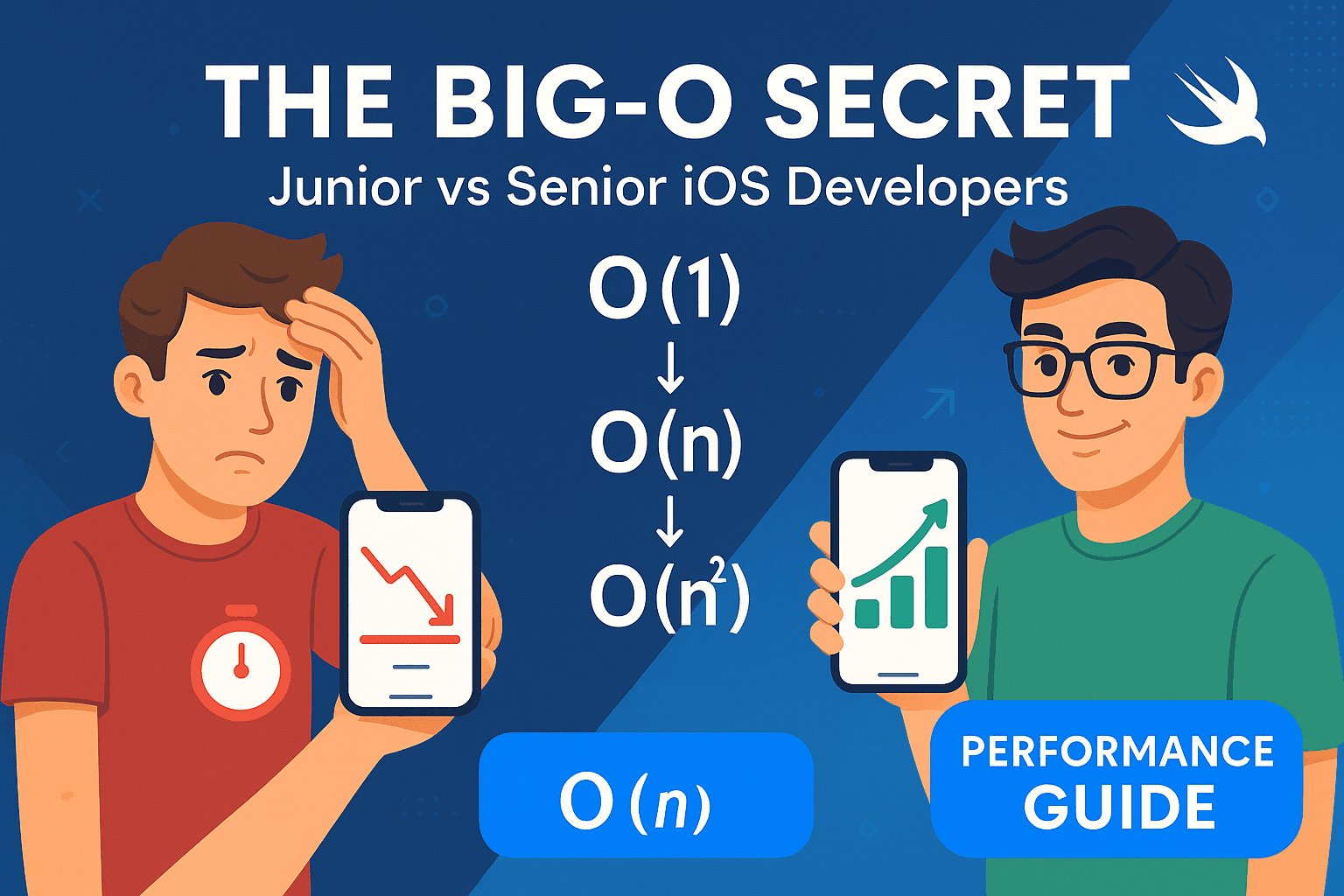
Data Structures & Algorithms in Swift

Sarah had been an iOS developer for three years. She could build beautiful UIs, integrate complex APIs, and even handle Core Data relationships like a pro. Her apps worked perfectly during development and testing.
Then came the disaster.
Her social media app launched to 50,000 users on day one. Within hours, the App Store reviews started flooding in: “App freezes constantly,” “Takes forever to load,” “Crashes every time I scroll.”
The problem? A single piece of code that worked fine with 100 test users but completely broke with real-world data. Sarah’s friend feed algorithm had O(n²) complexity, and she had no idea what that even meant.
Two weeks later, after emergency patches and a 2.1-star rating, Sarah’s manager called her into his office. “We need to talk about code performance and scalability. These are senior-level responsibilities.”
That’s when Sarah realized the truth: the difference between junior and senior iOS developers isn’t just about knowing more APIs or design patterns. It’s about understanding performance implications of the code you write.
And it all comes down to one concept that most iOS developers either ignore or completely misunderstand: Big-O notation.
📺 Coming soon to Swift Pal: A complete video series on performance optimization for iOS at _https://youtube.com/@swift-pal_
🤔 Why Most iOS Developers Get Big-O Wrong
Here’s the brutal truth: Big-O notation is taught completely wrong for iOS developers. Let me show you exactly why.
The Academic Trap
Most tutorials teach Big-O like this:
“Big-O describes the worst-case time complexity of an algorithm as the input size approaches infinity.”
Cool. Now tell me: when was the last time your iOS app had infinite input? Never? Exactly.
Then they show you examples like this:
// Academic example that makes no sense for iOS
function findElement(array, target):
    for i = 0 to array.length:
        if array[i] == target:
            return i
    return -1

// "This is O(n) complexity!"
But as an iOS developer, your brain immediately thinks: “When would I ever write this? I’d just use array.firstIndex(of: target) in Swift."
The problem: Academic examples don’t connect to real iOS development problems.
The Mobile Reality Gap
Academic Big-O assumes unlimited resources. But iOS development has real constraints:
- Memory limitations: Your app gets killed if it uses too much RAM
- Battery drain: Inefficient algorithms drain battery and get your app deleted
- User expectations: Users expect instant responses (< 100ms for UI interactions)
- App Store rejection: Apple rejects apps with performance issues
These constraints completely change how you think about algorithm complexity.
The Swift-Specific Confusion
Most Big-O examples are in Java or Python. But Swift has unique features that affect performance:
Value semantics change everything:
// This looks innocent but creates a copy every time
func processUserData(_ users: [User]) -> [User] {
    return users.map { user in
        var mutableUser = user  // Copy created here!
        mutableUser.process()
        return mutableUser
    }
}
Higher-order functions hide complexity:
// What's the complexity of this?
users
    .filter { $0.isActive }      // O(n)
    .sorted { $0.name < $1.name } // O(n log n)
    .map { $0.displayName }      // O(n)
// Total: O(n log n) - but most developers think it's O(n)
Optionals affect memory patterns:
// This creates different performance patterns than Java/Python
var cachedResults: [String: UIImage?] = [:]
The result? iOS developers write code without understanding its performance implications, then get surprised when apps don’t scale.
🎯 Big-O Basics: The iOS Developer’s Way
Forget the academic definitions. Here’s how to think about Big-O as an iOS developer:
Big-O answers one question: “How does my app’s performance change as my data grows?”
That’s it. Simple, practical, and directly relevant to your work.
O(1) — Constant Time: The Holy Grail
What it means: Performance doesn’t change no matter how much data you have.
iOS examples:
- Accessing an array element:
users[0] - Dictionary lookup:
userCache[userID] - Adding to the end of an array:
users.append(newUser)
// O(1) - Always takes the same time
func getUserFromCache(_ userID: String) -> User? {
    return userCache[userID]  // Dictionary lookup is O(1)
}

// Still O(1) even with 1 million users in the cache!
Why it matters in iOS: These operations feel instant to users, no matter how much data your app handles.
O(n) — Linear Time: Scales with Your Data
What it means: Double your data, double the time.
iOS examples:
- Searching through an array:
users.first { $0.name == "John" } - Counting items:
users.count - Most loops:
for user in users { ... }
// O(n) - Time increases with number of users
func findUserByEmail(_ email: String, in users: [User]) -> User? {
    return users.first { $0.email == email }
}

// 100 users: ~1ms
// 1,000 users: ~10ms
// 10,000 users: ~100ms (users start to notice lag)
Why it matters in iOS: This is usually acceptable for small to medium datasets, but becomes problematic with thousands of items.
O(log n) — Logarithmic Time: The Sweet Spot
What it means: Even with massive data growth, performance increases slowly.
iOS examples:
- Binary search in sorted arrays
- Searching in balanced trees
- Some Core Data optimized queries
// O(log n) - Incredibly efficient even with huge datasets
func binarySearch<T: Comparable>(_ array: [T], target: T) -> Int? {
    var left = 0
    var right = array.count - 1

    while left <= right {
        let mid = (left + right) / 2
        if array[mid] == target {
            return mid
        } else if array[mid] < target {
            left = mid + 1
        } else {
            right = mid - 1
        }
    }
    return nil
}

// 1,000 users: ~10 operations
// 1,000,000 users: ~20 operations (barely any difference!)
Why it matters in iOS: This is the performance sweet spot. Algorithms with O(log n) can handle massive datasets without breaking a sweat.
O(n²) — Quadratic Time: The Performance Killer
What it means: Double your data, quadruple the time. This is where apps die.
iOS examples:
- Nested loops over the same data
- Comparing every item with every other item
- Inefficient sorting algorithms
// O(n²) - The app killer
func findDuplicateUsers(_ users: [User]) -> [User] {
    var duplicates: [User] = []

    for i in 0..<users.count {
        for j in (i+1)..<users.count {
            if users[i].email == users[j].email {
                duplicates.append(users[i])
            }
        }
    }

    return duplicates
}

// 100 users: 10,000 operations
// 1,000 users: 1,000,000 operations (app becomes unusable)
// 10,000 users: 100,000,000 operations (app crashes)
Why it matters in iOS: This is where Sarah’s app broke. O(n²) algorithms kill app performance and user experience.
🔥 Real iOS Big-O Disasters (And How to Fix Them)
Let me show you the exact mistakes that separate junior from senior developers, using real iOS scenarios.
Disaster #1: The Table View Scroll of Death
The Junior Approach:
// This looks innocent but destroys performance
func tableView(_ tableView: UITableView, cellForRowAt indexPath: IndexPath) -> UITableViewCell {
    let cell = tableView.dequeueReusableCell(withIdentifier: "UserCell", for: indexPath) as! UserCell
    let user = users[indexPath.row]

    // O(n) operation called for every cell!
    let friendsCount = users.filter { isFriend(user, $0) }.count
    cell.configure(with: user, friendsCount: friendsCount)

    return cell
}

func isFriend(_ user1: User, _ user2: User) -> Bool {
    // Another O(n) operation inside the filter!
    return user1.friendIDs.contains(user2.id)
}

// Total complexity: O(n² × m) where m is cells on screen
// Result: Scrolling becomes impossibly slow with more data
Performance Reality:
- 100 users: Smooth scrolling
- 1,000 users: Noticeable lag
- 10,000 users: App becomes unusable
The Senior Solution:
// Pre-compute expensive operations - O(1) cell rendering
class UserListViewController: UIViewController {
    private var users: [User] = []
    private var friendsCounts: [String: Int] = [:]  // Pre-computed cache

    override func viewDidLoad() {
        super.viewDidLoad()
        precomputeFriendsCounts()  // O(n) once, not O(n²) repeatedly
    }

    private func precomputeFriendsCounts() {
        let friendsSet = Set(currentUser.friendIDs)  // O(n) to create, O(1) lookups

        for user in users {
            let commonFriends = user.friendIDs.filter { friendsSet.contains($0) }
            friendsCounts[user.id] = commonFriends.count
        }
    }

    func tableView(_ tableView: UITableView, cellForRowAt indexPath: IndexPath) -> UITableViewCell {
        let cell = tableView.dequeueReusableCell(withIdentifier: "UserCell", for: indexPath) as! UserCell
        let user = users[indexPath.row]

        // O(1) lookup - instant performance!
        let friendsCount = friendsCounts[user.id] ?? 0
        cell.configure(with: user, friendsCount: friendsCount)

        return cell
    }
}
Performance Transformation:
- Any number of users: Smooth scrolling
- Memory usage: Slightly higher, but negligible
- User experience: Perfect
Disaster #2: The Core Data Query Catastrophe
The Junior Approach:
// Fetching related data in a loop - O(n) database queries!
func loadUserPosts() {
    let users = fetchAllUsers()  // O(1) database query

    for user in users {
        // O(1) per user, but called n times = O(n) total queries
        user.posts = fetchPosts(for: user.id)
    }

    // Total: n+1 database queries (classic N+1 problem)
    // Result: App freezes during data loading
}
The Senior Solution:
// Single optimized query - O(1) database operation
func loadUserPosts() {
    // Fetch everything in one optimized query with relationships
    let request: NSFetchRequest<User> = User.fetchRequest()
    request.relationshipKeyPathsForPrefetching = ["posts"]  // Eager loading

    let users = try! context.fetch(request)  // Single O(1) query

    // All posts are now available without additional queries
    // Result: Instant data loading
}
Disaster #3: The Search Function Slowdown
The Junior Approach:
// Linear search through all data - O(n) per search
func searchUsers(_ query: String) -> [User] {
    return users.filter { user in
        user.name.localizedCaseInsensitiveContains(query) ||
        user.email.localizedCaseInsensitiveContains(query) ||
        user.username.localizedCaseInsensitiveContains(query)
    }
}

// With 10,000 users: Every keystroke takes 100ms+
// User experience: Laggy, frustrating search
The Senior Solution:
// Pre-built search index - O(1) lookups after O(n) setup
class UserSearchEngine {
    private var searchIndex: [String: Set<User.ID>] = [:]

    func buildSearchIndex() {
        for user in users {
            let searchTerms = [
                user.name.lowercased(),
                user.email.lowercased(),
                user.username.lowercased()
            ]

            for term in searchTerms {
                // Build index for each word and partial matches
                for i in 1...term.count {
                    let prefix = String(term.prefix(i))
                    searchIndex[prefix, default: []].insert(user.id)
                }
            }
        }
    }

    func searchUsers(_ query: String) -> [User] {
        let lowercaseQuery = query.lowercased()
        guard let userIDs = searchIndex[lowercaseQuery] else { return [] }

        // O(1) lookup + O(k) where k is result count (much smaller than n)
        return users.filter { userIDs.contains($0.id) }
    }
}

// Result: Instant search responses even with massive datasets
🧠 How to Analyze Swift Code Like a Senior Developer
Here’s the systematic approach senior iOS developers use to analyze code performance:
Step 1: Identify the Loops
Single loops = O(n):
// O(n) - linear time
for user in users {
    print(user.name)
}

// Also O(n) - hidden loop in higher-order function
users.map { $0.displayName }
Nested loops = Multiply the complexities:
// O(n²) - quadratic time
for user in users {
    for friend in user.friends {
        // Do something
    }
}

// Also O(n²) - nested higher-order functions
users.flatMap { user in
    user.friends.map { friend in
        // Process user-friend pair
    }
}
Step 2: Check Collection Operations
Know your Swift collections performance:
// Array operations
let users = [User]()
users.append(newUser)        // O(1) amortized
users.insert(newUser, at: 0) // O(n) - shifts all elements!
users[index]                 // O(1)
users.contains(user)         // O(n) - linear search

// Set operations
let userSet = Set<User>()
userSet.insert(newUser)      // O(1) average
userSet.contains(user)       // O(1) average - much faster!

// Dictionary operations
let userDict = [String: User]()
userDict[userID] = user      // O(1) average
userDict[userID]             // O(1) average
Step 3: Analyze Higher-Order Functions
Map, filter, reduce are not free:
// Each operation is O(n), so total is O(3n) = O(n)
let result = users
    .filter { $0.isActive }     // O(n)
    .map { $0.displayName }     // O(n)
    .reduce("", +)              // O(n)

// But this creates intermediate arrays - memory cost!
// Better approach for performance:
let result = users.reduce("") { result, user in
    if user.isActive {
        return result + user.displayName
    }
    return result
}
Step 4: Watch for Hidden Complexity
Beware of operations that look simple but aren’t:
// This looks like O(1) but is actually O(n)!
if user.friendIDs.contains(friendID) {  // Array.contains is O(n)
    // Handle friend
}

// Better: Use Set for O(1) lookups
let friendIDsSet = Set(user.friendIDs)  // Convert once
if friendIDsSet.contains(friendID) {    // Now O(1)
    // Handle friend
}
🧠 Space Complexity: The iOS Memory Game
While time complexity affects user experience, space complexity affects whether your app gets killed by the system.
Understanding iOS Memory Constraints
The Reality:
- iOS apps get ~200–500MB RAM on most devices
- Memory warnings start around 80% usage
- Exceed limits = instant app termination
Space complexity matters more on mobile than desktop.
O(1) Space: Memory Efficient
// O(1) space - uses same memory regardless of input size
func findMaxUser(_ users: [User]) -> User? {
    var maxUser: User?
    var maxScore = 0

    for user in users {
        if user.score > maxScore {
            maxScore = user.score
            maxUser = user
        }
    }

    return maxUser  // Only stores one user + one number
}
O(n) Space: Proportional Memory Usage
// O(n) space - memory grows with input size
func sortedUsers(_ users: [User]) -> [User] {
    return users.sorted { $0.name < $1.name }  // Creates copy of entire array
}
The iOS Space/Time Tradeoff
Example: User Search Optimization
Option 1: O(1) space, O(n) time
// Search through array each time - slow but memory efficient
func findUser(by email: String) -> User? {
    return users.first { $0.email == email }  // O(n) time, O(1) space
}
Option 2: O(n) space, O(1) time
// Pre-built lookup table - fast but uses more memory
private var usersByEmail: [String: User] = [:]

func buildLookupTable() {
    usersByEmail = Dictionary(uniqueKeysWithValues: users.map { ($0.email, $0) })
    // O(n) space for the dictionary
}

func findUser(by email: String) -> User? {
    return usersByEmail[email]  // O(1) time, already using O(n) space
}
Which to choose?
- Small datasets (< 1000 items): Use O(1) space
- Large datasets with frequent lookups: Use O(n) space
- Memory-critical apps: Always prefer O(1) space
⚡ Big-O Optimization Strategies for iOS
Here are the proven techniques senior iOS developers use to optimize algorithm performance:
Strategy 1: Choose the Right Data Structure
Problem: Frequent lookups in large collections
// Don't do this - O(n) lookup time
let users = [User]()
let user = users.first { $0.id == targetID }  // Slow!

// Do this instead - O(1) lookup time
let usersById = [String: User]()
let user = usersById[targetID]  // Fast!
Problem: Need both order and fast lookups
// Hybrid approach - best of both worlds
class UserManager {
    private var users: [User] = []              // Maintains order
    private var usersById: [String: User] = [:] // Fast lookups

    func addUser(_ user: User) {
        users.append(user)
        usersById[user.id] = user
    }

    func getUser(by id: String) -> User? {
        return usersById[id]  // O(1)
    }

    func getAllUsers() -> [User] {
        return users  // O(1)
    }
}
Strategy 2: Lazy Loading and Caching
Problem: Loading all data upfront
// Don't load everything at once
class PhotoManager {
    private var photos: [Photo] = []
    private var photoCache: [String: UIImage] = [:]

    // Load images only when needed
    func loadImage(for photo: Photo, completion: @escaping (UIImage?) -> Void) {
        // Check cache first - O(1)
        if let cachedImage = photoCache[photo.id] {
            completion(cachedImage)
            return
        }

        // Load asynchronously to avoid blocking UI
        DispatchQueue.global().async {
            let image = self.downloadImage(from: photo.url)
            self.photoCache[photo.id] = image

            DispatchQueue.main.async {
                completion(image)
            }
        }
    }
}
Strategy 3: Batch Operations
Problem: Multiple individual operations
// Don't do this - multiple O(log n) operations
func updateMultipleUsers(_ updates: [UserUpdate]) {
    for update in updates {
        coreDataContext.performAndWait {
            let user = fetchUser(by: update.userID)  // Individual Core Data fetch
            user?.update(with: update)
        }
    }
    // Result: n database operations
}

// Do this instead - single batch operation
func updateMultipleUsers(_ updates: [UserUpdate]) {
    coreDataContext.performAndWait {
        // Single fetch for all users
        let userIDs = updates.map { $0.userID }
        let users = fetchUsers(with: userIDs)  // One optimized query
        let userDict = Dictionary(uniqueKeysWithValues: users.map { ($0.id, $0) })

        // Apply all updates in memory
        for update in updates {
            userDict[update.userID]?.update(with: update)
        }
        // Result: 1 database operation + O(n) memory operations
    }
}
Strategy 4: Algorithm Selection Based on Data Size
Smart algorithm switching:
class SmartSorter {
    static func sortUsers(_ users: [User]) -> [User] {
        // Choose algorithm based on data size
        if users.count < 50 {
            // For small arrays, simple sorts are faster due to low overhead
            return users.sorted { $0.name < $1.name }  // O(n log n) with low constant
        } else {
            // For larger arrays, use more sophisticated algorithms
            return mergeSort(users) { $0.name < $1.name }  // O(n log n) optimized
        }
    }
}
✅ The Senior iOS Developer’s Big-O Checklist
Use this checklist to analyze any iOS code like a senior developer:
🔍 Code Review Questions
1\. Loop Analysis
- \[ \] How many nested loops do I have?
- \[ \] What’s the maximum depth of nesting?
- \[ \] Are there hidden loops in higher-order functions?
2\. Collection Operations
- \[ \] Am I using the right collection type (Array vs Set vs Dictionary)?
- \[ \] Are my lookups O(1) or O(n)?
- \[ \] Am I creating unnecessary copies of large collections?
3\. Algorithm Choice
- \[ \] Is there a more efficient algorithm for this problem?
- \[ \] Am I trading appropriate amounts of memory for speed?
- \[ \] Does this algorithm scale with my expected data size?
4\. iOS-Specific Concerns
- \[ \] Will this work smoothly on the main thread?
- \[ \] How much memory will this use with maximum expected data?
- \[ \] Does this maintain 60fps scrolling performance?
🚨 Red Flags to Watch For
Immediate Performance Killers:
- \[ \] Nested loops over the same or related datasets
- \[ \] Database queries inside loops
- \[ \] Array operations inside frequently called functions
- \[ \] String operations in tight loops
- \[ \] Synchronous network calls blocking UI
Memory Warning Signs:
- \[ \] Creating large temporary arrays
- \[ \] Holding references to UI elements in data structures
- \[ \] Not releasing resources after heavy operations
- \[ \] Caching without eviction policies
The difference between junior and senior iOS developers isn’t about knowing more Swift syntax or design patterns. It’s about understanding the performance implications of every line of code you write.
Senior developers instinctively ask: “How will this perform with 1,000 users? 10,000? 100,000?”
They choose algorithms based on expected data size, optimize for mobile constraints, and always consider the user experience impact of their technical decisions.
Most importantly, they prevent performance disasters instead of fixing them after users complain.
Start applying Big-O analysis to your iOS code today. Your future self (and your users) will thank you when your apps scale beautifully instead of breaking under real-world load.
📺 Want to see these optimization techniques in action with live Swift coding? Check out the complete performance series on Swift Pal: _https://youtube.com/@swift-pal_
🎉 Enjoyed this article? Your support means the world to me!
💬 Drop a comment below! I love hearing about your experiences and answering questions
🎬 Subscribe on Youtube and become early subscribers of my channel: https://www.youtube.com/@swift-pal
💼 Let’s connect on LinkedIn for more professional insights: https://www.linkedin.com/in/karan-pal
Happy coding! 🚀
New articles, straight to your inbox.
No spam, no filler — just new writing on iOS, the web, and AI when it ships. Unsubscribe anytime.
Keep reading
Your CPU Has More Cores Than Your Job Can Use
Some work splits cleanly across hundreds of cores. Other work is a chain of steps where every new step has to wait for the last one to finish.
ReadYour Password Isn’t as Random as You Think
Crack-time calculators measure the size of a theoretical password space—not how people actually choose passwords or how attackers search them.
Read