Swift Codable, Decodable & Encodable in 2025: Everything You Need to Know
From JSON nightmares to seamless data parsing — everything you need to know
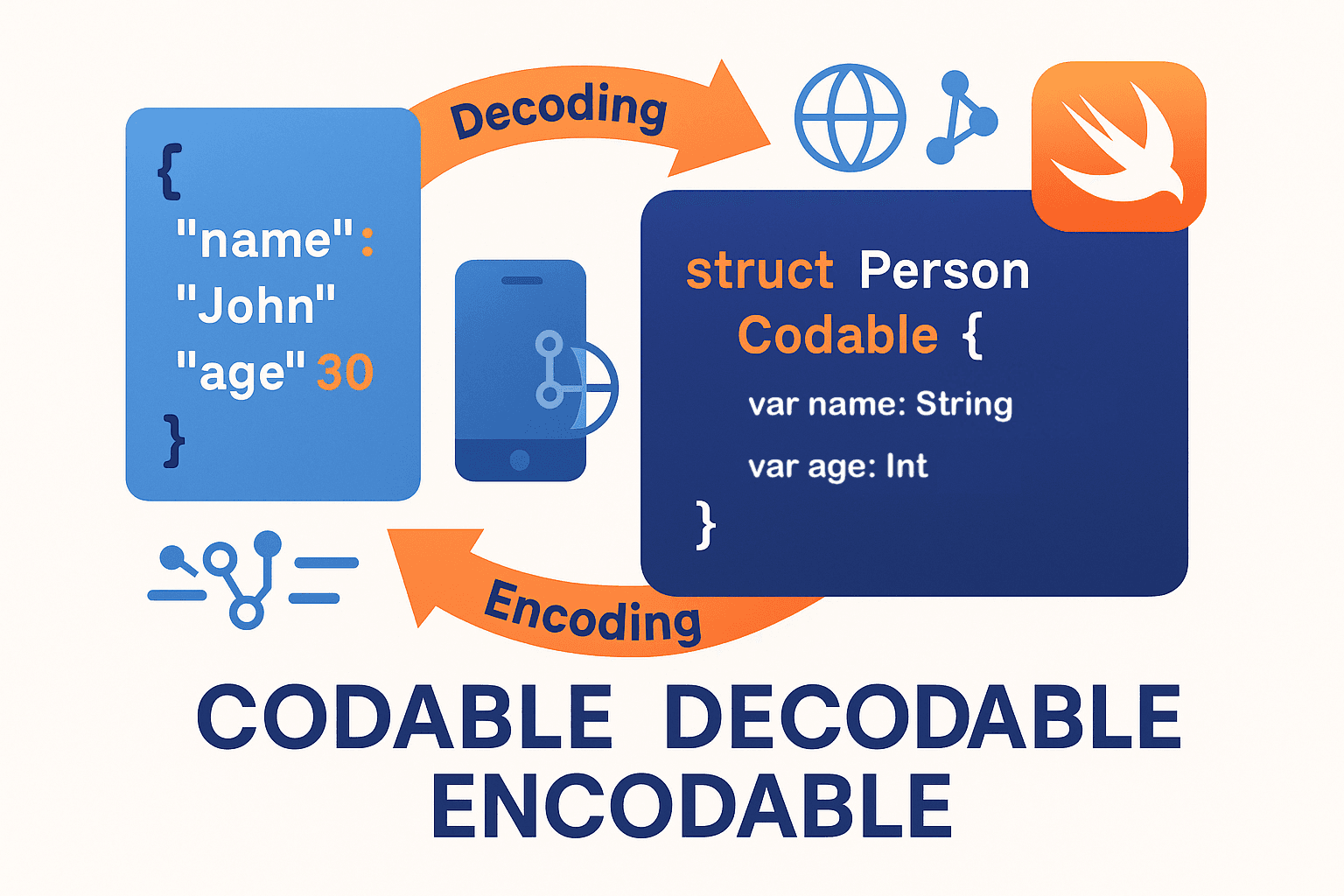

So… JSON parsing. Yeah, I know.
Look, if you’ve been writing iOS apps for a while, you’ve definitely been there. You’re sitting at your desk, probably with your third cup of coffee, staring at some API response that looks like it was designed by someone who actively hates developers. Remember the old days with NSJSONSerialization? Casting everything to [String: Any], checking if keys exist, force-unwrapping like your life depends on it...
Actually, let me rephrase that. Those weren’t “the old days” — some of us are still dealing with legacy codebases that work that way. shudders
Then Swift 4 happened. Codable showed up and suddenly… well, things got better. Not perfect (nothing ever is), but way better.
Thing is, most tutorials treat Codable like it’s some magic wand you wave at JSON. “Just add Codable to your struct and boom — done!” Yeah, right. Try that with a real API that returns snake\_case keys, inconsistent data types, and optional fields that sometimes aren’t there. Good luck with that.
We’re gonna fix this. I’ll show you how Codable actually works, what to do when it doesn’t, and all those edge cases that make you want to throw your laptop out the window.
📺 BTW — I’m putting together a video series covering all this stuff. Keep an eye on Swift Pal: _https://youtube.com/@swift-pal_ for the complete walkthrough with live coding.
What you’ll learn (the real version)
Forget the marketing speak. Here’s what you’ll actually be able to do:
- Parse JSON without wanting to quit programming
- Handle APIs designed by… creative… backend teams
- Debug parsing failures instead of just printing “something broke”
- Build data layers that don’t explode when APIs change (spoiler: they always change)
Let’s start with the basics everyone screws up.
🧠 Chapter 1: The Trinity (it’s not just “Codable”)
Okay, here’s the first thing that trips people up. Ready?
Codable isn’t actually a protocol. It’s a typealias.
typealias Codable = Decodable & EncodableI know, right? Your whole world just shifted a little bit.
So when you write struct User: Codable, you're really saying struct User: Decodable & Encodable. Which means your struct can both read data from JSON AND write itself back to JSON.
But here’s the thing — you might not need both. Sometimes you just want to read API responses (Decodable). Sometimes you just want to send data to your server (Encodable).
// Just reading news articles? Decodable is enough
struct Article: Decodable {
    let title: String
    let body: String
}

// Just logging events? Encodable works
struct AnalyticsEvent: Encodable {
    let action: String
    let timestamp: Date
}

// Need both? That's when you use Codable
struct User: Codable {
    let id: Int
    var name: String
}
Now, when you slap Codable on a struct, Swift generates a bunch of code for you. It's pretty smart about it too - looks at your properties, figures out their types, creates the parsing logic.
But (there’s always a but)… this only works when your JSON keys match your Swift property names exactly. And let’s be honest, when was the last time you worked with an API that clean?
🔧 Chapter 2: Basic Implementation (The “Easy” Stuff)
Alright, let’s start with something that actually works. Here’s your basic Codable struct — the kind you see in every tutorial:
struct User: Codable {
    let id: Int
    let name: String
    let email: String
}
And here’s how you’d use it:
let jsonString = """
{
    "id": 42,
    "name": "Sarah Chen",
    "email": "sarah@example.com"
}
"""

let data = jsonString.data(using: .utf8)!
let user = try JSONDecoder().decode(User.self, from: data)
print(user.name) // "Sarah Chen"
Pretty clean, right? Swift looks at your struct, sees three properties, and automatically generates code to pull those values from the JSON.
But wait… what if some fields are optional? Because, you know, real APIs love to randomly omit fields.
struct User: Codable {
    let id: Int
    let name: String
    let email: String?        // This might not always be there
    let profileImage: String? // Neither might this
}
This works too. If email or profileImage are missing from the JSON, they'll just be nil. Swift's smart enough to handle that.
Now let’s talk arrays, because APIs love sending you lists of things:
struct UsersResponse: Codable {
    let users: [User]
    let totalCount: Int
}

// JSON would look like:
let jsonString = """
{
    "users": [
        {"id": 1, "name": "Alice", "email": "alice@test.com"},
        {"id": 2, "name": "Bob", "email": null}
    ],
    "totalCount": 2
}
"""
See how Bob’s email is null? That's fine - it'll decode as nil in our optional String? property.
The mistakes everyone makes
Okay, confession time. I’ve made all of these mistakes. Probably more than once.
Mistake #1: Force unwrapping the JSON data
// DON'T do this
let data = jsonString.data(using: .utf8)! // This can crash!

// DO this instead
guard let data = jsonString.data(using: .utf8) else {
    print("Invalid JSON string")
    return
}
Mistake #2: Not handling decoding errors
// DON'T do this
let user = try! JSONDecoder().decode(User.self, from: data) // Crash city

// DO this instead
do {
    let user = try JSONDecoder().decode(User.self, from: data)
    // Use user here
} catch {
    print("Decoding failed: \(error)")
    // Handle the error gracefully
}
Mistake #3: Assuming all properties are required
This one’s subtle. Just because a property isn’t optional in your struct doesn’t mean it’ll always be in the JSON. APIs change. Servers have bugs. Fields get renamed.
If you’re not sure whether a field will always be there, make it optional. Your future self will thank you when the API inevitably changes and your app doesn’t crash.
Quick arrays and collections example
Real quick — let’s say you’re dealing with a social media API that returns posts:
struct Post: Codable {
    let id: String
    let content: String
    let likes: Int
    let comments: [Comment]?  // Might be empty or missing
}

struct Comment: Codable {
    let id: String
    let text: String
    let author: String
}

struct FeedResponse: Codable {
    let posts: [Post]
    let hasMore: Bool
}
This handles nested objects (comments inside posts), optional arrays, and the typical pagination structure most APIs use.
But here’s where things start getting interesting. What happens when your API uses snake_case but your Swift code uses camelCase? Or when the JSON key is completely different from what you want to call your property?
That’s where Chapter 3 comes in…
🗝️ Chapter 3: Custom Keys & Property Mapping (Because APIs Hate Us)
Okay, so here’s where the rubber meets the road. You’ve got your nice clean Swift struct with camelCase properties, and then you hit an API that looks like this:
// What you want in Swift
struct User: Codable {
    let userId: Int
    let firstName: String
    let lastName: String
    let isActive: Bool
}

// What the API actually sends you
"""
{
    "user_id": 123,
    "first_name": "John",
    "last_name": "Doe",
    "is_active": true
}
"""
See the problem? userId vs user_id. Swift naming conventions vs whatever the backend team decided was a good idea that day.
This is where CodingKeys saves your sanity:
struct User: Codable {
    let userId: Int
    let firstName: String
    let lastName: String
    let isActive: Bool

    enum CodingKeys: String, CodingKey {
        case userId = "user_id"
        case firstName = "first_name"
        case lastName = "last_name"
        case isActive = "is_active"
    }
}
Now Swift knows how to map between your clean property names and the API’s… creative… naming choices.
But wait, it gets worse. Sometimes APIs are really inconsistent:
struct Product: Codable {
    let id: String
    let name: String
    let price: Double
    let inStock: Bool
    let category: String

    enum CodingKeys: String, CodingKey {
        case id = "productId"        // Sometimes it's productId
        case name = "product_name"   // Sometimes snake_case
        case price = "Price"         // Sometimes capitalized
        case inStock = "in-stock"    // Sometimes kebab-case (yes, really)
        case category               // Sometimes it actually matches!
    }
}
I wish I was making this up, but I’ve literally worked with APIs this inconsistent. The CodingKeys enum is your friend here.
The automatic snake\_case conversion trick
Actually, here’s something cool I discovered recently. If your API is consistently using snake_case, you don't need to map every single property:
let decoder = JSONDecoder()
decoder.keyDecodingStrategy = .convertFromSnakeCase

// Now this just works automatically:
struct User: Codable {
    let userId: Int        // Maps to "user_id"
    let firstName: String  // Maps to "first_name"
    let isActive: Bool     // Maps to "is_active"
}
No CodingKeys needed! Swift handles the conversion for you. This works for encoding too:
let encoder = JSONEncoder()
encoder.keyEncodingStrategy = .convertToSnakeCase

let user = User(userId: 123, firstName: "Jane", isActive: true)
let data = try encoder.encode(user)
// Results in: {"user_id": 123, "first_name": "Jane", "is_active": true}
Real-world API chaos
Let me show you something I actually had to deal with recently. This e-commerce API that returned product data:
// The JSON response (I'm not kidding):
"""
{
    "id": "prod_123",
    "display_name": "Cool Widget",
    "price_info": {
        "amount": 29.99,
        "currency": "USD"
    },
    "availability": {
        "in_stock": true,
        "quantity": 50
    },
    "meta": {
        "created_at": "2024-01-15",
        "updated_at": "2024-01-20"
    }
}
"""
And here’s how I handled it:
struct Product: Decodable {
    let id: String
    let name: String
    let price: Double
    let currency: String
    let inStock: Bool
    let quantity: Int
    let createdAt: String
    let updatedAt: String

    enum CodingKeys: String, CodingKey {
        case id
        case name = "display_name"
        case priceInfo = "price_info"
        case availability
        case meta
    }

    enum PriceKeys: String, CodingKey {
        case amount, currency
    }

    enum AvailabilityKeys: String, CodingKey {
        case inStock = "in_stock"
        case quantity
    }

    enum MetaKeys: String, CodingKey {
        case createdAt = "created_at"
        case updatedAt = "updated_at"
    }

    init(from decoder: Decoder) throws {
        let container = try decoder.container(keyedBy: CodingKeys.self)

        id = try container.decode(String.self, forKey: .id)
        name = try container.decode(String.self, forKey: .name)

        let priceContainer = try container.nestedContainer(keyedBy: PriceKeys.self, forKey: .priceInfo)
        price = try priceContainer.decode(Double.self, forKey: .amount)
        currency = try priceContainer.decode(String.self, forKey: .currency)

        let availabilityContainer = try container.nestedContainer(keyedBy: AvailabilityKeys.self, forKey: .availability)
        inStock = try availabilityContainer.decode(Bool.self, forKey: .inStock)
        quantity = try availabilityContainer.decode(Int.self, forKey: .quantity)

        let metaContainer = try container.nestedContainer(keyedBy: MetaKeys.self, forKey: .meta)
        createdAt = try metaContainer.decode(String.self, forKey: .createdAt)
        updatedAt = try metaContainer.decode(String.self, forKey: .updatedAt)
    }
}
Yeah, it’s a lot of code. But now I have a clean, flat struct that’s easy to work with in my app, even though the API response is nested three levels deep.
This is getting pretty advanced though. Most of the time, simple CodingKeys will handle what you need. But when you run into really complex nested structures...
The current example shows you decoding by only conforming to Decodable protocol, but If you had to make it Codable, you need to conform to Encodable as well. Below is the encode(to:) implementation for this use case.
func encode(to encoder: Encoder) throws {
    var container = encoder.container(keyedBy: CodingKeys.self)

    try container.encode(id, forKey: .id)
    try container.encode(name, forKey: .name)

    var priceContainer = container.nestedContainer(keyedBy: PriceKeys.self, forKey: .priceInfo)
    try priceContainer.encode(price, forKey: .amount)
    try priceContainer.encode(currency, forKey: .currency)

    var availabilityContainer = container.nestedContainer(keyedBy: AvailabilityKeys.self, forKey: .availability)
    try availabilityContainer.encode(inStock, forKey: .inStock)
    try availabilityContainer.encode(quantity, forKey: .quantity)

    var metaContainer = container.nestedContainer(keyedBy: MetaKeys.self, forKey: .meta)
    try metaContainer.encode(createdAt, forKey: .createdAt)
    try metaContainer.encode(updatedAt, forKey: .updatedAt)
}
🏗️ Chapter 4: Complex Data Structures (Where Things Get Messy)
Alright, let’s talk about the two things that’ll make you question why you became a developer in the first place: arrays with mixed item types and APIs that can’t make up their mind about data structures.
Arrays with different item types
So you’re working with an API, everything’s going great, and then you hit this:
// The API sends you a "feed" with different types of content:
"""
{
    "items": [
        {
            "type": "product",
            "id": "PROD-123",
            "name": "Coffee Mug",
            "price": 15.99
        },
        {
            "type": "banner",
            "id": "BANNER-456",
            "title": "Summer Sale!",
            "image_url": "https://example.com/banner.jpg"
        },
        {
            "type": "product",
            "id": "PROD-789",
            "name": "Laptop Sticker",
            "price": 3.50
        }
    ]
}
"""
Your first instinct might be to create some generic struct with a bunch of optional properties. Don’t. That way lies madness and bugs.
Instead, use an enum with associated values:
struct FeedResponse: Decodable {
    let items: [FeedItem]
}

enum FeedItem: Decodable {
    case product(Product)
    case banner(Banner)

    enum CodingKeys: String, CodingKey {
        case type
    }

    init(from decoder: Decoder) throws {
        let container = try decoder.container(keyedBy: CodingKeys.self)
        let type = try container.decode(String.self, forKey: .type)

        switch type {
        case "product":
            let product = try Product(from: decoder)
            self = .product(product)
        case "banner":
            let banner = try Banner(from: decoder)
            self = .banner(banner)
        default:
            throw DecodingError.dataCorrupted(
                DecodingError.Context(
                    codingPath: decoder.codingPath,
                    debugDescription: "Unknown item type: \(type)"
                )
            )
        }
    }
}

struct Product: Decodable {
    let id: String
    let name: String
    let price: Double
}

struct Banner: Decodable {
    let id: String
    let title: String
    let imageUrl: String

    enum CodingKeys: String, CodingKey {
        case id, title
        case imageUrl = "image_url"
    }
}
Now when you’re using this in your app, you can handle each type appropriately:
for item in feedResponse.items {
    switch item {
    case .product(let product):
        // Show product cell
        print("Product: \(product.name) - $\(product.price)")
    case .banner(let banner):
        // Show banner cell
        print("Banner: \(banner.title)")
    }
}
Clean, type-safe, and when the API inevitably adds a new item type, you just add another case to the enum.
Inconsistent API responses
Now for the really fun stuff. APIs that return different structures for the same endpoint. I don’t know why this happens — maybe the backend team had a bad day, maybe they’re A/B testing response formats, maybe they just hate us. Who knows?
Here’s a real example I dealt with. A user profile API that sometimes returns detailed info and sometimes just basic info:
// Sometimes you get the full profile:
"""
{
    "user": {
        "id": 123,
        "name": "John Doe",
        "email": "john@example.com",
        "preferences": {
            "notifications": true,
            "theme": "dark"
        }
    }
}
"""

// Other times you get just the basics:
"""
{
    "user": {
        "id": 123,
        "name": "John Doe"
    }
}
"""
You could create two different structs, but then you’d need two different response types, and your code gets messy. Better approach? Handle both in one struct:
struct UserResponse: Decodable {
    let user: User
}

struct User: Decodable {
    let id: Int
    let name: String
    let email: String?
    let preferences: UserPreferences?
}

struct UserPreferences: Decodable {
    let notifications: Bool
    let theme: String
}
The key thing with inconsistent APIs is to always have a fallback strategy. Don’t just hope the API will be consistent — it won’t be. Plan for the chaos.
⚙️ Chapter 5: Custom Encoding/Decoding Logic (When Basic Codable Isn’t Enough)
Alright, so you’ve mastered the basics and can handle most JSON structures. But then you hit those special cases that make you think “there’s gotta be a better way to handle this.” Well, there is.
When basic Codable falls short
Here’s the thing — Swift’s automatic Codable generation is great for straightforward cases, but real-world APIs love to throw curveballs. Dates in weird formats, URLs that might be strings or null, numbers that sometimes come as strings… you know, the usual.
Let me show you a real API response I had to deal with:
// What the API sends:
"""
{
    "id": "123",
    "title": "Great Product",
    "created_at": "2024-01-15T14:30:00Z",
    "updated_at": "1705328400",  // Unix timestamp, because consistency is overrated
    "price": "25.99",            // Number as string, naturally
    "website": null,             // Sometimes null, sometimes a URL
    "tags": "electronics,gadgets,cool"  // Comma-separated string instead of array
}
"""
See the problems? Mixed date formats, price as string, null URLs, and tags as a comma-separated string. Basic Codable would choke on this.
Here’s how I handled it with custom decoding:
struct Product: Decodable {
    let id: String
    let title: String
    let createdAt: Date
    let updatedAt: Date
    let price: Double
    let website: URL?
    let tags: [String]

    enum CodingKeys: String, CodingKey {
        case id, title, price, website, tags
        case createdAt = "created_at"
        case updatedAt = "updated_at"
    }

    init(from decoder: Decoder) throws {
        let container = try decoder.container(keyedBy: CodingKeys.self)

        // Basic properties
        id = try container.decode(String.self, forKey: .id)
        title = try container.decode(String.self, forKey: .title)

        // Handle different date formats
        let createdAtString = try container.decode(String.self, forKey: .createdAt)
        let updatedAtString = try container.decode(String.self, forKey: .updatedAt)

        let isoFormatter = ISO8601DateFormatter()
        guard let createdDate = isoFormatter.date(from: createdAtString) else {
            throw DecodingError.dataCorrupted(
                DecodingError.Context(codingPath: [CodingKeys.createdAt],
                                    debugDescription: "Invalid date format")
            )
        }
        createdAt = createdDate

        // Unix timestamp for updated_at
        guard let timestamp = Double(updatedAtString) else {
            throw DecodingError.dataCorrupted(
                DecodingError.Context(codingPath: [CodingKeys.updatedAt],
                                    debugDescription: "Invalid timestamp")
            )
        }
        updatedAt = Date(timeIntervalSince1970: timestamp)

        // Price as string -> Double
        let priceString = try container.decode(String.self, forKey: .price)
        guard let priceValue = Double(priceString) else {
            throw DecodingError.dataCorrupted(
                DecodingError.Context(codingPath: [CodingKeys.price],
                                    debugDescription: "Invalid price format")
            )
        }
        price = priceValue

        // Handle optional URL
        if let websiteString = try container.decodeIfPresent(String.self, forKey: .website),
           !websiteString.isEmpty {
            website = URL(string: websiteString)
        } else {
            website = nil
        }

        // Parse comma-separated tags
        let tagsString = try container.decode(String.self, forKey: .tags)
        tags = tagsString.split(separator: ",").map { $0.trimmingCharacters(in: .whitespaces) }
    }
}
Yeah, it’s a lot of code. But now your struct can handle all the API’s quirks without breaking. Check the output.
Product(id: "123", title: "Great Product", createdAt: 2024-01-15 14:30:00 +0000, updatedAt: 2024-01-15 14:20:00 +0000, price: 25.99, website: nil, tags: ["electronics", "gadgets", "cool"])Date formatting strategies (the easy way)
Actually, before we go too deep into custom decoding, let me show you something that’ll save you a lot of time. For most date formatting issues, you can use JSONDecoder's built-in strategies:
let decoder = JSONDecoder()

// For ISO 8601 dates (most common)
decoder.dateDecodingStrategy = .iso8601

// For Unix timestamps
decoder.dateDecodingStrategy = .secondsSince1970

// For custom formats
let formatter = DateFormatter()
formatter.dateFormat = "yyyy-MM-dd HH:mm:ss"
decoder.dateDecodingStrategy = .formatted(formatter)

// For multiple possible formats
decoder.dateDecodingStrategy = .custom { decoder in
    let container = try decoder.singleValueContainer()
    let dateString = try container.decode(String.self)

    // Try ISO format first
    let isoFormatter = ISO8601DateFormatter()
    if let date = isoFormatter.date(from: dateString) {
        return date
    }

    // Try custom format
    let customFormatter = DateFormatter()
    customFormatter.dateFormat = "MM/dd/yyyy"
    if let date = customFormatter.date(from: dateString) {
        return date
    }

    throw DecodingError.dataCorrupted(
        DecodingError.Context(codingPath: decoder.codingPath,
                            debugDescription: "Cannot decode date")
    )
}
This approach is way cleaner when you have consistent date formatting across your API.
Custom encoding (for when you need to send data back)
Now let’s talk about the flip side — encoding your Swift objects back to JSON. Most of the time, the automatic encoding works fine, but sometimes you need to transform your data:
struct UserProfile: Codable {
    let id: String
    let name: String
    let birthDate: Date
    let tags: [String]
    let isActive: Bool

    enum CodingKeys: String, CodingKey {
        case id, name, tags
        case birthDate = "birth_date"
        case isActive = "is_active"
    }

    func encode(to encoder: Encoder) throws {
        var container = encoder.container(keyedBy: CodingKeys.self)

        try container.encode(id, forKey: .id)
        try container.encode(name, forKey: .name)
        try container.encode(isActive, forKey: .isActive)

        // Encode date as Unix timestamp
        let timestamp = birthDate.timeIntervalSince1970
        try container.encode(timestamp, forKey: .birthDate)

        // Encode tags as comma-separated string
        let tagsString = tags.joined(separator: ",")
        try container.encode(tagsString, forKey: .tags)
    }

    init(from decoder: Decoder) throws {
        let container = try decoder.container(keyedBy: CodingKeys.self)

        id = try container.decode(String.self, forKey: .id)
        name = try container.decode(String.self, forKey: .name)
        isActive = try container.decode(Bool.self, forKey: .isActive)

        // Decode Unix timestamp to Date
        let timestamp = try container.decode(Double.self, forKey: .birthDate)
        birthDate = Date(timeIntervalSince1970: timestamp)

        // Parse comma-separated tags
        let tagsString = try container.decode(String.self, forKey: .tags)
        tags = tagsString.split(separator: ",").map(String.init)
    }
}
URL handling (because URLs are special)
URLs are tricky because they can be null, empty strings, or malformed. Here’s a pattern you can use:
struct ImageData: Decodable {
    let id: String
    let thumbnailUrl: URL?
    let fullSizeUrl: URL?

    enum CodingKeys: String, CodingKey {
        case id
        case thumbnailUrl = "thumbnail_url"
        case fullSizeUrl = "full_size_url"
    }

    init(from decoder: Decoder) throws {
        let container = try decoder.container(keyedBy: CodingKeys.self)

        id = try container.decode(String.self, forKey: .id)

        // Safe URL decoding
        thumbnailUrl = try container.decodeURLIfPresent(forKey: .thumbnailUrl)
        fullSizeUrl = try container.decodeURLIfPresent(forKey: .fullSizeUrl)
    }
}

extension KeyedDecodingContainer {
    func decodeURLIfPresent(forKey key: Key) throws -> URL? {
        guard let urlString = try decodeIfPresent(String.self, forKey: key),
              !urlString.isEmpty else {
            return nil
        }
        return URL(string: urlString)
    }
}
That extension makes URL handling way cleaner and reusable across your models.
This custom encoding/decoding stuff can get pretty deep, but it’s incredibly powerful when you need it. And trust me, you will need it.
🚨 Chapter 6: Error Handling Like a Pro (Because Things Will Go Wrong)
Look, I’m gonna be straight with you. JSON parsing will fail. Not sometimes — it WILL fail. The API will change a field type without telling you, someone will send malformed JSON, or the backend will decide to return an error response in a completely different format than expected.
Most tutorials just show you the happy path with try! everywhere. That's fine for demos, but in production? Your users will hate you when the app crashes because some server decided to return null instead of an expected string.
Understanding DecodingError
When JSON decoding fails, Swift gives you a DecodingError with actually pretty useful information - if you know how to read it. Here are the main types:
do {
    let user = try JSONDecoder().decode(User.self, from: data)
} catch let DecodingError.dataCorrupted(context) {
    print("Data corrupted: \(context.debugDescription)")
    print("Coding path: \(context.codingPath)")
} catch let DecodingError.keyNotFound(key, context) {
    print("Missing key '\(key.stringValue)' at: \(context.codingPath)")
} catch let DecodingError.typeMismatch(type, context) {
    print("Type mismatch for type \(type) at: \(context.codingPath)")
    print("Expected \(type) but found something else")
} catch let DecodingError.valueNotFound(type, context) {
    print("Expected \(type) but found null at: \(context.codingPath)")
} catch {
    print("Other decoding error: \(error)")
}
That codingPath is gold - it tells you exactly where in the nested JSON structure the error occurred.
Graceful failure strategies
But printing errors isn’t enough. You need strategies for when things go wrong. Here’s what I do:
Strategy 1: Optional properties for unreliable fields
struct User: Decodable {
    let id: String
    let name: String
    let email: String?        // Might be missing sometimes
    let profileImage: String? // Could be null or missing
    let joinDate: Date?       // Date parsing might fail

    enum CodingKeys: String, CodingKey {
        case id, name, email
        case profileImage = "profile_image"
        case joinDate = "join_date"
    }

    init(from decoder: Decoder) throws {
        let container = try decoder.container(keyedBy: CodingKeys.self)

        // Required fields
        id = try container.decode(String.self, forKey: .id)
        name = try container.decode(String.self, forKey: .name)

        // Optional fields with graceful failure
        email = try? container.decode(String.self, forKey: .email)
        profileImage = try? container.decode(String.self, forKey: .profileImage)

        // Date with custom fallback
        if let dateString = try? container.decode(String.self, forKey: .joinDate) {
            let formatter = ISO8601DateFormatter()
            joinDate = formatter.date(from: dateString)
        } else {
            joinDate = nil
        }
    }
}
Strategy 2: Default values for critical fields
Sometimes you need a field to always have a value, even if the API doesn’t provide it:
struct Product: Decodable {
    let id: String
    let name: String
    let price: Double
    let isAvailable: Bool
    let rating: Double

    init(from decoder: Decoder) throws {
        let container = try decoder.container(keyedBy: CodingKeys.self)

        id = try container.decode(String.self, forKey: .id)
        name = try container.decode(String.self, forKey: .name)
        price = try container.decode(Double.self, forKey: .price)

        // Default to true if not provided or parsing fails
        isAvailable = (try? container.decode(Bool.self, forKey: .isAvailable)) ?? true

        // Default rating if missing or invalid
        if let ratingValue = try? container.decode(Double.self, forKey: .rating),
           ratingValue >= 0 && ratingValue <= 5 {
            rating = ratingValue
        } else {
            rating = 0.0  // Safe default
        }
    }

    enum CodingKeys: String, CodingKey {
        case id, name, price
        case isAvailable = "is_available"
        case rating
    }
}
Debugging tips for malformed JSON
When parsing fails, here’s my debugging process:
Step 1: Log the raw JSON
func parseUser(from data: Data) -> User? {
    // Always log the raw JSON in debug builds
    #if DEBUG
    if let jsonString = String(data: data, encoding: .utf8) {
        print("Raw JSON: \(jsonString)")
    }
    #endif

    do {
        return try JSONDecoder().decode(User.self, from: data)
    } catch {
        print("Decoding failed: \(error)")
        return nil
    }
}
Step 2: Create a decoding helper
extension JSONDecoder {
    func decodeWithLogging<T: Decodable>(_ type: T.Type, from data: Data) throws -> T {
        do {
            return try decode(type, from: data)
        } catch let DecodingError.keyNotFound(key, context) {
            print("🔑 Missing key: \(key.stringValue)")
            print("📍 Location: \(context.codingPath.map(\.stringValue).joined(separator: "."))")
            print("📄 Context: \(context.debugDescription)")
            throw DecodingError.keyNotFound(key, context)
        } catch let DecodingError.typeMismatch(expectedType, context) {
            print("⚠️ Type mismatch: expected \(expectedType)")
            print("📍 Location: \(context.codingPath.map(\.stringValue).joined(separator: "."))")
            print("📄 Context: \(context.debugDescription)")
            throw DecodingError.typeMismatch(expectedType, context)
        } catch let DecodingError.valueNotFound(expectedType, context) {
            print("❌ Value not found: expected \(expectedType) but found null")
            print("📍 Location: \(context.codingPath.map(\.stringValue).joined(separator: "."))")
            throw DecodingError.valueNotFound(expectedType, context)
        } catch {
            print("💥 Other decoding error: \(error)")
            throw error
        }
    }
}

// Usage:
let decoder = JSONDecoder()
let user = try decoder.decodeWithLogging(User.self, from: data)
Creating user-friendly error messages
Your users don’t care about DecodingError.typeMismatch. They want to know what to do about it:
enum DataError: Error {
    case networkFailure
    case invalidResponse
    case serverError(String)
    case parsingFailed
}

extension DataError: LocalizedError {
    var errorDescription: String? {
        switch self {
        case .networkFailure:
            return "Please check your internet connection and try again."
        case .invalidResponse:
            return "We're having trouble loading this content. Please try again later."
        case .serverError(let message):
            return message
        case .parsingFailed:
            return "Something went wrong while loading your data. Please try again."
        }
    }
}

func loadUserProfile() -> Result<User, DataError> {
    guard let data = fetchDataFromAPI() else {
        return .failure(.networkFailure)
    }

    do {
        let user = try JSONDecoder().decode(User.self, from: data)
        return .success(user)
    } catch {
        // Log the technical error for debugging
        print("Profile parsing failed: \(error)")

        // Return user-friendly error
        return .failure(.parsingFailed)
    }
}
Partial success handling
Sometimes you can salvage parts of a response even when other parts fail:
struct ProductList: Decodable {
    let products: [Product]
    let totalCount: Int

    init(from decoder: Decoder) throws {
        let container = try decoder.container(keyedBy: CodingKeys.self)

        totalCount = (try? container.decode(Int.self, forKey: .totalCount)) ?? 0

        // Try to decode the whole array first
        if let allProducts = try? container.decode([Product].self, forKey: .products) {
            products = allProducts
        } else {
            // If that fails, we'll just use an empty array
            // In a real app, you might want to try parsing individual items
            products = []
            print("Failed to parse products array")
        }
    }

    enum CodingKeys: String, CodingKey {
        case products, totalCount
    }
}
The key thing is to never let parsing failures completely break your user experience. Degrade gracefully, provide fallbacks, and always think about what the user needs to know.
🎯 Chapter 7: Real-World Patterns (Where Rubber Meets Road)
Alright, time to put all this Codable knowledge to work in actual apps. Because knowing how to parse JSON is one thing — integrating it cleanly into your architecture is where things get interesting.
Network layer integration
Most apps need to talk to APIs, and there’s a bunch of ways to structure this. Here’s a pattern I’ve been using that works pretty well:
protocol APIEndpoint {
    var path: String { get }
    var method: HTTPMethod { get }
    var headers: [String: String] { get }
}

enum HTTPMethod: String {
    case GET, POST, PUT, DELETE
}

struct APIClient {
    private let baseURL = URL(string: "https://api.example.com")!
    private let session = URLSession.shared
    private let decoder: JSONDecoder = {
        let decoder = JSONDecoder()
        decoder.keyDecodingStrategy = .convertFromSnakeCase
        decoder.dateDecodingStrategy = .iso8601
        return decoder
    }()

    func request<T: Decodable>(
        endpoint: APIEndpoint,
        responseType: T.Type
    ) async throws -> T {
        let url = baseURL.appendingPathComponent(endpoint.path)
        var request = URLRequest(url: url)
        request.httpMethod = endpoint.method.rawValue

        for (key, value) in endpoint.headers {
            request.setValue(value, forHTTPHeaderField: key)
        }

        let (data, response) = try await session.data(for: request)

        guard let httpResponse = response as? HTTPURLResponse else {
            throw APIError.invalidResponse
        }

        guard 200...299 ~= httpResponse.statusCode else {
            throw APIError.serverError(httpResponse.statusCode)
        }

        do {
            return try decoder.decode(responseType, from: data)
        } catch {
            // Log the raw response for debugging
            if let rawString = String(data: data, encoding: .utf8) {
                print("Failed to decode: \(rawString)")
            }
            throw APIError.decodingFailed(error)
        }
    }
}

enum APIError: Error {
    case invalidResponse
    case serverError(Int)
    case decodingFailed(Error)
}
Now you can define your endpoints cleanly:
enum UserEndpoint: APIEndpoint {
    case getProfile(userId: String)
    case updateProfile(userId: String)
    case getUserPosts(userId: String)

    var path: String {
        switch self {
        case .getProfile(let userId):
            return "/users/\(userId)"
        case .updateProfile(let userId):
            return "/users/\(userId)"
        case .getUserPosts(let userId):
            return "/users/\(userId)/posts"
        }
    }

    var method: HTTPMethod {
        switch self {
        case .getProfile, .getUserPosts:
            return .GET
        case .updateProfile:
            return .PUT
        }
    }

    var headers: [String: String] {
        return ["Content-Type": "application/json"]
    }
}

// Usage:
let apiClient = APIClient()
let user = try await apiClient.request(
    endpoint: UserEndpoint.getProfile(userId: "123"),
    responseType: User.self
)
Pretty clean, right? Your Codable models just work with this setup, and you can easily add authentication, logging, or other cross-cutting concerns.
Want to learn, How to build clean networking layer? Read here 👇
**URLSession in Swift: Build a Clean and Testable Networking Layer** _Tired of tangled networking code in your iOS apps? Learn how to build a clean, testable, and scalable networking layer…_swift-pal.comhttps://swift-pal.com/urlsession-in-swift-build-a-clean-and-testable-networking-layer-261f96a3df63
UserDefaults with Codable
This one’s a game-changer for storing user preferences or cached data. Instead of manually converting everything to property lists, just use Codable:
extension UserDefaults {
    func set<T: Codable>(_ object: T, forKey key: String) {
        let encoder = JSONEncoder()
        if let data = try? encoder.encode(object) {
            set(data, forKey: key)
        }
    }

    func object<T: Codable>(_ type: T.Type, forKey key: String) -> T? {
        guard let data = data(forKey: key) else { return nil }
        let decoder = JSONDecoder()
        return try? decoder.decode(type, from: data)
    }
}

// Now you can store complex objects easily:
struct UserPreferences: Codable {
    let theme: String
    let notificationsEnabled: Bool
    let language: String
    let fontSize: Double
}

let prefs = UserPreferences(
    theme: "dark",
    notificationsEnabled: true,
    language: "en",
    fontSize: 16.0
)

UserDefaults.standard.set(prefs, forKey: "userPreferences")

// And retrieve them:
let savedPrefs = UserDefaults.standard.object(UserPreferences.self, forKey: "userPreferences")
Way better than dealing with dictionaries and type casting.
The nice thing about these patterns is that your Codable models just work everywhere. No manual mapping between different representations — the same User struct works in your API layer, storage layer, and UI layer.
🔚 Conclusion & Next Steps
And that’s a wrap! We’ve gone from basic Codable confusion to handling the messiest APIs like a pro. Let’s be honest — when you started reading this, JSON parsing probably felt like this mysterious thing that either worked perfectly or exploded spectacularly. Now you’ve got the tools to handle whatever curveballs APIs throw at you.
What we actually covered (the recap you’ll bookmark)
- The Trinity: Understanding that Codable isn’t one protocol but three working together — and why that matters for your architecture
- Basic patterns: Getting comfortable with structs, optionals, and arrays without the usual tutorial hand-holding
- Custom keys: Because backend developers apparently love making our lives interesting with their naming conventions
- Complex structures: Nested objects, mixed arrays, and APIs that seem designed by someone who’s never heard of consistency
- Custom encoding/decoding: When the built-in magic isn’t enough and you need to get your hands dirty
- Error handling: Because crashes aren’t a feature, no matter what your crash reporting dashboard says
- Real-world integration: Network layers and UserDefaults patterns that actually work in production apps
📺 Don’t forget: I’m putting together comprehensive video tutorials covering all these topics with live coding, debugging sessions, and real-world examples. Subscribe to Swift Pal: https://youtube.com/@swift-pal so you don’t miss the deep dives!
**Swift Pal** _👨💻 Welcome to Swift Pal - Your iOS Dev Companion! Whether you're just starting your journey with Swift and SwiftUI…_youtube.comhttps://youtube.com/@swift-pal
🎉 Enjoyed this article? Your support means the world to me!
💬 Drop a comment below! I love hearing about your experiences and answering questions
🎬 Subscribe on Youtube and become early subscribers of my channel: https://www.youtube.com/@swift-pal
💼 Let’s connect on LinkedIn for more professional insights: https://www.linkedin.com/in/karan-pal
Happy coding! 🚀
New articles, straight to your inbox.
No spam, no filler — just new writing on iOS, the web, and AI when it ships. Unsubscribe anytime.
Keep reading
Your CPU Has More Cores Than Your Job Can Use
Some work splits cleanly across hundreds of cores. Other work is a chain of steps where every new step has to wait for the last one to finish.
ReadYour Password Isn’t as Random as You Think
Crack-time calculators measure the size of a theoretical password space—not how people actually choose passwords or how attackers search them.
Read