Mastering OOP in Swift: A Beginner-to-Advanced Guide to Object-Oriented Programming
🚀 Think you already know OOP? Let’s put it in Swift terms. This beginner-to-advanced guide unpacks Object-Oriented Programming the Swifty…

🧭 Introduction: OOP in Swift? Still a Big Deal in 2025?
Ah yes, Object-Oriented Programming — the OG of software design. You’ve heard of it. You’ve probably used it. And at some point, you might’ve even tried to avoid it because you heard “Swift is all about protocols now.”
But here’s the thing: OOP is far from dead — especially in Swift. While Apple has leaned into protocol-oriented programming (POP), the truth is most production iOS codebases still rely on OOP fundamentals: classes, inheritance, encapsulation, and the whole gang.
And guess what? That’s not a bad thing.
Whether you’re:
- 👶 A beginner trying to figure out what a
classeven does, - 👨💻 A self-taught dev migrating from Java or Python,
- 🧠 Or an experienced engineer who’s been told “structs are life” one too many times…
This article is your deep-dive into OOP in Swift — not the generic academic stuff, but real, practical, Swift-native, and 2025-relevant knowledge. We’ll go from the core principles all the way to under-the-hood behavior, common pitfalls, and patterns you’ll actually use in apps.
💡 And no — this isn’t a battle between OOP and POP. We’re saving that spicy showdown for a separate article. 👉 Read: Protocol-Oriented Programming in Swift
**Protocol-Oriented Programming in Swift Explained: How POP Works & Why It Matters** _Think Swift is all about classes? Think again. Dive into Protocol-Oriented Programming (POP) in Swift and learn how…_medium.comhttps://medium.com/swift-pal/protocol-oriented-programming-in-swift-explained-how-pop-works-why-it-matters-ab264a8759ff
By the end of this guide, you’ll walk away with:
- ✅ A solid understanding of OOP fundamentals — Swift style.
- ✅ Knowledge of when to actually use classes over structs.
- ✅ A better grasp of Swift’s unique OOP features like
final, ARC, access control, and more. - ✅ A few Swift-y best practices that’ll keep your code clean and scalable.
Let’s jump in.
🧱 Core OOP Concepts (In Swift Context)
Object-Oriented Programming is built around four fundamental principles — Encapsulation, Inheritance, Polymorphism, and Abstraction. Sounds fancy, but in Swift, these are less about showing off your CS degree and more about writing clean, reusable, and safe code.
Let’s break these down with some Swift-flavored seasoning.
🔐 1. Encapsulation: “Keep your secrets!”
Encapsulation is all about hiding internal implementation and exposing only what’s necessary. In Swift, this is done through access control like private, fileprivate, internal, public, and open.
class BankAccount {
    private var balance: Double = 0.0

    func deposit(amount: Double) {
        balance += amount
    }

    func getBalance() -> Double {
        return balance
    }
}
Here, balance is private — we’re saying “you can put money in, you can check your balance, but you can’t mess with the internal numbers directly.” Just like a real bank account... ideally 😅
🔗 Want to dive deeper into access control and how it affects testability? Check out _Unit Testing in Swift_.
**Unit Testing in Swift Made Easy: A Beginner’s Guide With Real Examples** _A beginner’s guide to Swift unit testing — learn the basics, write your first tests, and improve your code quality._medium.comhttps://medium.com/swift-pal/unit-testing-in-swift-made-easy-a-beginners-guide-with-real-examples-0409f65e84f6
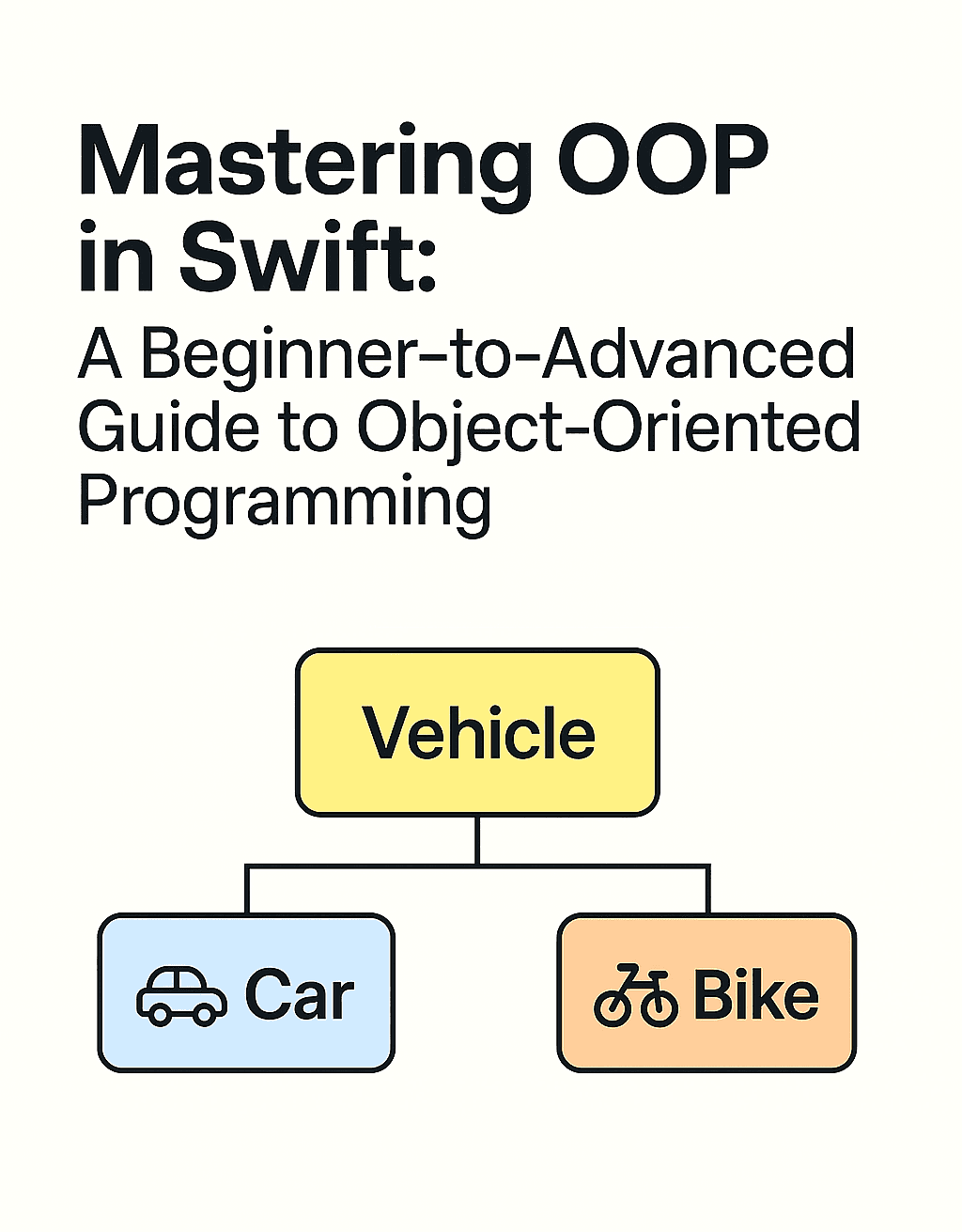
🧬 2. Inheritance: “Get it from your mama”
Inheritance lets you create a class hierarchy, where child classes inherit functionality from a parent.
class Vehicle {
    func startEngine() {
        print("Engine started")
    }
}

class Car: Vehicle {
    func playMusic() {
        print("Playing music 🎵")
    }
}

let myCar = Car()
myCar.startEngine() // Inherited!
myCar.playMusic()
Swift allows single inheritance only (a class can inherit from one parent). But beware: overusing inheritance is the fast lane to spaghetti code. Prefer composition when possible — we’ll revisit that later.
🧩 3. Polymorphism: “Same interface, different results”
Polymorphism means different types can respond to the same method call in their own way. It shines when using method overriding or protocols (but we’ll stick to class-based examples for now).
class Animal {
    func speak() {
        print("Some generic sound")
    }
}

class Dog: Animal {
    override func speak() {
        print("Woof! 🐶")
    }
}

class Cat: Animal {
    override func speak() {
        print("Meow! 🐱")
    }
}

let pets: [Animal] = [Dog(), Cat()]
pets.forEach { $0.speak() } // Woof! Meow!
Polymorphism is what makes code extensible and dynamic, especially when building UIs, networking modules, or working with design patterns like Strategy or Factory.
🎭 4. Abstraction: “Just tell me what, not how”
Abstraction is the idea of defining essential behavior without revealing the complex inner workings. It usually shows up when you use abstract classes or protocols — but in OOP terms, think of it like you can use it without understanding the mess inside.
Here’s a cleaner example:
class Payment {
    func process() {
        fatalError("This method should be overridden")
    }
}

class CreditCardPayment: Payment {
    override func process() {
        print("Processing credit card payment 💳")
    }
}

let payment = CreditCardPayment()
payment.process()
This makes Payment kind of a blueprint, forcing subclasses to implement process() — ensuring consistent structure across all payment types.
🧠 TL;DR on the 4 Pillars (Swifty Edition):
- Encapsulation: Keep internal details private; show only what matters.
- Inheritance: Share code across related classes — but don’t go overboard.
- Polymorphism: One interface, many behaviors.
- Abstraction: Hide complexity, expose essentials.
Next up — we answer the hot question:
_When should I actually use a class in Swift? And why do people love structs so much?_
Let’s jump into that debate (with a balanced, caffeine-fueled perspective) in the next section ☕👇
🆚 Classes vs Structs in Swift: When & Why
If you’ve been around Swift devs for more than 15 minutes, you’ve probably heard:
“Use_struct_unless you really need a_class_.”
But what does that even mean in real-world code? And when is it actually better to use a class?
Let’s unpack it — calmly. With coffee. ☕🧠
🧱 Value Types vs Reference Types
At the core of this debate is how data is stored and passed around:
- Structs are value types — they get copied when passed or assigned.
- Classes are reference types — they get referenced, meaning multiple variables can point to the same object.
struct UserStruct {
    var name: String
}

class UserClass {
    var name: String
}

var structUser1 = UserStruct(name: "Alice")
var structUser2 = structUser1
structUser2.name = "Bob"

print(structUser1.name) // Alice
print(structUser2.name) // Bob — different copy!

var classUser1 = UserClass()
classUser1.name = "Alice"
var classUser2 = classUser1
classUser2.name = "Bob"

print(classUser1.name) // Bob — same object!
🧠 “Structs give you safety-by-default. Classes give you shared state. Choose your weapon wisely.”
🔄 ARC, Lifecycle, and Memory
Classes come with Automatic Reference Counting (ARC) — which means Swift keeps track of references to know when to deallocate memory. Structs don’t need ARC since they don’t share references.
This is important in:
- Coordinators
- Delegates
- View models
- Services
If the object needs to stick around or be shared across multiple owners, use a class. If it’s a piece of data you don’t need to mutate globally — a struct is perfect.
📦 Use Case Examples
✅ When to Use struct
- Models and simple data types (e.g.
User,Address,Product) - View state in SwiftUI
- Configuration, constants
✅ When to Use class
- Lifecycle-bound components (like ViewControllers, Coordinators)
- Shared services (e.g.,
NetworkManager) - Object graphs that need inheritance or mutation
🔗 Want to see real-world class-based architecture? Check out this _URLSession Networking Layer_ — it’s clean, testable, and shows exactly _when classes make sense._
**URLSession in Swift: Build a Clean and Testable Networking Layer** _Tired of tangled networking code in your iOS apps? Learn how to build a clean, testable, and scalable networking layer…_medium.comhttps://medium.com/swift-pal/urlsession-in-swift-build-a-clean-and-testable-networking-layer-261f96a3df63
🏗️ In Scalable Apps…
In modular, scalable apps, we often separate logic into class-based layers: Coordinators, Services, ViewModels — each with defined responsibilities and controlled mutability.
🔗 Building large apps? Learn how we use class-based structures in this _Scalable Modular Architecture Guide_.
**How to Structure a Scalable iOS App with Modular Architecture** _Struggling with messy codebases and slow builds? Learn how modular architecture can make your iOS app scalable…_medium.comhttps://medium.com/swift-pal/how-to-structure-a-scalable-ios-app-with-modular-architecture-b0130da83bca
⚖️ TL;DR — Which One Do I Pick?
Here’s a quick way to decide between struct and class in Swift:
1\. ✅ Choose **struct** if:
- You want safety by default (immutable copies).
- You’re modeling lightweight data (e.g.
User,Product, etc). - You don’t need reference sharing.
- You want to avoid ARC overhead.
2\. ✅ Choose **class** if:
- You need shared mutable state across parts of your app.
- You’re dealing with complex lifecycles (like view controllers, coordinators).
- You require inheritance or custom deinitializers.
- You’re working with services that need reference identity.
🔧 How OOP Works Under the Hood in Swift
So far, we’ve played on the surface: classes, inheritance, ARC, etc.
But what really happens behind the scenes when you create a class, call a method, or override a function in Swift?
Let’s go under the hood — but gently, like a dev on a Friday afternoon. 👨🔧
🧠 Swift’s Method Dispatch: Not All Calls Are Equal
In Swift, method calls can be resolved in three different ways:
- Static Dispatch — Compile-time resolution (most efficient).
- Table Dispatch (vtable) — Used for most class methods.
- Message Dispatch — Dynamic resolution (like in Objective-C).
Let’s break it down.
🚀 Static Dispatch (Fastest)
Used mostly with structs, enums, and final methods in classes. Since the compiler knows exactly which method to call, it resolves everything at compile time.
struct Rocket {
    func launch() {
        print("Liftoff! 🚀")
    }
}
No surprises. Super fast. Zero inheritance issues.
📦 Table Dispatch (vtable)
This is how Swift usually handles overridable class methods. It builds a virtual table — a lookup of function pointers. When you call a method, Swift looks it up in the vtable and runs it.
class Animal {
    func speak() {
        print("Some sound")
    }
}

class Dog: Animal {
    override func speak() {
        print("Woof!")
    }
}
Here, the compiler doesn’t hard-code the method. It inserts a pointer to speak() into a virtual table — so when you call speak() on Dog, the correct version is chosen at runtime.
🕵️ Dynamic Dispatch
This one is Objective-C style. Swift uses dynamic dispatch only when you explicitly ask for it — using the @objc or dynamic keywords.
@objc class OldSchool {
    @objc dynamic func talk() {
        print("Talking via dynamic dispatch ☎️")
    }
}
This is less efficient, but useful for things like:
- KVO (Key-Value Observing)
- Selectors
- Obj-C interoperability
⚠️ Tip: Avoid_@objc_and_dynamic_unless you need them — they bring runtime overhead and tie your code to Objective-C mechanics.
🔒 The Power of final
When you mark a class or method as final, you’re telling Swift:
“Hey, nobody’s subclassing or overriding this. Ever.”
This allows Swift to use static dispatch, which is faster and safer.
final class Logger {
    func log(_ message: String) {
        print("LOG:", message)
    }
}
Use final by default unless subclassing is absolutely needed — it makes your code faster and easier to reason about.
🧼 ARC in Swift — Automatic Reference Counting
You’ve probably heard this one before: Swift manages memory using ARC — it keeps track of how many things are referencing an object and deallocates it when that count hits zero.
Example:
class Person {
    var name: String

    init(name: String) {
        self.name = name
        print("Created:", name)
    }

    deinit {
        print("Deallocated:", name)
    }
}

var p1: Person? = Person(name: "John")
var p2 = p1
p1 = nil
p2 = nil // Now it deinitializes!
ARC is not magic — it works great until you accidentally create strong reference cycles. (We’ll talk about that in the next section 👀)
🧠 TL;DR
- Swift uses static dispatch whenever it can — fast and predictable.
- Classes introduce indirection via vtables (table dispatch).
**@objc**/**dynamic**enables full runtime dynamism — but avoid unless needed.- Use
finalliberally — your future self will thank you. - ARC manages memory for classes — but be careful with ownership.
⚠️ Common Mistakes in Swift OOP
Yes, classes are powerful. But with great power comes great responsibility… and also a surprising number of memory leaks and awkward code reviews if you’re not careful.
Let’s walk through some of the most common Swift OOP pitfalls — and how to avoid them like a pro.
🔄 1. Retain Cycles: The Silent Memory Killer
Swift uses ARC to manage memory. But if two objects hold strong references to each other, they’ll never be deallocated. Ever. This is called a retain cycle — and it’s the #1 gotcha in class-based code.
class ViewModel {
    var coordinator: Coordinator?
}

class Coordinator {
    var viewModel: ViewModel?
}
you’ve got a retain cycle. Neither can be deallocated, even if your entire app forgets about them.
✅ Solution:
Use weak or unowned to break the cycle:
class Coordinator {
    weak var viewModel: ViewModel?
}
🔗 Want to dig deeper into how memory issues show up in real apps? Check out _Race Conditions vs Deadlocks_.
**When Swift Code Goes Rogue: Race Conditions vs. Deadlocks Explained 🧨** _Ever seen your Swift app crash without mercy? 🧨 Meet the chaos duo: Race Condition (the reckless sprinter) and…_medium.comhttps://medium.com/swift-pal/when-swift-code-goes-rogue-race-conditions-vs-deadlocks-explained-4a80e75a835a
🧱 2. Overusing Inheritance
Inheritance feels powerful… until you’re five layers deep and one override breaks your entire app.
class Animal {}
class Dog: Animal {}
class SuperDog: Dog {}
class UltraDog: SuperDog {}
// 👀 What even is going on anymore?
Swift’s final keyword exists for a reason — to help you say “this stops here.”
✅ Best Practice:
Use composition over inheritance whenever possible. Instead of building massive class trees, inject behavior.
🔓 3. Bad Access Control
Everything doesn’t need to be public, open, or even internal. By default, Swift uses internal, but being intentional with your access control improves safety and testability.
public class PaymentManager {
    public var payments = [String]() // Why is this public??
}
Suddenly, your intern on another module can mutate critical state. Not great.
✅ Use access modifiers wisely:
private: Hide details from the worldfileprivate: Hide details within the same fileinternal: Defaultpublic: Expose without subclassingopen: Expose and allow subclassing/overriding (handle with care)
🧠 4. Class Bloat: Doing Too Much
Ever seen a view controller with 500+ lines of code handling UI, networking, validation, analytics, and snacks ordering? That’s class bloat — a clear sign of OOP misuse.
✅ Fix it with proper responsibilities:
- Separate logic into ViewModels, Managers, Helpers
- Use delegation or dependency injection
- Respect Single Responsibility Principle
🔗 Want a full breakdown on how to structure large apps cleanly? Don’t miss the _Scalable Modular Architecture Guide_
**How to Structure a Scalable iOS App with Modular Architecture** _Struggling with messy codebases and slow builds? Learn how modular architecture can make your iOS app scalable…_medium.comhttps://medium.com/swift-pal/how-to-structure-a-scalable-ios-app-with-modular-architecture-b0130da83bca
🧠 TL;DR — Mistakes to Watch Out For
- 🔁 Retain cycles from strong references in both directions
- 🧬 Over-inheritance instead of composition
- 🔓 Loose access control leading to fragile APIs
- 🧱 God classes doing way too much
Don’t worry — you’re not alone. Every dev has tripped over these at some point. The key is learning from them and leveling up 💪
🛠️ Real-World OOP Design Patterns in Swift
Patterns aren’t just trendy acronyms we drop in interviews — they’re proven solutions to common software problems. And when used right in Swift, they can make your codebase cleaner, more testable, and honestly… more enjoyable to work in.
Let’s explore a few OOP-friendly patterns that you’ll actually use in production Swift code.
🧙♂️ 1. Singleton
Use when: You need only one instance of a class shared across the app — like a logger, user session, or networking layer.
class AnalyticsManager {
    static let shared = AnalyticsManager()

    private init() {}

    func track(event: String) {
        print("Tracked:", event)
    }
}- ✅ Centralized control
- ✅ Globally accessible
- ❌ Can hurt testability if overused
🔧 Tip: Consider injecting it where needed rather than accessing _shared_ everywhere. 🔗 Want to see this in action with better design? Check out this _URLSession Networking Article_**URLSession in Swift: Build a Clean and Testable Networking Layer** _Tired of tangled networking code in your iOS apps? Learn how to build a clean, testable, and scalable networking layer…_medium.comhttps://medium.com/swift-pal/urlsession-in-swift-build-a-clean-and-testable-networking-layer-261f96a3df63
🏭 2. Factory
Use when: You want to create objects without exposing the creation logic to the caller.
protocol Shape {
    func draw()
}

class Circle: Shape {
    func draw() { print("Drawing circle ⭕️") }
}

class Square: Shape {
    func draw() { print("Drawing square ⬛️") }
}

class ShapeFactory {
    static func makeShape(type: String) -> Shape {
        switch type {
        case "circle": return Circle()
        case "square": return Square()
        default: fatalError("Unknown shape")
        }
    }
}- ✅ Clean separation of creation logic
- ✅ Easy to extend
- ❌ Can grow complex quickly if abused
🎭 3. Strategy Pattern (via Delegation or Closures)
Use when: You want to dynamically choose behavior at runtime.
protocol PaymentStrategy {
    func pay(amount: Double)
}

class CreditCardPayment: PaymentStrategy {
    func pay(amount: Double) {
        print("Paid \(amount) with 💳")
    }
}

class UPIBasedPayment: PaymentStrategy {
    func pay(amount: Double) {
        print("Paid \(amount) using UPI 📱")
    }
}

class Checkout {
    var paymentMethod: PaymentStrategy?

    func process(amount: Double) {
        paymentMethod?.pay(amount: amount)
    }
}
You can inject any PaymentStrategy, and Checkout doesn't care how it works. Clean. Flexible. Reusable.
🧱 4. MVC (and how OOP fits in)
Model-View-Controller is the backbone of many UIKit apps (and even some SwiftUI ones, under the hood).
- Models = often structs (or classes with lifecycle)
- Views = UIKit views or SwiftUI
- Controllers = usually classes with strong OOP needs (inheritance, ARC, etc)
Using OOP:
- ViewControllers subclass
UIViewController - Controllers hold references to Models
- Delegation is used for loose coupling
🧠 5. MVVM Using Classes
MVVM in iOS almost always uses class-based ViewModels, especially when binding to UIKit views or using Combine/SwiftUI.
Why classes?
- ViewModels often have shared, mutable state
- Easier to work with
@Published,@ObservableObject, Combine pipelines - Lifecycle and identity matter
class LoginViewModel: ObservableObject {
    @Published var username = ""
    @Published var password = ""

    func login() {
        // Perform login logic
    }
}
Yes, you could make it work with structs — but at the cost of reactivity, mutation, and sanity 😅
🔗 Want to see these patterns come together in scalable apps? Don’t miss _How to Structure a Scalable iOS App with Modular Architecture_
**How to Structure a Scalable iOS App with Modular Architecture** _Struggling with messy codebases and slow builds? Learn how modular architecture can make your iOS app scalable…_medium.comhttps://medium.com/swift-pal/how-to-structure-a-scalable-ios-app-with-modular-architecture-b0130da83bca
TL;DR — Patterns That Actually Work in Swift
- Singleton: Use sparingly, prefer injection
- Factory: Clean creation logic
- Strategy: Behavior injection via protocols or closures
- MVC/MVVM: Still works — especially with class-based ViewModels
You don’t have to use every pattern in every project. Just keep them in your toolkit, and pull them out when the problem fits.
🧳 Conclusion: OOP in Swift — Still Worth Mastering
So… is Object-Oriented Programming still relevant in Swift in 2025?
Absolutely. Just not in the “inherit-everything-and-call-it-a-day” kind of way.
Swift encourages modern, thoughtful design — and OOP, when used well, is still a crucial tool in your toolbox. Classes give you:
- ✅ Lifecycle control
- ✅ ARC-based memory management
- ✅ Inheritance (when you really need it)
- ✅ Identity and shared mutability
- ✅ Real-world architecture options (like Coordinators, ViewModels, Managers)
But like any sharp tool, misuse it… and it bites back 🐍
✅ Quick Takeaways:
- Understand when to use classes vs structs — don’t follow dogma, follow clarity.
- Favor composition over inheritance when it keeps your code cleaner.
- Use Swift’s
final,private, andweakintentionally — they make a difference. - Know the under-the-hood mechanics like dispatch and ARC to debug confidently.
- Master common OOP patterns — Singleton, Factory, Strategy, MVVM — because clean code is still a vibe in 2025.
🎯 What’s Next?
While OOP helps you build solid foundations, Swift has another powerful paradigm that many engineers swear by: Protocol-Oriented Programming (POP).
👀 If you’re wondering how POP differs from OOP, when to use it, and whether it’s all just a trendy buzzword — don’t miss the upcoming article: 👉 _Protocol-Oriented Programming in Swift_
**Protocol-Oriented Programming in Swift Explained: How POP Works & Why It Matters** _Think Swift is all about classes? Think again. Dive into Protocol-Oriented Programming (POP) in Swift and learn how…_medium.comhttps://medium.com/swift-pal/protocol-oriented-programming-in-swift-explained-how-pop-works-why-it-matters-ab264a8759ff
🧠 Want to Keep Learning?
Check out some of the best-performing guides to level up your architecture and codebase:
- 🔌 Build a Clean and Testable Networking Layer with URLSession
- 🧱 Structure a Scalable iOS App with Modular Architecture
- 🧪 Unit Testing in Swift — Beginner to Pro
And if this guide helped you think a little differently about OOP in Swift, here’s how you can show some love:
🎉 Enjoyed this article? Your support means the world to me!
💬 Drop a comment below! I love hearing about your experiences and answering questions
🎬 Subscribe on Youtube and become early subscribers of my channel: https://www.youtube.com/@swift-pal
💼 Let’s connect on LinkedIn for more professional insights: https://www.linkedin.com/in/karan-pal
Happy coding! 🚀
New articles, straight to your inbox.
No spam, no filler — just new writing on iOS, the web, and AI when it ships. Unsubscribe anytime.
Keep reading
Your CPU Has More Cores Than Your Job Can Use
Some work splits cleanly across hundreds of cores. Other work is a chain of steps where every new step has to wait for the last one to finish.
ReadYour Password Isn’t as Random as You Think
Crack-time calculators measure the size of a theoretical password space—not how people actually choose passwords or how attackers search them.
Read