How to Convert Callback Hell to Modern async/await in Swift
A practical guide to wrapping callbacks, delegates, and old APIs in modern Swift concurrency
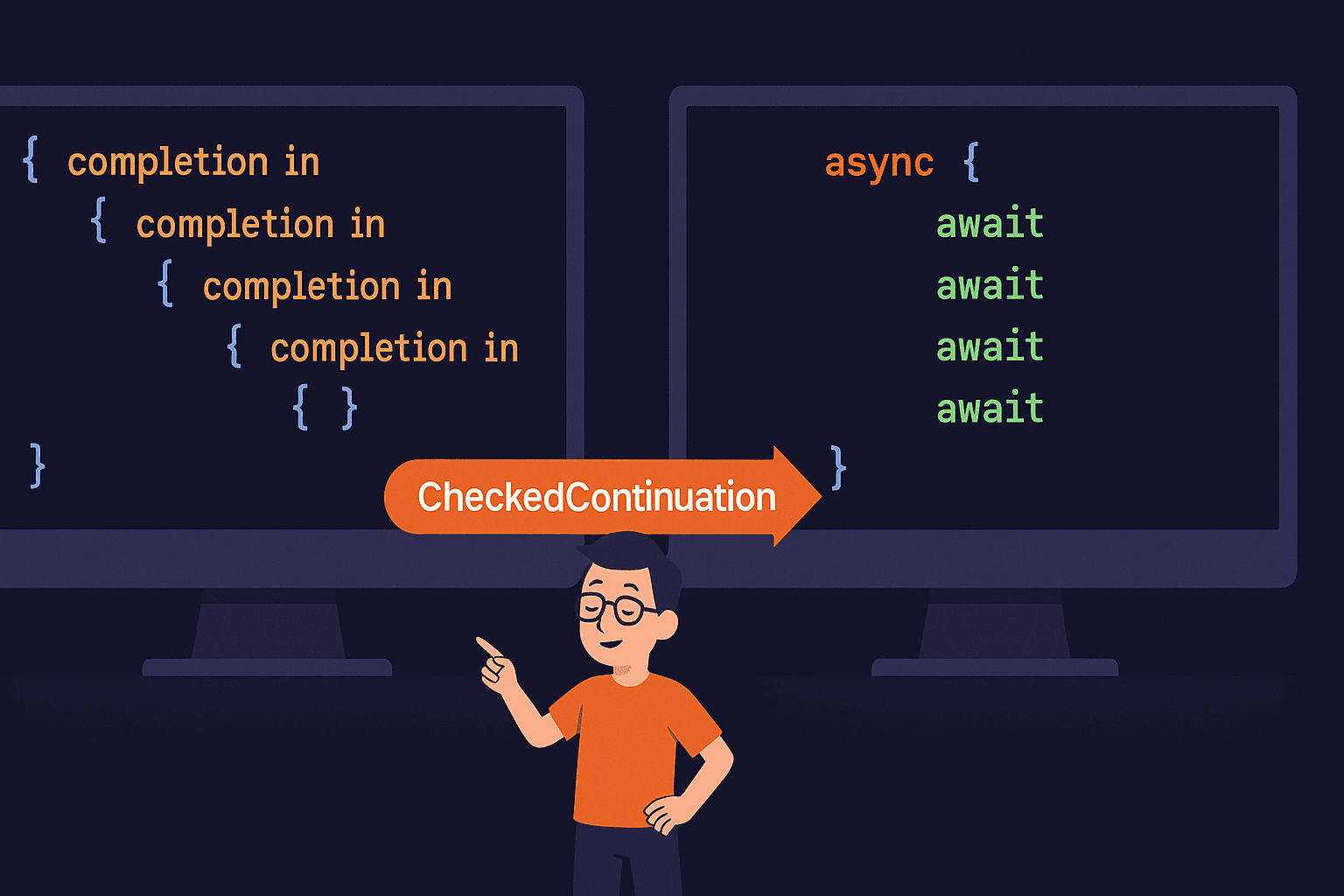

📱 Introduction
Ever stared at code like this?
fetchUserProfile(userId: "abc123") { profile in
    loadUserPosts(profile.id) { posts in
        fetchComments(for: posts.first?.id ?? "") { comments in
            updateUI(with: comments) { success in
                if success {
                    print("Finally done!")
                } else {
                    // good luck handling this error 6 levels deep
                }
            }
        }
    }
}
Yeah. That’s callback hell. Pyramid of doom. Whatever you wanna call it — it’s a mess.
You’ve got legacy code full of completion handlers, delegate callbacks, and APIs that predate async/await. Rewriting everything? Not realistic. But living with this? Also not great.
Continuations are your bridge. They let you wrap old callback-based APIs in shiny async/await without torching your entire codebase.
What we’re covering:
- why callbacks suck (you already know but let’s cry about it together)
- what continuations actually are
- how to wrap messy APIs the right way
- the one rule that’ll save you from crashes
📺 Video version? Building a full walkthrough for Swift Pal. Subscribe so you catch it.
Let’s fix this mess.
🔥 The Problem: Callback Hell is Real
Callbacks were fine… until they weren’t.
Here’s what typical legacy code looks like:
class ProfileLoader {
    func loadProfile(completion: @escaping (Result<UserProfile, Error>) -> Void) {
        // network call or whatever
        DispatchQueue.global().async {
            // simulate delay
            sleep(1)
            let profile = UserProfile(name: "Alice", id: "xyz")
            completion(.success(profile))
        }
    }
}

// using it
let loader = ProfileLoader()
loader.loadProfile { result in
    switch result {
    case .success(let profile):
        print("Got profile: \(profile.name)")
    case .failure(let error):
        print("Failed: \(error)")
    }
}
Not terrible yet. But stack a few of these…
loader.loadProfile { result in
    guard case .success(let profile) = result else { return }

    analytics.track(profile.id) { tracked in
        guard tracked else { return }

        cache.save(profile) { saved in
            guard saved else { return }

            // now do the actual thing you wanted 3 callbacks ago
            self?.updateUI(profile)
        }
    }
}
Problems:
- error handling is scattered everywhere
- early returns get confusing fast
- good luck with that
self?memory dance - debugging this? enjoy your breakpoints
The async/await version would be:
let profile = try await loader.loadProfile()
await analytics.track(profile.id)
await cache.save(profile)
updateUI(profile)
Way better. But how do you get there without rewriting ProfileLoader?
Continuations.
🌉 What Are Continuations?
Think of continuations as adapters between old and new Swift.
You’ve got an old API with callbacks. Swift’s async/await doesn’t understand callbacks. Continuations translate.
Simple version: they let you pause an async function until your callback fires, then resume it with the result.
Two flavors:
**CheckedContinuation**
- safe, catches mistakes
- yells at you if you mess up (runtime warnings)
- use during development
**UnsafeContinuation**
- no safety checks
- slightly faster
- use after you’ve tested with checked version
Honestly? Just use CheckedContinuation. The performance difference is tiny and catching bugs is worth way more.
✨ Your First Continuation: Basic Example
Let’s take that ProfileLoader and make it async.
Before (Callback-based):
class ProfileLoader {
    func loadProfile(completion: @escaping (Result<UserProfile, Error>) -> Void) {
        DispatchQueue.global().async {
            sleep(1) // fake network delay
            let profile = UserProfile(name: "Alice", id: "xyz")
            completion(.success(profile))
        }
    }
}
After (async/await wrapper):
extension ProfileLoader {
    func loadProfile() async throws -> UserProfile {
        return try await withCheckedThrowingContinuation { continuation in
            loadProfile { result in
                continuation.resume(with: result)
            }
        }
    }
}
That’s it. Now you can use it like:
let loader = ProfileLoader()
let profile = try await loader.loadProfile()
print(profile.name)
Clean. No nesting. Error handling with normal try/catch.
How it works:
withCheckedThrowingContinuationpauses the async function- You call the old callback-based method
- When callback fires, call
continuation.resume() - Function continues with the result
The “throwing” part means it can handle errors. For non-error cases, use withCheckedContinuation (no throwing).
⚠️ Critical Rules You Must Follow
One rule. RESUME EXACTLY ONCE.
That’s it. Don’t resume twice. Don’t forget to resume. Just once.
What happens if you resume twice:
func fetchData() async -> String {
    await withCheckedContinuation { continuation in
        continuation.resume(returning: "first")
        continuation.resume(returning: "second") // 💥 CRASH
    }
}
Runtime error. App crashes. Bad times.
What happens if you never resume:
func fetchData() async -> String {
    await withCheckedContinuation { continuation in
        // oops forgot to resume
    }
}

// calling it:
let data = await fetchData() // hangs forever
Your function just… waits. Forever. Task never completes. Memory leak city.
Why **CheckedContinuation** helps:
It catches double-resume at runtime with a warning. Won’t save you from never resuming, but it’ll at least yell about double resumes during testing.
// Checked version warns you:
await withCheckedContinuation { continuation in
    continuation.resume(returning: "hi")
    continuation.resume(returning: "bye") // ⚠️ Warning in console
}
🛠️ Real-World Examples
Example 1: Wrapping URLSession
Classic use case. URLSession completion handlers → async/await.
Old way:
func downloadJSON(from url: URL, completion: @escaping (Data?, Error?) -> Void) {
    URLSession.shared.dataTask(with: url) { data, response, error in
        if let error = error {
            completion(nil, error)
        } else {
            completion(data, nil)
        }
    }.resume()
}
Wrapped with continuation:
func downloadJSON(from url: URL) async throws -> Data {
    try await withCheckedThrowingContinuation { continuation in
        URLSession.shared.dataTask(with: url) { data, response, error in
            if let error = error {
                continuation.resume(throwing: error)
                return
            }

            guard let data = data else {
                continuation.resume(throwing: URLError(.badServerResponse))
                return
            }

            continuation.resume(returning: data)
        }.resume()
    }
}

// usage:
let url = URL(string: "https://api.example.com/data")!
let jsonData = try await downloadJSON(from: url)
Notice the pattern:
- error path →
resume(throwing:) - success path →
resume(returning:) - always resume exactly once
Example 2: Converting Delegate Callbacks
Delegates are trickier. They fire multiple times, but continuations resume once.
Solution: wrap just the part you need.
class LocationFetcher: NSObject, CLLocationManagerDelegate {
    private var manager = CLLocationManager()
    private var locationContinuation: CheckedContinuation<CLLocation, Error>?

    func getCurrentLocation() async throws -> CLLocation {
        try await withCheckedThrowingContinuation { continuation in
            self.locationContinuation = continuation
            manager.delegate = self
            manager.requestLocation()
        }
    }

    func locationManager(_ manager: CLLocationManager, didUpdateLocations locations: [CLLocation]) {
        guard let location = locations.first else { return }
        locationContinuation?.resume(returning: location)
        locationContinuation = nil // important!
    }

    func locationManager(_ manager: CLLocationManager, didFailWithError error: Error) {
        locationContinuation?.resume(throwing: error)
        locationContinuation = nil
    }
}

// usage:
let fetcher = LocationFetcher()
let location = try await fetcher.getCurrentLocation()
print("Lat: \(location.coordinate.latitude)")
Key points:
- store continuation as property
- nil it out after resuming
- delegate methods resume the continuation
Example 3: Wrapping NotificationCenter
Sometimes you need to wait for a notification.
extension NotificationCenter {
    func waitFor(_ name: Notification.Name, timeout: TimeInterval = 10) async throws -> Notification {
        try await withCheckedThrowingContinuation { continuation in
            var observer: NSObjectProtocol?
            var timeoutTask: Task<Void, Never>?

            observer = addObserver(forName: name, object: nil, queue: nil) { notification in
                timeoutTask?.cancel()
                if let obs = observer {
                    removeObserver(obs)
                }
                continuation.resume(returning: notification)
            }

            timeoutTask = Task {
                try? await Task.sleep(nanoseconds: UInt64(timeout * 1_000_000_000))
                if let obs = observer {
                    removeObserver(obs)
                }
                continuation.resume(throwing: NSError(domain: "Timeout", code: -1))
            }
        }
    }
}

// usage:
let notification = try await NotificationCenter.default.waitFor(.didFinishLaunching)
print("App launched!")
Pattern here: cleanup is important. Remove observers, cancel timouts, don’t leak stuff.
🎯 Checked vs Unsafe: When to Use Each
CheckedContinuation:
- development/testing phase
- catches double-resume bugs
- minimal performance cost
- use this by default
UnsafeContinuation:
- performance-critical paths (rare)
- after thorough testing with checked version
- no safety net
Comparison:
CheckedContinuation
Safety: Has runtime checks ✅ Performance: Tiny overhead | Use: Always during dev
UnsafeContinuation
Safety: No checks ⚠️ Performance: Slightly faster Use: Production hot paths only
Real talk: unless you’re in a tight loop processing thousands of operations per second, use checked. The perf difference is negligible.
🤔 Common Patterns & Best Practices
Pattern 1: Handling Cancellation
Tasks can get cancelled. Handle it.
func fetchWithCancel() async throws -> String {
    try await withCheckedThrowingContinuation { continuation in
        let task = SomeLongRunningTask()

        task.onComplete = { result in
            continuation.resume(with: result)
        }

        task.start()

        // handle cancellation
        Task {
            try? await Task.sleep(nanoseconds: 100_000_000)
            if Task.isCancelled {
                task.cancel()
                continuation.resume(throwing: CancellationError())
            }
        }
    }
}
Pattern 2: Avoiding Memory Leaks
Callbacks capture self. Be careful.
class DataFetcher {
    func loadData() async throws -> Data {
        try await withCheckedThrowingContinuation { [weak self] continuation in
            self?.someLongTask { result in
                continuation.resume(with: result)
            }
        }
    }
}
Use [weak self] in the continuation closure if you're capturing self.
Pattern 3: Timeouts
Don’t wait forever.
func fetchWithTimeout<T>(_ operation: @escaping (@escaping (T) -> Void) -> Void,
                         timeout: TimeInterval) async throws -> T {
    try await withThrowingTaskGroup(of: T.self) { group in
        group.addTask {
            await withCheckedContinuation { continuation in
                operation { result in
                    continuation.resume(returning: result)
                }
            }
        }

        group.addTask {
            try await Task.sleep(nanoseconds: UInt64(timeout * 1_000_000_000))
            throw TimeoutError()
        }

        let result = try await group.next()!
        group.cancelAll()
        return result
    }
}
When NOT to Use Continuations
Don’t wrap stuff that’s already async:
// DON'T do this:
func getData() async -> String {
    await withCheckedContinuation { continuation in
        Task {
            let result = await someAsyncFunction()
            continuation.resume(returning: result)
        }
    }
}

// Just do this:
func getData() async -> String {
    await someAsyncFunction()
}
Only use continuations for bridging callback-based code.
🎬 Wrap Up
Quick recap.
Remember:
- Continuations bridge callbacks to async/await. Don’t rewrite everything — just wrap it.
- Resume exactly once. Not zero times. Not twice. Once. This is the rule.
- Use
CheckedContinuationby default. Only go unsafe after testing. Performance difference is tiny. resume(returning:)for success,resume(throwing:)for errors. Pattern's consistent across all uses.- Handle edge cases: cancellation, timeouts, memory leaks. Old callback patterns had these issues too.
What to Do Next
Practice:
- find a callback-based API in your code
- wrap it with a continuation
- test the hell out of it
- check for double-resume bugs
📺 Want to see this in action? Full video walkthrough coming to Swift Pal. Subscribe.
Go bridge some callbacks. 🚀
🎉 Enjoyed this article? Your support means the world to me!
💬 Drop a comment below! I love hearing about your experiences and answering questions
🎬 Subscribe on Youtube and become early subscribers of my channel: https://www.youtube.com/@swift-pal
💼 Let’s connect on LinkedIn for more professional insights: https://www.linkedin.com/in/karan-pal
Happy coding! 🚀
New articles, straight to your inbox.
No spam, no filler — just new writing on iOS, the web, and AI when it ships. Unsubscribe anytime.
Keep reading
Your CPU Has More Cores Than Your Job Can Use
Some work splits cleanly across hundreds of cores. Other work is a chain of steps where every new step has to wait for the last one to finish.
ReadYour Password Isn’t as Random as You Think
Crack-time calculators measure the size of a theoretical password space—not how people actually choose passwords or how attackers search them.
Read